

Manage It - Project Manager
marcucio.com Business iPhoneiPadiPod touch
Manage It - Project Manager is a free Business app for iPhone and iPad by marcucio.com. Rated 3.2/5 from 5 ratings. Requires iOS 13.0.
- Rating
- 3.2
- 5 ratings
- Price
- Free
- on the App Store
- Size
- 10 MB
- Age 4+
- Updated
- Oct 8
- 2026 · v5.48.0
Screenshots



About Manage It - Project Manager
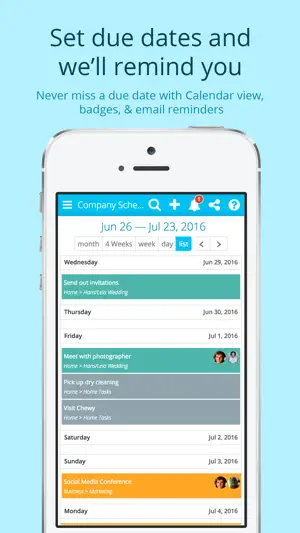
Manage It - Project Manager: Simplify Your Team’s Projects Collaborate effortlessly with Manage It - Project Manager, the ultimate project management tool for teams. Work on the same task lists in real time, keeping everyone on the same page and eliminating confusion. Whether you’re managing a team at work, school, or home, Manage It offers a simple, no-fuss solution to keep your projects organized and your team aligned. Why Teams Love Manage It: • Real-Time Collaboration – Share and update task lists instantly across phones, tablets, and computers. • Customizable Task Lists – Create tasks, subtasks, and even more nested subtasks. Rearrange them with a simple drag-and-drop. • Private & Shared Projects – Decide who can view or edit specific projects, or keep projects completely private. • Calendar Integration – Set due dates and view tasks in an easy-to-navigate calendar. • Attachments Made Easy – Add files, images, and links to tasks. Seamlessly integrate with Evernote, Google Drive, Dropbox, Box, and OneDrive. • People View – Instantly see what each team member is working on. • Daily Reminders – Receive email updates on your agenda for the day. • Powerful Search – Quickly locate tasks, attachments, or conversations. • Built-In Chat – Chat with your team about specific tasks and keep the conversation linked for easy reference. Who Is Manage It For? Whether you’re managing a work project, planning a family event, or coordinating with a school group, Manage It is designed to keep your team organized and productive. Flexible Plans to Fit Your Needs: • Free for up to 2 projects and unlimited users. • Upgrade to premium for advanced features and unlimited projects. Customer Praise: “I love Manage It. There is no longer a question of what everyone in my company is working on. I can see everyone’s progress and get notified when tasks are completed.” Try Manage It - Project Manager Today! Get started for free and see how Manage It transforms the way you collaborate. Subscription Details: Manage It Premium subscriptions auto-renew unless canceled at least 24 hours before the end of the current period. Cancel anytime through your iTunes account settings. Any unused free trial period is forfeited upon subscription purchase. For more information, see our terms of service and privacy policy: https://manageitapp.com/policies.html.
Ratings & reviews
3.2
5 ratings
What’s new
Version 5.48.0 · Updated October 8, 2026
Fixes selecting, copying, cutting and pasting text when editing tasks on iPhone and iPad, plus other fixes and improvements.
App privacy
The developer, marcucio.com, reported these privacy practices to Apple.
Data Not Linked to You
The following data, which may be collected but is not linked to your identity, may be used for the following purposes:
- Usage Data: Product Interaction
Used for: Analytics
Alternatives to Manage It - Project Manager
Looking for apps like Manage It - Project Manager? Here are 6 similar apps on the App Store. The highest rated is Backlog: Project Management (4.8/5), and all 6 are free to download.
-
 Project Management Tools
3.8
-
 Breeze: Project management
3.8
-
 Stem PowerTrack
3.1
-
 Backlog: Project Management
4.8
-
 Smart Arrow Project Manager
-
 Project Office X: Gantt chart
1.0
| App | Rating | Price | Last updated | Compare |
|---|---|---|---|---|
| Manage It - Project Manager | 3.2 / 5 (5 ratings) | Free | October 8, 2026 | |
| Project Management Tools | 3.8 / 5 (12) | Free | Feb 21, 2024 | Compare |
| Breeze: Project management | 3.8 / 5 (4) | Free | Oct 13, 2026 | Compare |
| Stem PowerTrack | 3.1 / 5 (42) | Free | May 27, 2026 | Compare |
| Backlog: Project Management | 4.8 / 5 (43) | Free | Oct 20, 2026 | Compare |
| Smart Arrow Project Manager | – | Free | Sep 27, 2026 | Compare |
| Project Office X: Gantt chart | 1.0 / 5 (2) | Free | Oct 9, 2026 | Compare |