

L.E.D. Lab
Christopher Schardt Productivity iPhoneiPadiPod touch
L.E.D. Lab is a free Productivity app for iPhone and iPad by Christopher Schardt. Rated 4.6/5 from 15 ratings. Requires iOS 15.6. Updated October 7, 2026.
- Rating
- 4.6
- 15 ratings
- Price
- Free
- on the App Store
- Size
- 22 MB
- Age 4+
- Updated
- Oct 7
- 2026 · v2.38
Screenshots
About L.E.D. Lab
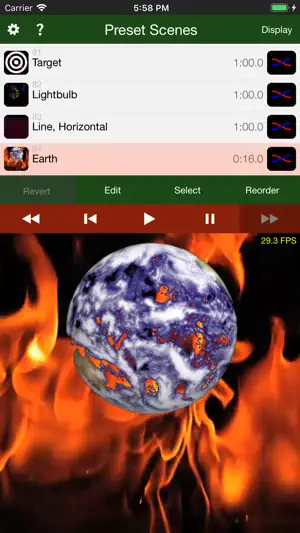
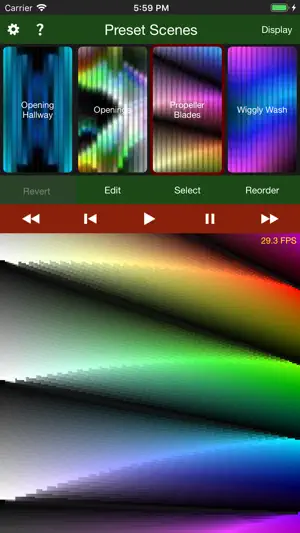
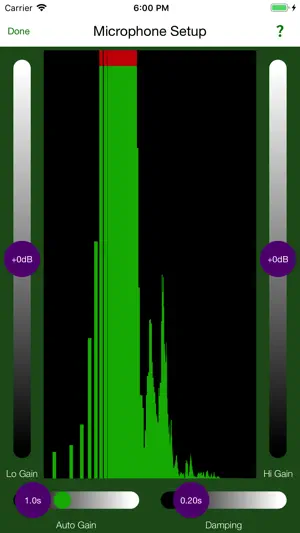
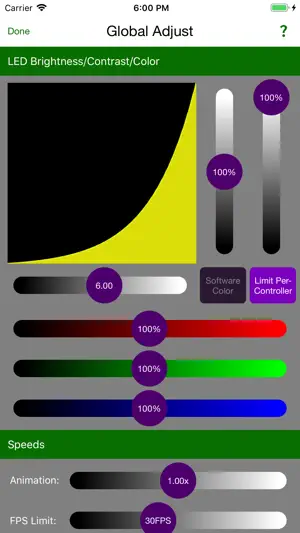
L.E.D. Lab is the quickest, easiest, most powerful way to drive your LED display! Custom programming is no longer required to get up-and-running. It is ideal for artists, professional display designers, architects, VJs, lighting designers, hobbyists, and anyone wanting to add a little animated color to their sculpture, art car, home, business or wardrobe. L.E.D. Lab allows you to create a list of Scenes, which can be played back in order or shuffled. There are currently two kinds of Scenes: ● Pictures Scene - A montage of still images, videos, and live camera feeds is designed. The position, velocity, rotation, size, and coloring of each picture can be animated. You can use your own photos and videos, and the iPad camera. Rendering to odd-shaped displays is made possible with photographically-generated map files. ● Strips Scene - Particles of color are sent down each strip. The velocity, hue, saturation, and brightness of each particle can be animated. Other features include: ● Music - Create lists of Tracks. Each track plays a song from your music library, along with any number of Scenes. You can elaborately choreograph a song, or let the Scenes play in random order. ● Audio Reactivity - Any animatable parameter may be controlled by the amplitude of audio in a specified frequency range. ● External Control - Any animatable parameter may be controlled by MIDI, DMX, ArtNet, or OSC. ● Color Keying - An image, video file, or live video feed can be made selectively transparent, making it easy to mix in with other images. ● Tiling - Any image, video file, or live video feed can be tiled in any or all directions, with adjustable spacing and fade-out. ● Display Modes - Editing can be performed with or without the LEDs connected. The editing UI can also be hidden, allowing operation in a "kiosk" mode. So what kind of LED display can you make with L.E.D. Lab? Some Examples: http://ledlabs.co Any iOS device can be used to play Scene Lists. An iPad is best for full editing. L.E.D. Lab works with the following LED controllers: ● PixelPusher (our favorite) ● Art-Net ● sACN ● DDP/Minleon/TekLights ● RGB-123 ● FadeCandy/FCServer ● OpenPixel It can also display to an external monitor or projector, serving as a VJ app. Extensive help information is provided for the rich user-interface: ● Help Explorer - Displays help text for any knob, slider, button, popup, list, or view inside a magnifying glass you drag around the screen. (See this in the last screen shot.) ● Help Topics - Little chapters to read about some of the more detailed functionalities. ● Help Tutorials
Ratings & reviews
4.6
15 ratings
What’s new
Version 2.38 · Updated October 7, 2026
The code that handles in-app purchases has been completely re-written to use Apple's new API. This should fix the problems with remembering and restoring purchases. (Apple still officially supports the old API, but it appears to be malfunctioning.)
App privacy
The developer, Christopher Schardt, reported these privacy practices to Apple.
Data Not Linked to You
The following data, which may be collected but is not linked to your identity, may be used for the following purposes:
- Diagnostics: Crash Data
Used for: App Functionality
Alternatives to L.E.D. Lab
Looking for apps like L.E.D. Lab? Here are 6 similar apps on the App Store. The highest rated is ZIG SIM (5.0/5), and all 6 are free to download.
-
 Stellar by ARRI
4.5
Stellar by ARRI
4.5
-
 Photon 2: DMX Light Controller
4.5
Photon 2: DMX Light Controller
4.5
-
 Luminair
4.6
Luminair
4.6
-
 ZIG SIM
5.0
ZIG SIM
5.0
-
 MagicQ Remote Control
4.3
MagicQ Remote Control
4.3
-
 Sidus Link Pro
2.7
Sidus Link Pro
2.7
| App | Rating | Price | Last updated | Compare |
|---|---|---|---|---|
| L.E.D. Lab | 4.6 / 5 (15 ratings) | Free | October 7, 2026 | |
| Stellar by ARRI | 4.5 / 5 (41) | Free | Jun 27, 2024 | Compare |
| Photon 2: DMX Light Controller | 4.5 / 5 (73) | Free | Jul 15, 2026 | Compare |
| Luminair | 4.6 / 5 (1,177) | Free | Oct 29, 2025 | Compare |
| ZIG SIM | 5.0 / 5 (8) | Free | Jun 19, 2026 | Compare |
| MagicQ Remote Control | 4.3 / 5 (10) | Free | Nov 19, 2024 | Compare |
| Sidus Link Pro | 2.7 / 5 (30) | Free | Sep 22, 2026 | Compare |
Compare L.E.D. Lab with the top alternatives: ratings, updates, ASO score and keyword gaps →