

PDF Reader & Editor | Xodo
Xodo Technologies Inc. Business iPhoneiPadiPod touch
PDF Reader & Editor | Xodo is a free Business app for iPhone and iPad by Xodo Technologies Inc. Rated 4.4/5 from 1,691 ratings. Requires iOS 16.0.
- Rating
- 4.4
- 1.6K ratings
- Price
- Free
- on the App Store
- Size
- 103 MB
- Age 4+
- Updated
- Sep 25
- 2026 · v9.18.0
Screenshots



About PDF Reader & Editor | Xodo
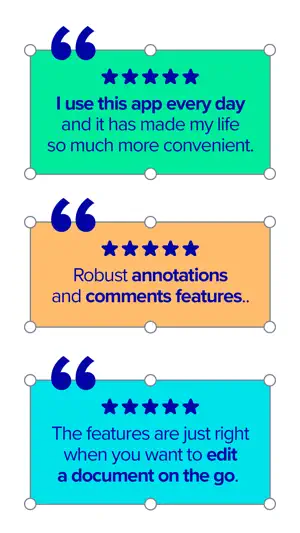
Transform your PDFs. Get your work done quickly with Xodo's all-in-one PDF editor and reader with 30+ features - all available on your iPhone or iPad. Safely store and sync your files on your iCloud, OneDrive, Google Drive and Dropbox so you can easily view, edit, convert, e-sign and compress your files anytime, anywhere on your device. Edit PDFs: Intuitive, easy-to-use PDF editor for any user in mind. • Compress PDF: Quickly reduce PDF file size for ease of sharing • Flatten PDF: All annotations in PDF like fillable forms will be locked and merged into a single layer for protection • Rotate & crop PDF: Add, remove, rearrange, rotate, crop PDF pages with ease • Split & extract PDF: Instantly split PDF or extract pages to a new PDF file • Create new PDF: Create PDFs from scratch or use one of our ready-made templates and edit file Scan PDFs: Seamlessly scan images and save as PDFs. • PDF scanner: Scan image with your camera or open an existing image or file and save as a new PDF • Edit scanned PDF: Edit, annotate, send your documents to iCloud, share via AirDrop, or any available app on your device Fill & Sign PDF Forms: Fill out, sign, and share your PDF forms. • Create your e-signature: E-sign your documents by hand or type in your signature, and save to reuse for later • Stylus-friendly: Supports Apple Pencil Convert PDFs: Convert files to PDF in seconds. • PDF converter: Convert any MS Office (Word, Excel, PowerPoint) to PDF, iWork (Pages, Numbers, Keynote) to PDF • Additional file formats: Convert JPG to PDF, PNG to PDF, PDF to JPG, PDF to PNG View & print PDFs: Quick and convenient PDF reader for e-books, reports, digital planner. • Viewing mode: View in light, dark, and sepia color modes for comfort reading • Bookmark feature: Tag your favorite PDF pages • Multiple tabs: Use tabs to work across multiple PDF documents • Print PDFs directly from your device • Fully searchable text: Search text within PDF to save time Annotate & Draw PDFs: Utilize Xodo's annotation tools configured to you. • Fully-featured mark-up tools: Add images, links, stamp or highlight text directly on PDF documents • Arrange pages: Thumbnail browser for deleting pages, extracting, and inserting pages • Scrolling mode: See all annotations at a glance with the touch of your finger Store & Manage Files Securely: Integrate with popular cloud apps and safely store your important files so you can pick up where you left off. • Built-in file manager: Rename, copy, move, or delete docs and folders locally • Cloud integration: Sync your files directly on iCloud, OneDrive, Google Drive and Dropbox to view in multiple devices • Protected features: Protect your PDF files with password encryption and unlock your protected PDF with PDF password remover tool Upgrade to Xodo Mobile Subscription: Get unlimited access to all 30+ tools with custom toolbar for quick access. • Free trial available in supported regions • Convert PDF to MS Office (Word, Excel, PowerPoint) • Remove sensitive content with PDF Redaction tool • High compression file size • Easily merge multiple documents to a single PDF • Create fillable PDF forms to fill out and sign while you're on the go • Support Smart pen to streamline and enhance note taking experience • Annotate in Reader mode - When viewing a PDF in reader mode, you can highlight, underline and strikeout text. • View and manage files with nesting layers - PDFs that include multi-level layers can be viewed individually • Scanned images can save as PDFs with searchable text (OCR) option • Flexible monthly and annual subscription options • Cancel anytime For Support and Feedback: [email protected] Visit Homepage: xodo.com Xodo is powered by Apryse | https://apryse.com
Ratings & reviews
4.4
1.6K ratings
What’s new
Version 9.18.0 · Updated September 25, 2026
- Bug Fixes and Improvements
App privacy
The developer, Xodo Technologies Inc., reported these privacy practices to Apple.
Data Used to Track You
The following data may be used to track you across apps and websites owned by other companies:
- Usage Data: Other Usage Data
Data Not Linked to You
The following data, which may be collected but is not linked to your identity, may be used for the following purposes:
- Identifiers: Device ID
- Usage Data: Product Interaction, Other Usage Data
- Diagnostics: Crash Data, Performance Data
Used for: Developer’s Advertising or Marketing, Analytics, Product Personalization, App Functionality
Alternatives to PDF Reader & Editor | Xodo
Looking for apps like PDF Reader & Editor | Xodo? Here are 6 similar apps on the App Store. The highest rated is PDF Gear - PDF Editor & Reader (4.7/5), and all 6 are free to download.
-
 Foxit PDF Editor
4.5
Foxit PDF Editor
4.5
-
 PDF Gear - PDF Editor & Reader
4.7
PDF Gear - PDF Editor & Reader
4.7
-
 PDF Viewer by Nutrient
4.6
PDF Viewer by Nutrient
4.6
-
 PDF Hero - PDF Editor & Reader
4.6
PDF Hero - PDF Editor & Reader
4.6
-
 PDF Expert: Editor & Reader
4.7
PDF Expert: Editor & Reader
4.7
-
 PDFelement: PDF Editor, Viewer
4.6
PDFelement: PDF Editor, Viewer
4.6
| App | Rating | Price | Last updated | Compare |
|---|---|---|---|---|
| PDF Reader & Editor | Xodo | 4.4 / 5 (1,691 ratings) | Free | September 25, 2026 | |
| Foxit PDF Editor | 4.5 / 5 (4,759) | Free | Sep 15, 2026 | Compare |
| PDF Gear - PDF Editor & Reader | 4.7 / 5 (8,683) | Free | Sep 24, 2026 | Compare |
| PDF Viewer by Nutrient | 4.6 / 5 (9,090) | Free | Sep 11, 2026 | Compare |
| PDF Hero - PDF Editor & Reader | 4.6 / 5 (10,313) | Free | Sep 17, 2025 | Compare |
| PDF Expert: Editor & Reader | 4.7 / 5 (216,003) | Free | Sep 25, 2026 | Compare |
| PDFelement: PDF Editor, Viewer | 4.6 / 5 (7,568) | Free | Sep 24, 2026 | Compare |