

FilesAnywhere
FilesAnywhere.com Productivity iPhoneiPadiPod touch
FilesAnywhere is a free Productivity app for iPhone and iPad by FilesAnywhere.com. Rated 3.5/5 from 31 ratings. Requires iOS 15.0. Updated June 24, 2026.
- Rating
- 3.5
- 31 ratings
- Price
- Free
- on the App Store
- Size
- 61 MB
- Age 4+
- Updated
- Jun 24
- 2026 · v2.0.5
Screenshots


About FilesAnywhere
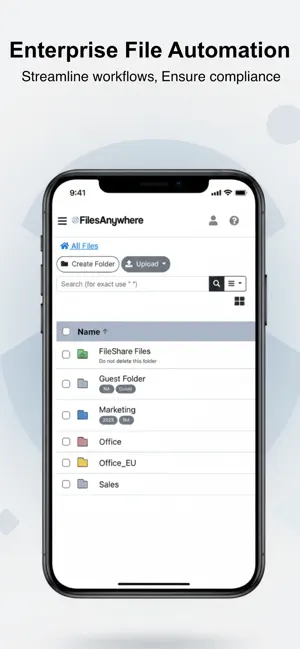
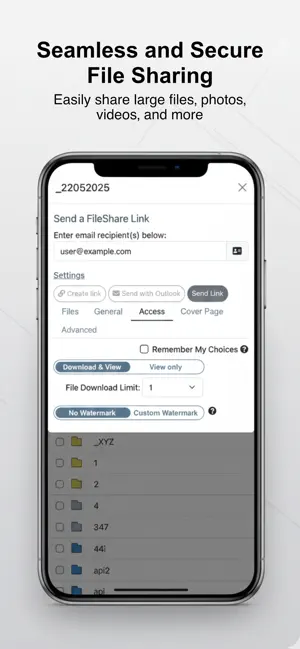
FilesAnywhere delivers secure, compliant file access for organizations that require control, privacy, and reliability. Designed for enterprise teams and regulated industries, FilesAnywhere provides encrypted cloud storage with mobile access—without compromising security. Access your files anytime, collaborate securely, and stay compliant while working remotely or on the move. Secure File Access Anywhere • View, upload, download, and manage files from your iPhone or iPad • Upload photos, videos, and documents directly from your device • Access business files while traveling or working remotely • Seamlessly sync with FilesAnywhere web and desktop platforms Mobile App Features • Upload and view files including PDFs, photos, videos, and Microsoft Office documents • Secure login with Face ID • Automatically upload files, photos, and videos from your camera roll • Share folders with groups using permission-based access controls • Send large files securely via email or shareable links • Search files by name or date in real time Built for Business Trusted by organizations worldwide, FilesAnywhere supports secure file storage, collaboration, and workflow efficiency. • Over 20 years of enterprise file management expertise • Designed for compliance-driven environments • Scalable for teams, departments, and enterprises • Ideal for remote and hybrid workforces Who It’s For • Enterprise and SMB teams • Regulated industries (Healthcare, Legal, Finance, Government) • IT-managed file storage and secure collaboration • A secure alternative to consumer cloud storage apps Download the FilesAnywhere app and take secure, enterprise-ready file access wherever business takes you.
Ratings & reviews
3.5
31 ratings
What’s new
Version 2.0.5 · Updated June 24, 2026
Bug fixes and improvements.
App privacy
The developer, FilesAnywhere.com, reported these privacy practices to Apple.
Data Linked to You
The following data, which may be collected and linked to your identity, may be used for the following purposes:
- Identifiers: User ID
Used for: App Functionality
Data Not Linked to You
The following data, which may be collected but is not linked to your identity, may be used for the following purposes:
- User Content: Photos or Videos, Audio Data, Other User Content
- Diagnostics: Crash Data
Used for: App Functionality
Alternatives to FilesAnywhere
Looking for apps like FilesAnywhere? Here are 6 similar apps on the App Store. The highest rated is Owlfiles - File Manager (4.6/5), and all 6 are free to download.
-
 Amaryllo Cloud
3.8
-
 Drime: Files Cloud Storage
4.4
-
 Icedrive – Cloud Storage
4.2
-
 Owlfiles - File Manager
4.6
-
 Handwriting to Text PenToPrint
4.4
-
 Network Toolbox Net security
4.6
| App | Rating | Price | Last updated | Compare |
|---|---|---|---|---|
| FilesAnywhere | 3.5 / 5 (31 ratings) | Free | June 24, 2026 | |
| Amaryllo Cloud | 3.8 / 5 (8) | Free | Apr 27, 2026 | Compare |
| Drime: Files Cloud Storage | 4.4 / 5 (10) | Free | Oct 17, 2026 | Compare |
| Icedrive – Cloud Storage | 4.2 / 5 (40) | Free | Jan 23, 2026 | Compare |
| Owlfiles - File Manager | 4.6 / 5 (7,235) | Free | Oct 15, 2026 | Compare |
| Handwriting to Text PenToPrint | 4.4 / 5 (4,035) | Free | Oct 1, 2026 | Compare |
| Network Toolbox Net security | 4.6 / 5 (3,388) | Free | Dec 16, 2024 | Compare |
Compare FilesAnywhere with the top alternatives: ratings, updates, ASO score and keyword gaps →