

Face Editor: AI Pimple Remover
Innovative Software Solutions, LLC Photo & Video iPhoneiPadiPod touch
Face Editor: AI Pimple Remover is a free Photo & Video app for iPhone and iPad by Innovative Software Solutions, LLC. Rated 4.7/5 from 44 ratings.
- Rating
- 4.7
- 44 ratings
- Price
- Free
- on the App Store
- Size
- 281 MB
- Age 4+
- Updated
- Sep 28
- 2026 · v3.4
Screenshots
About Face Editor: AI Pimple Remover
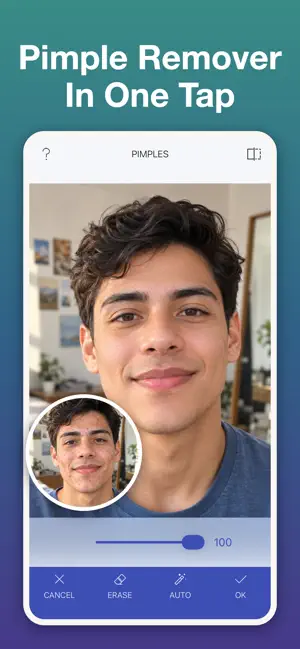
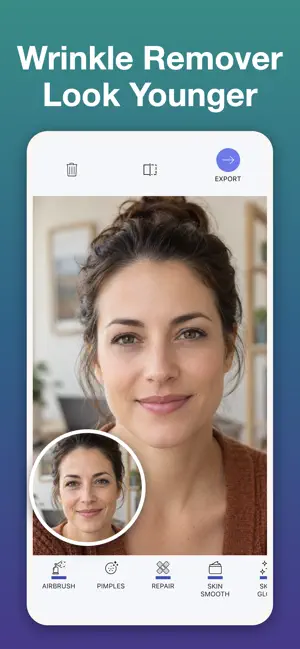
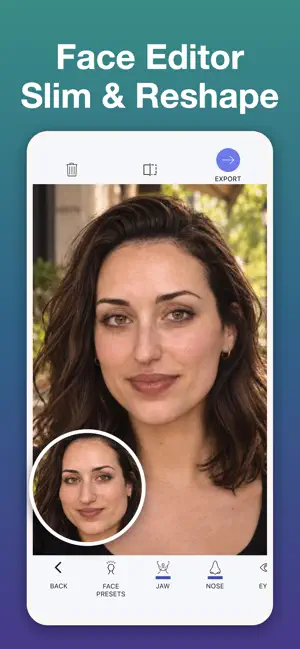
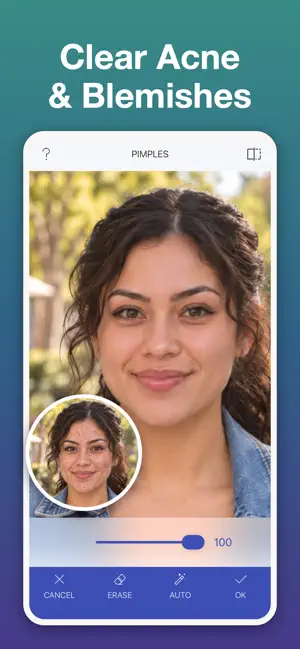
Remove pimples and acne in one tap, then refine your nose, plump your lips or add a natural smile. AI keeps your real skin texture, so every photo looks like you on your best day, not like a filter. ONE-TAP SKIN PRESETS • Pimple Remover — AI removes pimples, acne and redness, keeping your real skin texture • Wrinkle Remover — smooths wrinkles and fine lines with a light airbrush and soft glow • Airbrushed — removes pimples, softens wrinkles and airbrushes the whole face for a flawless finish Every preset can be dialed up or down. NEW: FACE TOOLS Reshape one feature at a time with simple sliders: • Nose — make it smaller, narrower or lifted, or refine the tip • Lips — fuller, wider or taller lips • Smile — add a natural smile that lifts the whole face • Eyebrows — thicken, lift, shape or tilt your brows • Eyes — bigger, wider, tilted or spaced • Jaw — slim or widen the jawline while the mouth and nose stay put • Chin and Forehead — lengthen, shorten, make taller or shorter ONE-TAP FACE PRESETS • Slim Face — narrows the jaw and refines the chin • Glow Up — a light refresh: softer jaw, brighter eyes, a touch of smile • Awake — opens the eyes and lifts the brows for a well-rested look • Refine Nose — a slimmer, shorter nose that still looks natural REAL SKIN, NOT A BLUR The AI finds pimples, acne and blemishes automatically, then rebuilds the skin underneath instead of blurring it. Pores, freckles and texture stay. Compare Before and After with one tap. MORE EDITING TOOLS • Skin Smooth — one slider for even, natural skin • Repair — paint over spots, scars and wrinkles and watch them vanish • Airbrush — a magazine finish, with you setting the strength • Skin Glow — a healthy, radiant look in seconds • Smart Skin Select — AI picks the skin, or fine-tune it yourself • Background Blur — portrait depth of field • 30+ Filters — change the mood of any photo BUILT FOR SELFIES, PORTRAITS AND PROFILE PICS Edit from your camera, your photo library, or straight from other apps. Group photo? Pick which face to edit. Freeform mode skips the presets and opens every tool. PRIVATE BY DESIGN All editing runs on your device. Your photos never leave your phone. PREMIUM Unlock every face and skin tool, all presets, unlimited edits and full-quality exports. Premium features are free to try. Upgrade to Premium to unlock unlimited access to every tool and effect. Terms of Use: https://www.apple.com/legal/internet-services/itunes/dev/stdeula/
Ratings & reviews
4.7
44 ratings
What’s new
Version 3.4 · Updated September 28, 2026
NEW: Face editing! Refine your nose, plump your lips, add a natural smile or slim your jaw with simple sliders. Or try the new one-tap face presets: Slim Face, Glow Up, Awake and Refine Nose.
App privacy
The developer, Innovative Software Solutions, LLC, reported these privacy practices to Apple.
Data Not Collected
The developer does not collect any data from this app.
Alternatives to Face Editor: AI Pimple Remover
Looking for apps like Face Editor: AI Pimple Remover? Here are 6 similar apps on the App Store. The highest rated is Brightroom (5.0/5), and 1 of the 6 are free to download.


| App | Rating | Price | Last updated | Compare |
|---|---|---|---|---|
| Face Editor: AI Pimple Remover | 4.7 / 5 (44 ratings) | Free | September 28, 2026 | |
| Tiltique | – | 0.99 USD | Aug 8, 2026 | Compare |
| ReflectionsCamera | – | 0.99 USD | Oct 10, 2026 | Compare |
| Zone Meter | – | Free | Aug 8, 2026 | Compare |
| Brightroom | 5.0 / 5 (1) | 0.99 USD | Aug 7, 2026 | Compare |
| ICMPhotoForge | 5.0 / 5 (1) | 0.99 USD | Aug 8, 2026 | Compare |
| DoubleIt Camera | – | 0.99 USD | Aug 3, 2026 | Compare |