

Timer for Rehearsal: Fin
Joseph Cieplinski Utilities iPhoneiPadiPod touchMacApple Watch
Timer for Rehearsal: Fin is a free Utilities app for iPhone and iPad by Joseph Cieplinski. Rated 4.5/5 from 137 ratings. Requires iOS 18.0.
- Rating
- 4.5
- 137 ratings
- Price
- Free
- on the App Store
- Size
- 17 MB
- Age 4+
- Updated
- Oct 18
- 2026 · v7.0.6
Screenshots

About Timer for Rehearsal: Fin
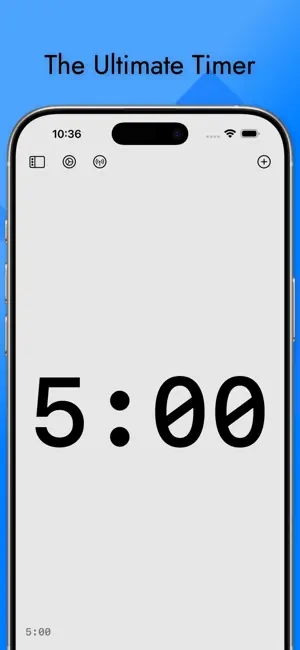
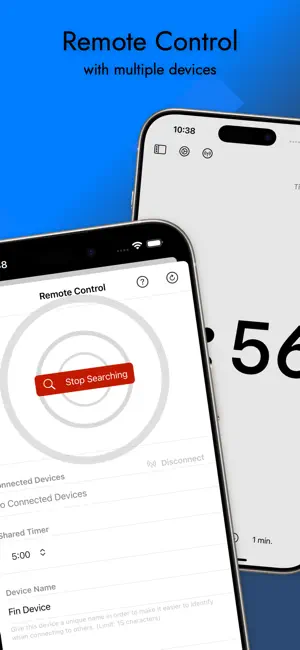
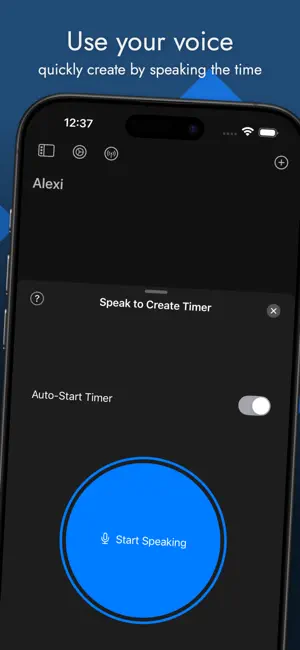
How Much Time Do I Have Left? It’s a simple question that often lingers in the back of your mind while you’re performing. A professional knows how to bring the show to a natural conclusion at just the right moment, but without knowing how long you have, you’re at a loss. Fin was created to solve this problem in the most elegant way possible. Take your iPad, iPhone, Apple Vision Pro, or Mac, and let the timer run as you deliver the best performance of your life. You’ll know when your time is almost up, but no one else will. Keep Your Performers on Schedule If you run conferences, toastmasters meetings, or other live events, you’ll appreciate how well Fin keeps your talent on schedule. Rather than having someone in the front of the room holding up cards, let Fin do the job for you. Fin will turn the background of the screen different colors at warning times you specify. (Yellow, Orange, and Red, or the Toastmasters standard Green, Yellow, and Red, or any other custom set of colors.) When time is up, the screen will pulse and a custom message will appear. The audience will never notice, but your performers will get the hint. Controlled with Simple Gestures Fin was designed to be used in live situations, whether on stage or in the recording studio. Starting or pausing is as simple as a tap on the screen. Adding or subtracting time is as simple as tracing a circle with your finger. Even while the timer is running, you can change the amount of time remaining, in case there’s been a sudden change in schedule. You can have the timer count up or down, depending on your preference. You can choose whether to show only warning colors, the current time of day, or the counting timer. Great for Rehearsals If you know how long your time slot is, Fin will help you practice sticking to it. Use Fin during rehearsals to get a good sense of how long you’re going over or under your allotted time. Fin will automatically start an overtime counter once the timer runs out, so you’ll know not only that the presentation is going too long, but also by how much. Features in the free version: • Large numbers that are easy to read from across a room. • One timer • Up to 3 visual warnings which change the screen background color at times specified by the user. (Any of these three warnings can be switched on or off as you see fit.) • Up to 12 editable templates • The option to play sounds for warning times or when time runs out. On devices with vibration support, warnings can vibrate as well. • Dark and light themes to match your stage conditions. • The ability to count up or down and switch between the two, even after you’ve started the timer. • The ability to hide the counter and just show different background colors, or show the current time instead of the counter. • An overtime counter that counts up after time is up. • A custom message when the timer runs out. • Siri Shortcut support. Launch your favorite Fin presets with your voice. • Add or subtract time with a circle gesture. Trace a circle on screen clockwise or counterclockwise to add or subtract time. (iOS devices only.) • Notifications for when the timer runs out while the device is off, or the app is in the background. • Need to switch to another app while Fin is running? No problem. Fin will calculate the time even while you’re gone. • Remote control of your iPhone timer using Apple Watch. • Universal app for iPhone, iPad, Vison Pro, and Mac. Upgrade to Fin pro for: • Unlimited timers • Unlimited warnings • Unlimited templates • Syncing of timers and templates over iCloud • Speak a timer: Create a timer by simply speaking the amount of time you need. • Remote control and syncing of two or more devices running a single timer. • Universal purchase gives you access to iPhone, iPad, Vision Pro, and Mac versions at no extra cost. Privacy Policy: https://fintimer.com/privacy.html Terms of Use: https://www.apple.com/legal/internet-services/itunes/dev/stdeula/
Ratings & reviews
4.5
137 ratings
What’s new
Version 7.0.6 · Updated October 18, 2026
This is a quick compatibility update for all the latest and greatest stuff. If you enjoy using the app, please consider leaving a rating or review. It really helps. Thanks.
App privacy
The developer, Joseph Cieplinski, reported these privacy practices to Apple.
Data Not Collected
The developer does not collect any data from this app.
Alternatives to Timer for Rehearsal: Fin
Looking for apps like Timer for Rehearsal: Fin? Here are 6 similar apps on the App Store. The highest rated is OnStage Timer Pro (5.0/5), and 5 of the 6 are free to download.
-
 TimerZ -Last Timer You'll Need
4.8
TimerZ -Last Timer You'll Need
4.8
-
 ToastBuster Timer
4.8
ToastBuster Timer
4.8
-
 Disco Timer: Visual Countdown
4.7
Disco Timer: Visual Countdown
4.7
-
 Stage Timer - Event Countdown
-
 OnStage Timer Pro
5.0
OnStage Timer Pro
5.0
-
 Countdown: Big Timer & Clock
4.1
Countdown: Big Timer & Clock
4.1
| App | Rating | Price | Last updated | Compare |
|---|---|---|---|---|
| Timer for Rehearsal: Fin | 4.5 / 5 (137 ratings) | Free | October 18, 2026 | |
| TimerZ -Last Timer You'll Need | 4.8 / 5 (12) | Free | Jun 19, 2026 | Compare |
| ToastBuster Timer | 4.8 / 5 (24) | Free | Apr 10, 2026 | Compare |
| Disco Timer: Visual Countdown | 4.7 / 5 (98) | Free | Nov 8, 2024 | Compare |
| Stage Timer - Event Countdown | – | Free | Jan 9, 2025 | Compare |
| OnStage Timer Pro | 5.0 / 5 (1) | Free | Oct 11, 2026 | Compare |
| Countdown: Big Timer & Clock | 4.1 / 5 (41) | 1.99 USD | Jan 31, 2026 | Compare |