

Tidur: Multiple Timers
Lukas Burgstaller Utilities iPhoneiPadiPod touchMacApple Watch
Tidur: Multiple Timers is a free Utilities app for iPhone and iPad by Lukas Burgstaller. Rated 3.9/5 from 22 ratings. Requires iOS 17.0.
- Rating
- 3.9
- 22 ratings
- Price
- Free
- on the App Store
- Size
- 136 MB
- Age 4+
- Updated
- Jun 12
- 2026 · v5.7
Screenshots

About Tidur: Multiple Timers
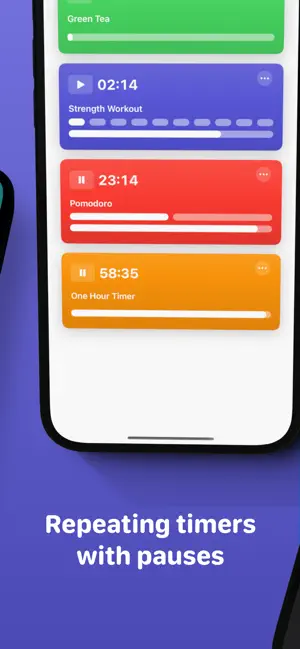
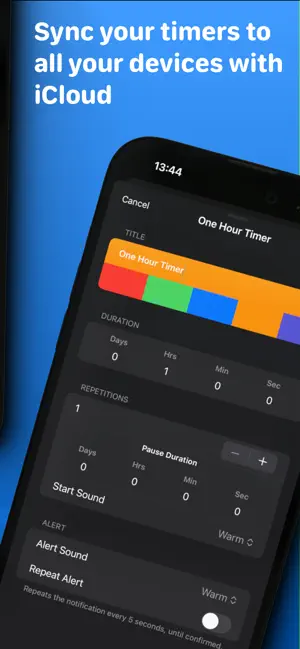
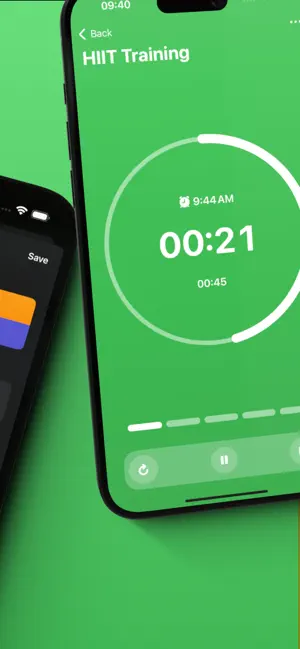
- Saved Timers - You can create and run multiple timers at the same time - Live Activities - See your timers running directly on your lockscreen. - Home Widget - See the progress or start timers right from your home screen. - Siri Shortcuts - You can start, stop, pause and even create new timers with Siri Shortcuts and parameters. - iCloud Sync - Sync your saved timers between all your devices using iCloud. - Spotlight - Simply search in Spotlight for any created timer by name to start it. - Repeating Timers - Set the number of repetitions and a pause between each repetition. - Apple Watch App - Fully featured watch app. Works as a stand-alone app or syncs through iCloud. - Tidur Pro - Tidur Pro automatically renews as a paid subscription, unless cancelled at least 24 hours before the date of renewal. The payment will be charged to iTunes Account at confirmation of purchase. Your account will be charged for renewal within 24-hours prior to the end of the current period. You can cancel a free trial or subscription anytime by turning off auto-renewal through your iTunes account settings. This must be done 24 hours before the end of a free trial or subscription period to avoid being charged. The cancellation will take effect the day after the last day of the current subscription period, and you will be downgraded to the free service. Any unused portion of a free trial period will be forfeited when you purchase a premium subscription during the free trial period. Privacy Policy: https://voidstern.net/privacy-policy Terms of Use: https://voidstern.net/terms-of-use EULA https://www.apple.com/legal/internet-services/itunes/dev/stdeula/
Ratings & reviews
3.9
22 ratings
What’s new
Version 5.7 · Updated June 12, 2026
AlarmKit Support - See your running timers on the dynamic island and your home screen - Fullscreen alerts when a timer finishes - Also works when the phone is on silent Improved Widgets - Merged the next timer and single timer widgets - If no timer is running now shows buttons to quickly start existing timers - Improved the layout for repeating timers Changes - Improved the layout for repeating timers - Timer groups are now supported on Apple Watch
App privacy
The developer, Lukas Burgstaller, reported these privacy practices to Apple.
Data Not Linked to You
The following data, which may be collected but is not linked to your identity, may be used for the following purposes:
- Usage Data: Product Interaction
- Purchases: Purchase History
- Diagnostics: Crash Data, Performance Data
Used for: Analytics, App Functionality
Alternatives to Tidur: Multiple Timers
Looking for apps like Tidur: Multiple Timers? Here are 6 similar apps on the App Store. The highest rated is Loop - Interval & Multi Timer (4.4/5), and all 6 are free to download.
-
 Just Timers
4.1
Just Timers
4.1
-
 Loop - Interval & Multi Timer
4.4
Loop - Interval & Multi Timer
4.4
-
 timer. - Multi Countdown Timer
4.3
timer. - Multi Countdown Timer
4.3
-
 Sticky Timers and Countdowns
4.1
Sticky Timers and Countdowns
4.1
-
 PowerTimer - Multi-step timers
4.2
PowerTimer - Multi-step timers
4.2
-
 Multi Timer: Countdown
4.1
Multi Timer: Countdown
4.1
| App | Rating | Price | Last updated | Compare |
|---|---|---|---|---|
| Tidur: Multiple Timers | 3.9 / 5 (22 ratings) | Free | June 12, 2026 | |
| Just Timers | 4.1 / 5 (30) | Free | May 6, 2026 | Compare |
| Loop - Interval & Multi Timer | 4.4 / 5 (68) | Free | Oct 23, 2026 | Compare |
| timer. - Multi Countdown Timer | 4.3 / 5 (171) | Free | Oct 22, 2026 | Compare |
| Sticky Timers and Countdowns | 4.1 / 5 (51) | Free | Oct 21, 2026 | Compare |
| PowerTimer - Multi-step timers | 4.2 / 5 (5) | Free | Oct 1, 2026 | Compare |
| Multi Timer: Countdown | 4.1 / 5 (63) | Free | Jul 15, 2026 | Compare |