

Wfmcpt
Tailsmeneg Productivity iPhoneiPadiPod touch
Wfmcpt is a free Productivity app for iPhone and iPad by Tailsmeneg. Requires iOS 13.0. Updated November 25, 2026.
- Price
- Free
- on the App Store
- Size
- 16 MB
- Age 9+
- Updated
- Nov 25
- 2026 · v1.0
Screenshots
Save to Pinterest


About Wfmcpt
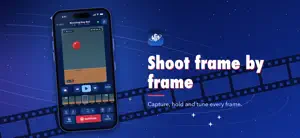
Thank you for choosing our app. We are steadily refining the details and welcome your valuable ideas. Wfmcpt turns your iPhone into a stop-motion workstation. Shoot an animation one picture at a time, see the last frame as an onion skin while you line up the next move, fine-tune the timing frame by frame and export a looping GIF or an MP4 video to share. Every animation is a reel, kept in the vault as a film canister with a tape slate label. Open a reel and the dark editor loads: a viewfinder with a frame counter and timecode, transport controls, a sprocketed filmstrip and a shooting deck. It is built for clay figures, paper cut-outs, brick builds, toys, drawings and anything else you can move a little at a time. There is no account and no sign-in. Wfmcpt opens straight into the vault, works fully offline and quietly keeps a private backup of your reels. SHOOT FRAME BY FRAME • CAPTURE opens the camera with Wfmcpt's own console: a big red shutter, the onion skin of your previous shot, an opacity fader and canvas guides. • The camera stays open between shots, so you can expose a whole sequence without stopping. Each new shot becomes the next onion skin. • IMPORT adds pictures from your photo library (several at once on iOS 14 and later). New frames are placed right after the selected frame. ONION SKIN • See the previous frame faintly over the current one, in the editor and in the camera. • Set how strong the ghost image is with the onion fader. ARRANGE AND TIME • Step through frames, move a frame left or right, duplicate it or delete it. • The Arrange sheet lets you drag frames into a new order or reverse the whole reel. • Choose a frame rate from 1 to 30 fps per reel, with quick picks for 6, 8, 10, 12, 15 and 24. • Hold any frame for ×1 to ×12 frame durations to pause on a pose. Timecode and running time include every hold. PLAY IT BACK • Play, pause and step in the editor; playback loops so you can judge the motion. • The Screening Room previews the reel with a scrubber, loop or play-once and ½×, 1× or 2× speed. EXPORT AND SHARE • Export an animated GIF (loop forever or play once) or an MP4 (H.264) video. • Light (640 px) or Standard (960 px) size, in your reel's canvas: Upright 3:4, Square 1:1 or Wide 4:3. • Files are rendered on your iPhone and only leave it when you share them through the share sheet. YOUR VAULT • Slate each reel with a production title, scene and take. • Edit the slate, duplicate a reel (every frame picture is copied) or scrap it. • Studio Notes holds new-reel defaults (frame rate and canvas), a studio log of reels, shots, imports and exports, and your data controls. • New here? Studio Notes > Load sample data adds three fictional sample reels drawn by the app (Bouncing Clay Ball, Paper Rocket and Snail Sprint) so you can press play right away. Remove sample data takes them away again and leaves your own reels alone. PRIVATE BACKUP, NO SIGN-IN • Everything is saved on your iPhone first, so Wfmcpt works without a connection. • Your reels, frame order, holds and settings are backed up to a private cloud space that belongs only to your install of the app. There is no account, email or password. • Frame pictures stay on your iPhone and are backed up to cloud storage when it is available; Studio Notes always shows the current backup state. • Changes made offline are sent automatically when you are back online. • Studio Notes > Delete all my data erases every reel, frame and setting from your iPhone and from the cloud backup. PRIVACY • No ads, no analytics, no tracking. • Camera access is requested only when you tap CAPTURE. Library pictures are the ones you choose. Wfmcpt is a creative tool for making your own animations. The sample reels are original drawings made for the app.
App privacy
The developer, Tailsmeneg, reported these privacy practices to Apple.
Data Not Collected
The developer does not collect any data from this app.
Alternatives to Wfmcpt
Looking for apps like Wfmcpt? Here are 3 similar apps on the App Store.


