

Export Text Messages: TextMint
Tim Grootes Utilities iPhoneiPadiPod touch
Export Text Messages: TextMint is a free Utilities app for iPhone and iPad by Tim Grootes. Requires iOS 17.0. Updated November 24, 2026.
- Price
- Free
- on the App Store
- Size
- 11 MB
- Age 4+
- Updated
- Nov 24
- 2026 · v1.2
Screenshots
Save to Pinterest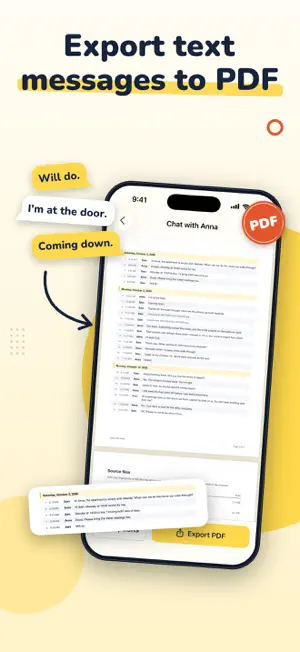


About Export Text Messages: TextMint
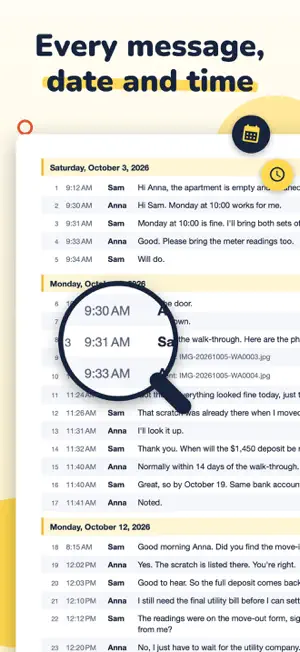
Export text messages to a clean PDF: every message with date, time and sender, straight from the Messages app (iOS 26.4 or later) or from a WhatsApp export, screenshots or a screen recording. Print it, send it to a lawyer, a court, a landlord or an employer, or simply keep it. Everything happens on your iPhone and your chats are never uploaded. You pay once: no weekly or monthly subscription. What the document holds • Every message with date, time and sender • Two looks: numbered rows you can cite, or chat bubbles as on the phone • Search inside the document • Numbered rows and page numbers, so anyone can point to one message • An optional cover page • A page with SHA-256 fingerprints of your source files • Export as PDF, CSV or plain text, or print it • Rename participants, choose a date range, A4 or US Letter Where the conversation comes from • Messages app (iOS 26.4+): TextMint reads the conversation with a shortcut in Apple's Shortcuts app: every message with its sender, date and time. No screenshots. • A WhatsApp chat export: in WhatsApp choose Export Chat, then open the .zip or .txt file in TextMint. • Screenshots of any chat app, such as Messages, Messenger, Instagram, Telegram or Signal. TextMint puts them in order, removes the overlap and reads the text on your iPhone. • A screen recording: scroll through the conversation while recording, and TextMint reads the frames. • Pasted text: paste a conversation and get the same clean layout. TextMint cannot open your messages by itself. You decide what you give it. Privacy All processing happens on your iPhone. Your conversations are never uploaded. There is no account and no sign-in. The app can send anonymous usage counts, such as how often an export was made. They never contain anything from a conversation, and you can switch them off in Settings. Purchases TextMint is free to use. Without a purchase, an export holds the first 3 pages with a preview mark. For a full export, choose one of two one-time purchases: • One Export: the full export of one conversation. • TextMint Pro: every conversation, for good. There is no subscription. TextMint makes a clear, dated record of a conversation. Whether a document is accepted is up to the person or office you give it to.
What’s new
Version 1.2 · Updated November 24, 2026
New: a chat-bubble layout, search inside the document, and the price shown before you start. Still one payment, no subscription.
App privacy
The developer, Tim Grootes, reported these privacy practices to Apple.
Data Not Linked to You
The following data, which may be collected but is not linked to your identity, may be used for the following purposes:
- Purchases: Purchase History
- Identifiers: Device ID
- Usage Data: Product Interaction
Used for: Analytics
Alternatives to Export Text Messages: TextMint
Looking for apps like Export Text Messages: TextMint? Here are 6 similar apps on the App Store. The highest rated is Admob Reporter (5.0/5), and all 6 are free to download.
-
 SMS / Texts Backup & Export
-
 Military Time Clock Converter
3.7
-
 Exportly: Export Text Messages
4.6
-
 TextVault: SMS Backup & Export
1.0
-
 Admob Reporter
5.0
-
 Sablier - Game Timer
| App | Rating | Price | Last updated | Compare |
|---|---|---|---|---|
| Export Text Messages: TextMint | – | Free | November 24, 2026 | |
| SMS / Texts Backup & Export | – | Free | Nov 23, 2026 | Compare |
| Military Time Clock Converter | 3.7 / 5 (3) | Free | Oct 27, 2026 | Compare |
| Exportly: Export Text Messages | 4.6 / 5 (9) | Free | Nov 7, 2026 | Compare |
| TextVault: SMS Backup & Export | 1.0 / 5 (1) | Free | Aug 25, 2026 | Compare |
| Admob Reporter | 5.0 / 5 (2) | Free | May 27, 2025 | Compare |
| Sablier - Game Timer | – | Free | Oct 11, 2026 | Compare |