

Papmio: Offline PDF Tools
Anivedam Technologies PVT LTD Productivity iPhoneiPadiPod touch
Papmio: Offline PDF Tools is a free Productivity app for iPhone and iPad by Anivedam Technologies PVT LTD. Requires iOS 17.0. Updated November 7, 2026.
- Price
- Free
- on the App Store
- Size
- 41 MB
- Age 4+
- Updated
- Nov 7
- 2026 · v1.0.0
Screenshots
Save to Pinterest


About Papmio: Offline PDF Tools
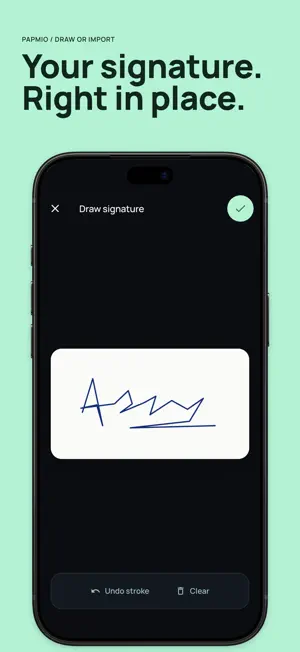
Make room for your PDF work. Papmio brings everyday document tools into a quiet, dark workspace. Read a PDF, fill a form, add your signature or put pages in order. Core document processing runs on your device, without an account or an internet connection. READ AND REVIEW Open local PDFs, zoom into details, move between pages, search embedded text and copy permitted text. Highlight, underline, draw and add notes as you review. FILL AND SIGN Complete supported text fields, checkboxes, radio buttons and dropdowns in ordinary PDF forms. Draw a signature or import a signature image, then place and resize it on the page. PUT PAGES IN ORDER Merge PDFs, split or extract selected pages, insert blank pages or pages from another file, and reorder, rotate, duplicate or delete pages. MAKE A COPY THAT WORKS FOR YOU Add text, images and shapes. Modify supported existing text and objects. Add page numbers or a text/image watermark. Create a password-protected copy or open a protected PDF using a known password. SCAN, CONVERT AND EXTRACT Scan paper documents with the camera and review the pages before creating a PDF. Turn supported images into PDFs, export PDF pages as JPG or PNG, and make a smaller, lower-quality copy for sharing. Extract English text from scanned pages and images on device. Convert supported .docx files to PDF, or export embedded PDF text to an editable .docx document. YOUR WORK, UNDER YOUR CONTROL Save separate copies and choose when to export, share or print through your device's system services. No signup, advertising, subscription or in-app purchase is required. No document-processing account or Papmio server is needed. WHAT TO EXPECT Existing-content editing depends on the PDF's fonts and object structure. DOCX conversion supports a practical subset; PDF-to-DOCX exports text without recreating the original layout. Compression can flatten pages and reduce image quality. OCR extracts English text; it does not create a searchable PDF layer. Visible drawn/imported signatures are not certificate-based digital signatures. XFA forms and general PDF JavaScript are not supported. Cloud file providers, sharing apps and printers may require their own network connection. Papmio's document tools work with files available locally. Large files depend on the memory and storage available on your device.
App privacy
The developer, Anivedam Technologies PVT LTD, reported these privacy practices to Apple.
Data Not Collected
The developer does not collect any data from this app.
Alternatives to Papmio: Offline PDF Tools
Looking for apps like Papmio: Offline PDF Tools? Here are 6 similar apps on the App Store. The highest rated is Offline AI Chat - Secure/Local (5.0/5), and all 6 are free to download.
-
 JustPDF: Offline PDF Reader
-
 HTML2PDF: HTML to PDF
-
 Noah - AI assistant
-
 Offline AI Chat - Secure/Local
5.0
-
 Offline PDF Reader
1.0
-
 Consolidate: Study Planner
4.0
| App | Rating | Price | Last updated | Compare |
|---|---|---|---|---|
| Papmio: Offline PDF Tools | – | Free | November 7, 2026 | |
| JustPDF: Offline PDF Reader | – | Free | Oct 13, 2026 | Compare |
| HTML2PDF: HTML to PDF | – | Free | Nov 2, 2026 | Compare |
| Noah - AI assistant | – | Free | Oct 23, 2026 | Compare |
| Offline AI Chat - Secure/Local | 5.0 / 5 (8) | Free | Dec 22, 2025 | Compare |
| Offline PDF Reader | 1.0 / 5 (1) | Free | Jul 12, 2024 | Compare |
| Consolidate: Study Planner | 4.0 / 5 (1) | Free | Aug 9, 2024 | Compare |