

AVS: AutoViral Screen Stream
Zachary James Thompson Utilities iPhoneiPadiPod touch
AVS: AutoViral Screen Stream is a free Utilities app for iPhone and iPad by Zachary James Thompson. Requires iOS 16.0. Updated November 12, 2026.
- Price
- Free
- on the App Store
- Size
- 1 MB
- Age 4+
- Updated
- Nov 12
- 2026 · v1.5.0
Screenshots
Save to Pinterest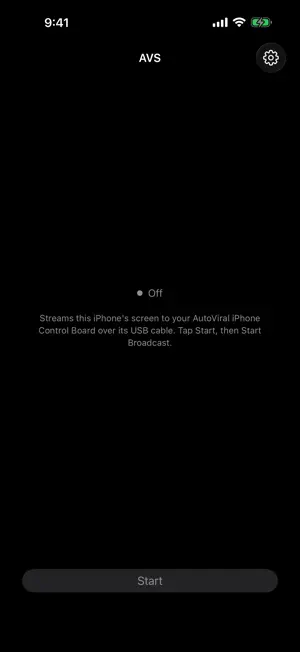

About AVS: AutoViral Screen Stream
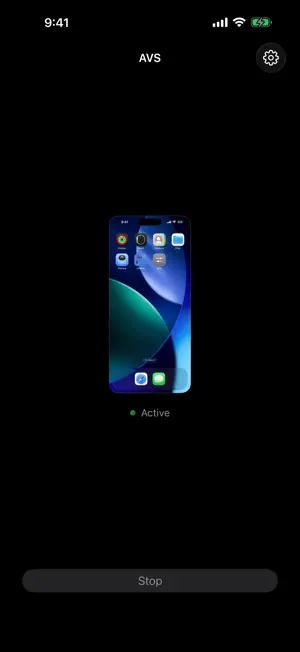
AVS streams this iPhone's screen to your AutoViral iPhone Control Board. The AutoViral iPhone Control Board is a small box that plugs into a stock iPhone over its USB cable. It types and taps on the phone the way a keyboard and mouse do, and it needs to see the screen to do that. AVS is the half that runs on the phone: it captures the display with iOS screen broadcasting and sends the video to the board over the cable. The board hands it to the AutoViral Driver on your computer, and from there to your AutoViral dashboard, where you watch and control the phone in your browser or through the AutoViral MCP. Requires the AutoViral iPhone Control Board (sold separately) and an AutoViral account with the Driver installed on a computer on the same network as the board. HOW IT WORKS • Plug the board's USB cable into the iPhone. • Open AVS, tap Start, then Start Broadcast. • The status turns Active as soon as the board answers, and the app shows a small preview of what it is sending. • Leave AVS. The broadcast keeps running behind other apps and on the lock screen. • Photos and videos you send from your dashboard land in this iPhone's Photos, and you can clear them from the dashboard too. • Stop it any time from the app or from the red status bar. WHAT IT DOES NOT DO • No account, sign-in or personal data on the phone. • Nothing is recorded on the phone. The video goes to your own board, your own Driver and your own AutoViral account, nowhere else. • The app does not control the phone. The board does that, as a plain USB keyboard and mouse. Operators who run many phones can set a password for Stop and Settings, and can push settings with a mobile device management profile.
What’s new
Version 1.5.0 · Updated November 12, 2026
Clear what your dashboard sent: photos and videos AVS saved to this iPhone can now be deleted from your AutoViral dashboard, so the next upload is the only thing in the picker. Full Photos access is only asked for the first time you use it. Smoother streaming while you scroll.
App privacy
The developer, Zachary James Thompson, reported these privacy practices to Apple.
Data Linked to You
The following data, which may be collected and linked to your identity, may be used for the following purposes:
- User Content: Other User Content
Used for: App Functionality
Alternatives to AVS: AutoViral Screen Stream
Looking for apps like AVS: AutoViral Screen Stream? Here are 6 similar apps on the App Store. The highest rated is Setup Builder: 3D Desk Setup (5.0/5), and all 6 are free to download.
-
 Setup Builder: 3D Desk Setup
5.0
-
 setting.watch
5.0
-
 STid Settings v3
-
 BattCheck
-
 E2Pdf Export: Files & Reports
-
 SpiderPool
5.0
| App | Rating | Price | Last updated | Compare |
|---|---|---|---|---|
| AVS: AutoViral Screen Stream | – | Free | November 12, 2026 | |
| Setup Builder: 3D Desk Setup | 5.0 / 5 (2) | Free | Oct 28, 2026 | Compare |
| setting.watch | 5.0 / 5 (3) | Free | Jul 16, 2026 | Compare |
| STid Settings v3 | – | Free | Apr 20, 2026 | Compare |
| BattCheck | – | Free | Dec 19, 2024 | Compare |
| E2Pdf Export: Files & Reports | – | Free | Oct 26, 2026 | Compare |
| SpiderPool | 5.0 / 5 (5) | Free | Oct 20, 2026 | Compare |