

MyProgress – Body Transform
Sam van de Wiel Health & Fitness iPhoneiPadiPod touchMac
MyProgress – Body Transform is a free Health & Fitness app for iPhone and iPad by Sam van de Wiel. Requires iOS 26.0. Updated November 27, 2026.
- Price
- Free
- on the App Store
- Size
- 5 MB
- Age 4+
- Updated
- Nov 27
- 2026 · v1.4
Screenshots
Save to Pinterest


About MyProgress – Body Transform
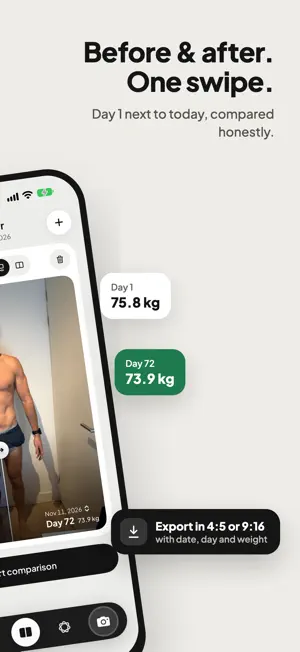
The same four photos every day, perfectly aligned. See what the scale can't show you. MyProgress guides every photo session and lines your photos up automatically, so before and after are truly comparable. Everything runs on your own device: no account, no server. GUIDED CAMERA SESSION • 4 photos a day: front, right, back and left • Self-timer with beeps and spoken cues • Ghost image of your last photo and a level • Live posture check, such as "arms slightly away from your body" • Retake instantly when a shot isn't right AUTOMATICALLY ALIGNED • Alignment on head and ankles using Apple Vision • Every photo at the same position and scale, for an honest comparison BEFORE & AFTER • Slider or side by side, several comparisons at once • Timeline as stop-motion or timelapse, with a carousel of all 4 poses • Export in 4:5, 9:16 and more, labeled with date, day number and weight PRIVACY FIRST • Show your face, blur it or crop it out; blur the crotch area • Face ID lock and a privacy screen in the app switcher • Stored in your own iCloud Drive folder or only on your device, with optional automatic backup INSIGHT THAT FITS YOUR GOAL • On-device AI analysis with Apple Intelligence: better, same or worse per body part versus day 1 and two weeks ago • Pick your phase: cut, lean bulk, bulk, recomp or maintenance, in Plain or Expert style • Measurements from your silhouette: waist, shoulders, V-shape and belly profile, as a trend with charts • Weight and body fat % from Apple Health, shown per photo day, plus CSV export READY FOR YOUR COACH • Prepare a full week of photos in one go: choose days, blur, set upload order ALWAYS WITHIN REACH • Daily reminder, widgets for Home and Lock Screen, quick actions on the app icon • Swipe with 1 finger through your days, switch pose with 2 fingers • Dark mode, in English and Dutch, on iPhone and Mac FREE • No subscription, no ads. You can optionally buy the developer a protein shake (a tip). AI analysis requires iOS 27 and a device with Apple Intelligence (iPhone 15 Pro or newer, Mac with M-series chip). All other features work from iOS 26. MyProgress does not provide medical advice.
What’s new
Version 1.4 · Updated November 27, 2026
New in 1.4: • Widget with today's photo. Pick the pose yourself, or let it rotate. On milestones such as day 30, 60 and 90 the widget turns festive. • Weekly average of your weight, next to your weight of the day. You choose which day your week starts. Trends shows your weight per week. • The Timeline now loads all your photos first and then plays smoothly. • When you switch pose or day, the previous photo no longer lingers.
App privacy
The developer, Sam van de Wiel, reported these privacy practices to Apple.
Data Not Collected
The developer does not collect any data from this app.
Alternatives to MyProgress – Body Transform
Looking for apps like MyProgress – Body Transform? Here are 6 similar apps on the App Store. The highest rated is GymHub: Workout & Nutrition (5.0/5), and all 6 are free to download.
-
 Physicly: Physique Rater AI
-
 Club Novus
-
 Kivo: Pelvic Floor Trainer
-
 GymHub: Workout & Nutrition
5.0
-
 KissMeFit
-
 Superhlth.
| App | Rating | Price | Last updated | Compare |
|---|---|---|---|---|
| MyProgress – Body Transform | – | Free | November 27, 2026 | |
| Physicly: Physique Rater AI | – | Free | Nov 28, 2026 | Compare |
| Club Novus | – | Free | Oct 2, 2026 | Compare |
| Kivo: Pelvic Floor Trainer | – | Free | Nov 6, 2026 | Compare |
| GymHub: Workout & Nutrition | 5.0 / 5 (2) | Free | Nov 26, 2026 | Compare |
| KissMeFit | – | Free | Dec 12, 2025 | Compare |
| Superhlth. | – | Free | Oct 18, 2026 | Compare |