

Remote Go: Remote Desktop, SSH
Saleel Pichen Utilities iPhoneiPadiPod touch
Remote Go: Remote Desktop, SSH is a free Utilities app for iPhone and iPad by Saleel Pichen. Rated 1.0/5 from 1 ratings. Requires iOS 18.0.
- Rating
- 1.0
- 1 ratings
- Price
- Free
- on the App Store
- Size
- 26 MB
- Age 4+
- Updated
- Nov 12
- 2026 · v1.3
Screenshots
Save to Pinterest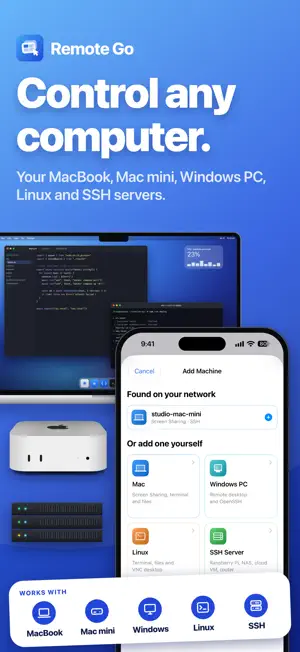

About Remote Go: Remote Desktop, SSH
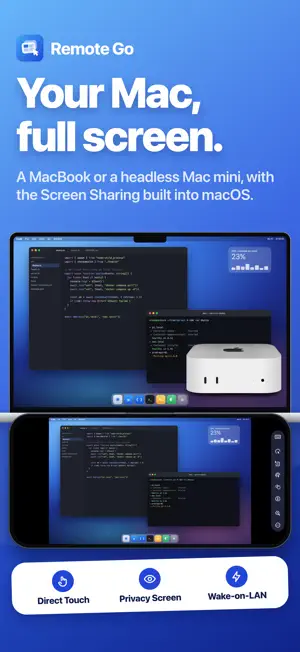
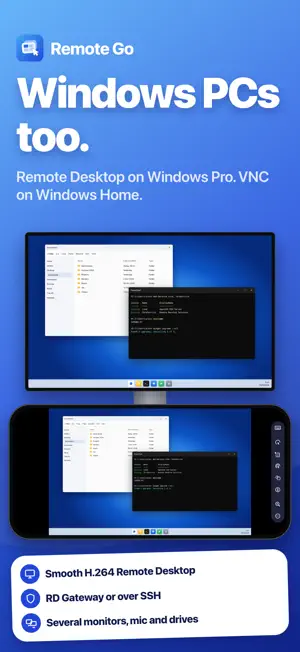
Remote desktop and SSH for your Mac, Windows PC, Linux desktop and servers, right from your iPhone or iPad. Remote Go uses the Screen Sharing, RDP, VNC and OpenSSH already on your computers. No account, no relay server, no subscription. PAY ONCE Try everything free for 5 minutes. Remote Go Unlimited is a one-time purchase. REMOTE DESKTOP • Mac through the Screen Sharing built into macOS, with a display picker for multi-monitor Macs • Windows and Linux over RDP, with sound, a shared clipboard and folder sharing • RD Gateway for work PCs, and RDP or VNC tunnelled over SSH • VNC for Windows Home, Linux and any VNC server • Screen wall: watch up to 9 screens live, then tap one to take control • Drag files onto a Mac or PC session to copy them to its Desktop • Privacy Screen hides a Mac session from the Mac's own display • Trackpad mode or tap to click, pinch to zoom, two-finger scroll, right-click and drag A REAL TERMINAL • Tabs for several SSH sessions, with ⌘T, ⌘W and ⌘⇧[ ] on a keyboard • Mosh and Eternal Terminal keep sessions alive through network changes and sleep • Attaches to tmux and reconnects on its own • Broadcast input to several tabs at once • Command history from the server (zsh, bash, fish, PowerShell), searchable • Snippets for the commands you run every day • 6 colour themes, cursor and text size settings • A key bar you can edit, with sticky Ctrl and Alt, repeating arrows and F1 to F12 SSH THE WAY YOU USE IT • Jump hosts (ProxyJump), agent forwarding and port forwarding • Import your hosts from ~/.ssh/config • Passwords, ed25519 keys, SSH certificates and one-time codes • Secure Enclave keys that can't be copied off the device • Install your key on a Mac, Linux or Windows machine in one tap FILES • SFTP file browser to download, open and upload • Your SSH machines show up as locations in the Files app and other apps BUILT FOR YOUR NETWORK • Finds computers on your network and shows which are online • Add machines straight from your Tailscale tailnet, with guided setup • Wake-on-LAN, plus sleep, lock, restart and shut down over SSH • Wake or connect from Control Center and the Lock Screen IPHONE DUO, IPAD AND BIG SCREENS • Fits the unfolded iPhone Duo, and Remote Desktop resizes when you fold or unfold • Multiple windows on iPad: a screen and a terminal side by side • External display or AirPlay, with your device as the trackpad • Apple Pencil points right at the screen. Double-tap or squeeze to right-click • Hardware keyboard and trackpad, with a keyboard test screen • Handoff to continue a session on another device EVERYWHERE ON YOUR DEVICE • Spotlight finds your machines • Home Screen and Lock Screen widgets, Siri and Shortcuts • Stays connected briefly when you switch apps • VoiceOver support, including direct touch on the remote screen SYNC AND SECURITY • Machines, keys and snippets sync with iCloud • Optional iCloud Keychain sync for passwords and private keys, end-to-end encrypted • Passwords and keys stay in the Keychain behind Face ID WHAT YOU NEED • Mac: Screen Sharing or Remote Login turned on • Windows: Remote Desktop (Pro, Enterprise or Education) or a VNC server. OpenSSH Server for the terminal and files • Linux: GNOME Remote Desktop, xrdp or a VNC server. OpenSSH for the terminal and files • Servers: OpenSSH. Mosh or Eternal Terminal installed on the server if you want to use them Questions? Choose Contact Support in Settings, or write to [email protected].
What’s new
Version 1.3 · Updated November 12, 2026
New in 1.3: • Terminal tabs, and broadcast input to several tabs • Mosh and Eternal Terminal • Screen wall: watch up to 9 screens, tap one to take control • Drag and drop files onto a Mac or PC, and folder sharing with Windows • SSH machines in the Files app • Add machines from your Tailscale tailnet • Control Center and Lock Screen buttons, Lock Screen widgets and Spotlight • Multiple windows on iPad, and Handoff • Secure Enclave SSH keys • Command history from the server, colour themes and an editable key bar • VoiceOver improvements and a keyboard test screen
App privacy
The developer, Saleel Pichen, reported these privacy practices to Apple.
Data Not Collected
The developer does not collect any data from this app.
Alternatives to Remote Go: Remote Desktop, SSH
Looking for apps like Remote Go: Remote Desktop, SSH? Here are 6 similar apps on the App Store. The highest rated is FontFlow (5.0/5), and 4 of the 6 are free to download.
-
 OBDScan — OBD2 Scanner
-
 FontFlow
5.0
-
 Simple VNC
5.0
-
 NetSpeed - Dynamic Island Live
1.0
-
 AutoX Data Logger
5.0
-
 Aurora Remote
5.0
| App | Rating | Price | Last updated | Compare |
|---|---|---|---|---|
| Remote Go: Remote Desktop, SSH | 1.0 / 5 (1 rating) | Free | November 12, 2026 | |
| OBDScan — OBD2 Scanner | – | Free | Nov 7, 2026 | Compare |
| FontFlow | 5.0 / 5 (1) | Free | Apr 20, 2026 | Compare |
| Simple VNC | 5.0 / 5 (1) | Free | Oct 13, 2026 | Compare |
| NetSpeed - Dynamic Island Live | 1.0 / 5 (1) | 3.99 USD | Nov 17, 2026 | Compare |
| AutoX Data Logger | 5.0 / 5 (8) | 9.99 USD | Oct 26, 2026 | Compare |
| Aurora Remote | 5.0 / 5 (2) | Free | Nov 2, 2026 | Compare |