

Overspill
Saeed Safrini Utilities iPhoneiPadiPod touch
Overspill is a free Utilities app for iPhone and iPad by Saeed Safrini. Requires iOS 17.0. Updated November 5, 2026.
- Price
- Free
- on the App Store
- Size
- 1 MB
- Age 4+
- Updated
- Nov 5
- 2026 · v1.1
Screenshots
Save to Pinterest


About Overspill
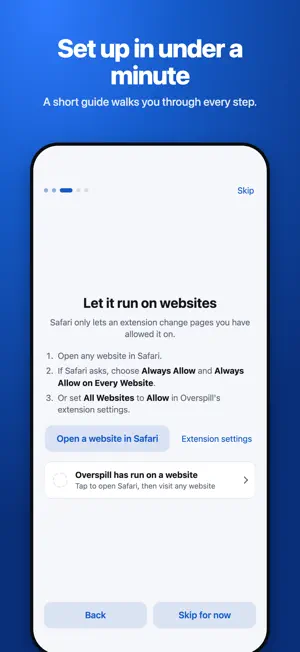
On iPhone Duo's external display, Safari keeps web pages clear of its own buttons and leaves an empty strip down one side. Overspill lets pages spill into that space. Turn it on from Safari's page menu and the page widens to use the whole screen. Safari's buttons stay where they are and float over the content. WHAT IT DOES • Overlay mode: one tap makes page content run edge to edge, underneath Safari's buttons. • Camera-aware menus: small menu buttons that would end up under the camera are nudged to the left so you can still tap them, and neighbouring buttons are kept from overlapping. • Everything else is left alone: only small controls near the camera move. The rest of the page stays as the site designed it. • Remembers your choice: switch it on once and it stays on until you switch it off. • Guided setup: a short interactive guide in the app walks you through enabling the extension and trying it out, and ticks each step only when you have really done it. PRIVATE BY DESIGN Overspill doesn't collect, store or send any data about you or the sites you visit. There is no account, no analytics and no network access. It remembers whether the overlay is on, and whether and when it last ran, so the app's setup guide can show your real progress. All of that stays on your device. GOOD TO KNOW • Designed for iPhone Duo's external display. On displays where Safari doesn't reserve a side strip, Overspill has no visible effect. • Overspill needs your permission to adjust pages. You choose which websites it can run on in Settings > Apps > Safari > Extensions. • Websites build their menus in many different ways. If a page looks odd, switch Overspill off from the same Safari menu and the page returns to normal.
What’s new
Version 1.1 · Updated November 5, 2026
- Fixed: with the overlay on, pages could be swiped sideways and slide out of place. Pages now stay put, and the horizontal scroll bar is hidden. - The setup guide in the app now shows your real progress. Steps tick only when you have actually switched the extension on, let it run on a website, and turned the overlay on. - "Open Overspill settings" now takes you straight to Overspill's page under Safari's extensions. - A clearer picture of Safari on iPhone Duo in the guide.
App privacy
The developer, Saeed Safrini, reported these privacy practices to Apple.
Data Not Collected
The developer does not collect any data from this app.
Alternatives to Overspill
Looking for apps like Overspill? Here are 6 similar apps on the App Store. The highest rated is Brim Browser (4.6/5), and all 6 are free to download.
-
 Roomy Web: Full Screen Safari
-
 Duo Stretch – Fullscreen Web
3.7
-
 Expand – Wider Safari
-
 Brim Browser
4.5
-
 SiteShift: Unfolded Browsing
3.6
-
 OutSpan - Fullscreen Browsing
3.9
| App | Rating | Price | Last updated | Compare |
|---|---|---|---|---|
| Overspill | – | Free | November 5, 2026 | |
| Roomy Web: Full Screen Safari | – | Free | Nov 6, 2026 | Compare |
| Duo Stretch – Fullscreen Web | 3.7 / 5 (3) | Free | Nov 8, 2026 | Compare |
| Expand – Wider Safari | – | Free | Nov 5, 2026 | Compare |
| Brim Browser | 4.6 / 5 (20) | Free | Nov 24, 2026 | Compare |
| SiteShift: Unfolded Browsing | 3.6 / 5 (7) | Free | Nov 18, 2026 | Compare |
| OutSpan - Fullscreen Browsing | 3.9 / 5 (24) | Free | Nov 24, 2026 | Compare |
Compare Overspill with the top alternatives: ratings, updates, ASO score and keyword gaps →