

좌석표
kunyoung Yoon Education iPad
좌석표 is a free Education app for iPad by kunyoung Yoon. Requires iOS 15.5. Updated November 12, 2026.
- Price
- Free
- on the App Store
- Size
- 22 MB
- Age 4+
- Updated
- Nov 12
- 2026 · v1.0.2
Screenshots
Save to Pinterest


About 좌석표
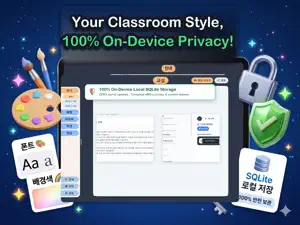
Still using paper draws or complex spreadsheets for classroom seating? "Seating Map" is a smart, intuitive classroom seating chart app designed to help teachers and students create fair and balanced seat arrangements in seconds. Beyond simple randomization, Seating Map analyzes past seats, partner history, board viewing distance (front/back rows), and center/outer zone rotation so every student gets a fair experience throughout the semester. [Key Features] 1. Three Smart Auto-Assignment Algorithms • Random: Shuffle all unpinned student seats fairly with a single tap. • New Friend: Automatically pair students with classmates they have never sat next to before. • New Seat (Multi-Criteria Fairness): Avoids previously occupied seats while optimizing relocation distance, front/back row viewing balance, and center/outer edge rotation. 2. Intuitive Drag & Drop Layout & Instant Seat Swap • Custom Classroom Layouts: Drag desks and the teacher's podium freely on the grid to match any classroom, group, or exam layout. • Drag-to-Swap: Drop one student's desk onto another's to swap their seats instantly. • Pin Seats: Lock specific students into their seats (e.g., for vision or special care) before running auto-assignment. 3. Past Seat & Partner History Tracking • Tap any student's desk in View or Assign mode to highlight all their past seats with yellow borders and view their past desk partners at the bottom. • Instantly verify that no student is repeatedly stuck in the back row or corner before saving. 4. Seat Map Fairness Analytics Report • Seat maps with 3 or more saved assignments automatically display color-coded fairness badges: Unique Seat Rate, New Partner Rate, Row Balance, and Average Move Distance. • Tap the card to open a detailed report checking whether any student has been biased toward back rows or outer corners, complete with next-assignment guidance. 5. Multiple Seat Maps & Timestamped Snapshots • Create multiple independent seat maps for homeroom, labs, clubs, or exams. • Every saved arrangement is stored as a timestamped snapshot that you can review anytime. 6. Classroom-Friendly Utilities • Hide Student Numbers: Toggle the eye icon to display only student names for clean projection or printing. • High-Resolution Image Share: Export and share seating charts via AirDrop, Messages, Mail, or Print. • Custom Styling: Choose from multiple fonts, gender theme colors, soft pastel backgrounds, or photo wallpapers. • Data Backup & Restore: Export all class, student, and seating history data to a single backup file and import it on a new device. 7. 100% On-Device Privacy • All class names, student names, numbers, and seating histories are stored exclusively on your local device. Nothing is ever uploaded or collected on external servers.
What’s new
Version 1.0.2 · Updated November 12, 2026
Added language selection (English, Japanese, Simplified Chinese) for student roster image recognition (OCR).
App privacy
The developer, kunyoung Yoon, reported these privacy practices to Apple.
Data Not Collected
The developer does not collect any data from this app.
Alternatives to 좌석표
Looking for apps like 좌석표? Here are 6 similar apps on the App Store. The highest rated is DYB Window (3.2/5), and all 6 are free to download.



| App | Rating | Price | Last updated | Compare |
|---|---|---|---|---|
| 좌석표 | – | Free | November 12, 2026 | |
| School Seating Chart Helper | – | Free | Nov 11, 2025 | Compare |
| Sekigae-kun: Seating Chart | – | Free | Jul 15, 2026 | Compare |
| 사각사각 손글씨 | – | Free | Aug 21, 2026 | Compare |
| 가비아 플레이어 | 2.0 / 5 (3) | Free | Jan 25, 2024 | Compare |
| DYB Window | 3.2 / 5 (20) | Free | Feb 23, 2026 | Compare |
| 배움누리터 | – | Free | Oct 6, 2026 | Compare |
Compare 좌석표 with the top alternatives: ratings, updates, ASO score and keyword gaps →