

SecretGuard: Private Bookmarks
Minsuk Kim Productivity iPhoneiPadiPod touch
SecretGuard: Private Bookmarks is a free Productivity app for iPhone and iPad by Minsuk Kim. Requires iOS 16.4. Updated November 13, 2026.
- Price
- Free
- on the App Store
- Size
- 45 MB
- Age 17+
- Updated
- Nov 13
- 2026 · v1.3.1
Screenshots
Save to Pinterest


About SecretGuard: Private Bookmarks
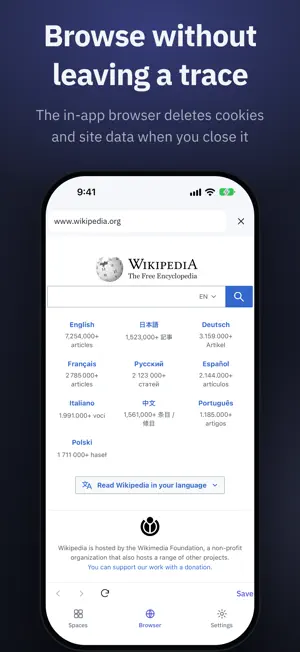
Some links don't belong in your regular bookmarks — the ones you'd quietly close when someone looks over your shoulder. Secret Guard gives them a place of their own. No sign-up, no sign-in, and nothing is sent to a server. ■ A vault that locks with Face ID - Opens with your device lock (Face ID, Touch ID or passcode). No extra password to remember. - Locks again immediately, or 1 or 5 minutes after you leave the app. - Give a sensitive Space an "Extra lock" to ask for authentication every time it opens. - Its contents are hidden in the app switcher. ■ Organize with Spaces and folders - Keep bookmarks in separate Spaces — personal, work, travel. - Make folders inside a Space, search everything, and move items between Spaces. - Turn on auto-expiry and bookmarks delete themselves after the days you choose. ■ A private browser that leaves no trace - Saved links open in the app's own browser. - Cookies, cache and other site data are deleted when you close it. - Save the page you're looking at straight into the vault. ■ Suggests new addresses for moved bookmarks - A per-Space switch (off by default) turns on automatic status checks, only while the app is open and unlocked: the app contacts those bookmarked sites directly — not through our server — sending no cookies and keeping no site data. - Separately, if a bookmark you open in the app's browser gets redirected to another site, the app may suggest the new address, with no extra request. - Bookmarks are only changed when you tap to update. ■ Save from any app - Tap Share in Safari or any other app and pick Secret Guard — the link is saved instantly. ■ Stays on this device - The vault is an encrypted database on this device only, and it is left out of iCloud backups. - Changing phones? Export a Space as an HTML bookmark file and import it on the new device. Bookmark files from Chrome and other browsers can be imported too. ■ Also on Chrome - On your computer, the Secret Guard extension for Chrome keeps incognito bookmarks separate in the same way. Available in English, Korean, Japanese, Spanish and Russian.
What’s new
Version 1.3.1 · Updated November 13, 2026
- Now in Japanese, Russian and Spanish. Change the language in Settings › Language. - The share sheet now shows in the language you picked in the app. - A folder you name "Inbox" yourself is no longer mistaken for the Inbox.
App privacy
The developer, Minsuk Kim, reported these privacy practices to Apple.
Data Not Collected
The developer does not collect any data from this app.
Alternatives to SecretGuard: Private Bookmarks
Looking for apps like SecretGuard: Private Bookmarks? Here are 6 similar apps on the App Store. The highest rated is Ad And Stuff DNS Filter (5.0/5), and 4 of the 6 are free to download.
-
 TresorLink: Private Bookmarks
-
 Ad And Stuff DNS Filter
5.0
-
 AI Chat Motivation BOT
1.0
-
 LastPage: Save Links with AI
5.0
-
 BloopBrowser
-
 Bookmark Safe - Url manager
4.4
| App | Rating | Price | Last updated | Compare |
|---|---|---|---|---|
| SecretGuard: Private Bookmarks | – | Free | November 13, 2026 | |
| TresorLink: Private Bookmarks | – | Free | Nov 2, 2026 | Compare |
| Ad And Stuff DNS Filter | 5.0 / 5 (1) | 0.99 USD | Nov 10, 2026 | Compare |
| AI Chat Motivation BOT | 1.0 / 5 (1) | Free | Jul 23, 2026 | Compare |
| LastPage: Save Links with AI | 5.0 / 5 (2) | Free | Apr 16, 2026 | Compare |
| BloopBrowser | – | 1.99 USD | Jun 3, 2026 | Compare |
| Bookmark Safe - Url manager | 4.4 / 5 (5) | Free | Nov 1, 2026 | Compare |