

Surnia – Offline AI Chat
Omar Al Murad Agha Productivity iPhoneiPadiPod touch
Surnia – Offline AI Chat is a free Productivity app for iPhone and iPad by Omar Al Murad Agha. Rated 5.0/5 from 1 ratings. Requires iOS 18.0.
- Rating
- 5.0
- 1 ratings
- Price
- Free
- on the App Store
- Size
- 49 MB
- Age 12+
- Updated
- Nov 24
- 2026 · v2.3.0
Screenshots
Save to Pinterest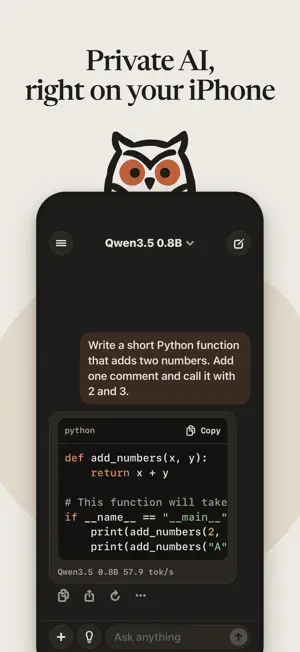
About Surnia – Offline AI Chat
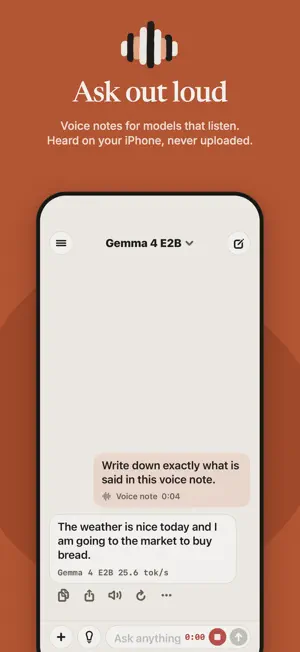
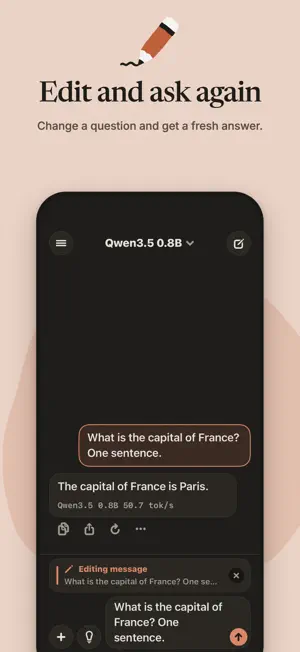
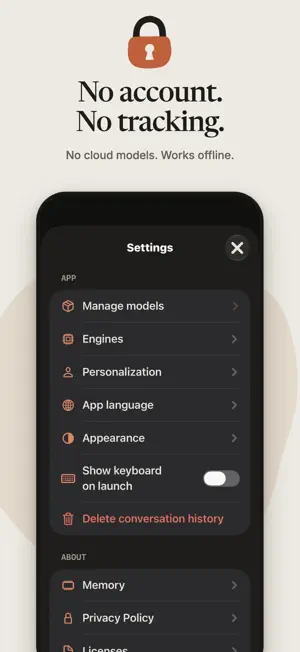
Surnia runs open-source language models directly on your iPhone or iPad. Everything you type stays on the device: there is no account, no server and no tracking. WHY SURNIA • Private by design: conversations never leave your device. • Works offline: once a model is downloaded, you can chat anywhere, with no connection. • Honest about your device: every model shows whether it suits your iPhone or iPad, from the memory Surnia reads on your device itself. • Downloads that survive: leave the app and the download keeps going; if it is interrupted, it resumes where it stopped, and it asks before using mobile data. TALK, LISTEN AND SHARE • Voice notes: with a model that listens (Gemma 4 on llama.cpp), record up to 30 seconds and the model hears it on your device. The recording is never kept or sent. • Read aloud: have any reply read to you with your device's own voices. • Ask Surnia from Siri, Shortcuts or Spotlight. • Edit a question and send it again, export a chat as Markdown or PDF, and read code with syntax colors. • With open models, follow-up questions still see a photo you sent earlier. MODELS Choose from a curated catalog of open models (Qwen3.5, Gemma 4, Mistral's Ministral, Microsoft's Phi, Liquid LFM2.5 and LFM3, SmolLM3 and ALLaM for Arabic), from tiny and fast to large and capable. On devices with Apple Intelligence, Apple's built-in on-device model is available without any download. You can also import your own GGUF files. MADE FOR MANY LANGUAGES Surnia's interface is available in Arabic, Kurdish (Sorani), English, Chinese, Spanish, French, German and Japanese. The models understand many more languages; each model's card lists what it supports. Arabic is fully right-to-left, mixed Arabic and English text reads correctly, and code is always shown left-to-right with a one-tap Copy button. DESIGNED TO BE SMOOTH Streaming answers, Markdown formatting, thinking mode for models that support it, attachments (text, code and PDF files; images for vision models), a side panel with your recent chats, and careful memory management so your device stays fast. Share a photo or a file to Surnia from any app with the Share button, and Surnia opens with it, ready for your question. Surnia uses open-source software including llama.cpp and MLX. Model weights are downloaded from Hugging Face and are subject to their own licenses.
What’s new
Version 2.3.0 · Updated November 24, 2026
What's new in 2.3 NEW • A short first launch: tell Surnia what you will use it for, and it suggests models to match. • Search finds words inside your chats and takes you straight to the message. • Continue: when a reply stops, tap Continue and the model writes on from where it stopped (with supported models). • Notify me when it's ready: get a notice when a model finishes downloading. • Storage in Settings shows what Surnia keeps on your device. • Paste or drop photos and files into a chat, use keyboard shortcuts, and start a new chat from the Home Screen icon, Siri or Shortcuts. • LFM3 1.7B from Liquid AI joins the models. IMPROVED • Every model card shows each version and what it can do on your device, such as Reads photos or Hears voice notes. • Downloads show the time left and the speed, and every wait can be cancelled. • Chats are grouped by date, a Jump to latest button takes you back to the newest message, and each chat remembers its model. • Plainer words across the app: the temperature slider is now Creativity. • When something goes wrong, Surnia now says what to do next. FIXED • Many fixes to downloads, models and chats, found by checking the whole app again. Update now and keep chatting, fully on your device. Questions or ideas? Report a problem in Settings, or write to [email protected]
App privacy
The developer, Omar Al Murad Agha, reported these privacy practices to Apple.
Data Not Collected
The developer does not collect any data from this app.
Alternatives to Surnia – Offline AI Chat
Looking for apps like Surnia – Offline AI Chat? Here are 6 similar apps on the App Store. The highest rated is Beacon – Local AI Chat (5.0/5), and all 6 are free to download.
-
 CommuniLLM
-
 Salam College
-
 Axion: AI Voice Planner
-
 Beacon – Local AI Chat
5.0
-
 Click Hr
-
 smartLLM: Private AI Chat
| App | Rating | Price | Last updated | Compare |
|---|---|---|---|---|
| Surnia – Offline AI Chat | 5.0 / 5 (1 rating) | Free | November 24, 2026 | |
| CommuniLLM | – | Free | Oct 28, 2026 | Compare |
| Salam College | – | Free | Oct 7, 2026 | Compare |
| Axion: AI Voice Planner | – | Free | May 18, 2026 | Compare |
| Beacon – Local AI Chat | 5.0 / 5 (5) | Free | Oct 18, 2026 | Compare |
| Click Hr | – | Free | Sep 3, 2025 | Compare |
| smartLLM: Private AI Chat | – | Free | Nov 15, 2026 | Compare |