

NexReader: Markdown Reader
Phyo Myanmar Kyaw Productivity iPhoneiPadiPod touchMac
NexReader: Markdown Reader is a free Productivity app for iPhone and iPad by Phyo Myanmar Kyaw. Requires iOS 26.0. Updated October 21, 2026.
- Price
- Free
- on the App Store
- Size
- 6 MB
- Age 4+
- Updated
- Oct 21
- 2026 · v1.0
Screenshots


About NexReader: Markdown Reader
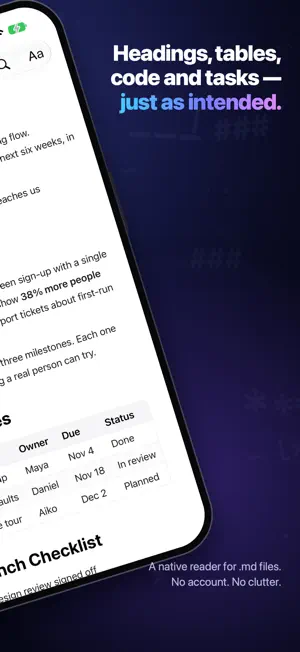
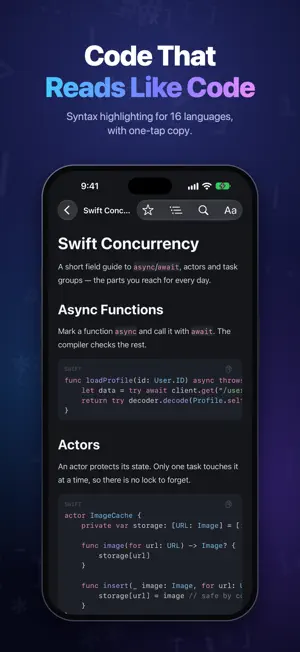
Read Markdown the way it was meant to look. NexReader turns any .md file into a clean, comfortable page. Headings, tables, code, task lists and quotes are rendered natively — no web view, no clutter, nothing between you and the words. It is made for the documents you actually receive: notes, READMEs, specs, and the long answers AI tools write for you. BEAUTIFUL RENDERING • Full GitHub-Flavored Markdown: headings, bold and italic, lists, task lists, quotes, tables and links • Code blocks with syntax highlighting for 16 languages, and one-tap copy • Tables that keep their alignment and scroll sideways instead of squashing • Images you can open full screen and pinch to zoom MAKE IT YOURS • Four reading themes: Classic White, Sepia, Midnight and AMOLED Black • Four typefaces, including New York for long reads • Text size, weight, line height, letter spacing and paragraph spacing • Three reading widths, so lines never run too long on a big screen FIND YOUR WAY • An outline of every heading, with your current section marked • Find in document, with every match highlighted • Opens exactly where you left off — even after you change the text size A LIBRARY THAT STAYS TIDY • Real folders you can create, rename and rearrange • Favorites, sorting, search, and reading progress on every document • Your documents also appear in the Files app, in the same folders GET FILES IN EASILY • Import from Files, or open .md files straight from other apps • Wi‑Fi Transfer: drop files from any computer's browser onto your iPhone or iPad. No cable, no cloud, no account GREAT ON IPAD • Your library and the page side by side • Keyboard shortcuts for find, the outline, text size and moving between sections ALSO ON MAC • Open any .md file from Finder in its own window • The same library, themes and typography, with a full menu bar NO ACCOUNT NEEDED There is nothing to sign up for, and your documents stay on your device. NexReader collects no data at all: no analytics, no tracking, no ads.
App privacy
The developer, Phyo Myanmar Kyaw, reported these privacy practices to Apple.
Data Not Collected
The developer does not collect any data from this app.
Alternatives to NexReader: Markdown Reader
Looking for apps like NexReader: Markdown Reader? Here are 6 similar apps on the App Store.
-
 Cue — Read Later
-
 Subnotes
-
 Noter: Sticky Notes
-
 Tuck: Private Feed
-
 Thought Meadow - Private Notes
-
 Winter Calendar
| App | Rating | Price | Last updated | Compare |
|---|---|---|---|---|
| NexReader: Markdown Reader | – | Free | October 21, 2026 | |
| Cue — Read Later | – | Free | Aug 4, 2026 | Compare |
| Subnotes | – | Free | Oct 27, 2026 | Compare |
| Noter: Sticky Notes | – | Free | Oct 23, 2026 | Compare |
| Tuck: Private Feed | – | Free | Oct 27, 2026 | Compare |
| Thought Meadow - Private Notes | – | Free | Oct 27, 2026 | Compare |
| Winter Calendar | – | Free | Oct 28, 2026 | Compare |