

GESTO: Gesture Launcher
Hebbian AI Co., Ltd. Productivity iPhoneiPadiPod touch
GESTO: Gesture Launcher is a free Productivity app for iPhone and iPad by Hebbian AI Co., Ltd. Requires iOS 18.0. Updated October 25, 2026.
- Price
- Free
- on the App Store
- Size
- 2 MB
- Age 4+
- Updated
- Oct 25
- 2026 · v1.0.2
Screenshots



About GESTO: Gesture Launcher
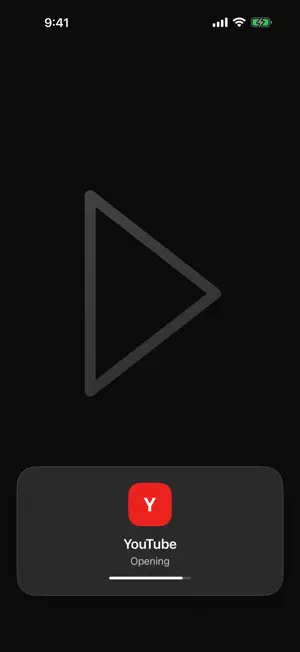
Draw a shape, and the app opens instantly. No more hunting through home screen pages. Open the drawing canvas from anywhere: AssistiveTouch, the Action Button, Back Tap, Control Center, or the Lock Screen. Works with about 270 popular apps and your own shortcuts. Available in English and Korean. HOW IT WORKS 1. Create a gesture: pick an app or shortcut, then draw an easy-to-remember shape three times. 2. Open the canvas: use AssistiveTouch, the Action Button, or the GESTO control in Control Center or on the Lock Screen. 3. Draw: draw your saved shape and the app opens right away. OPEN FROM ANYWHERE • AssistiveTouch: tap the floating on-screen button once. • Action Button: press and hold to open the canvas. • Back Tap: double- or triple-tap the back of your iPhone. • Control Center and Lock Screen: add the "Gesto Canvas" control. • Shortcuts and Siri: "Open GESTO canvas" The in-app "Open from Anywhere" guide shows only the methods your iPhone supports, recommended ones first. OPENS WHAT YOU USE • About 270 popular apps for messaging, video, maps, shopping, finance, food delivery, AI, and more • Run your own shortcuts from the Shortcuts app by name. Apps that aren't in the list can be connected with an "Open App" shortcut. • Multi-stroke shapes are recognized, and GESTO warns you when a new gesture looks too similar to an existing one. MAKE IT YOURS • Adjust stroke width, stroke style, smoothing, and how long GESTO waits after you lift your finger. • Supports Dark Mode and larger text sizes. Contact: [email protected]
What’s new
Version 1.0.2 · Updated October 25, 2026
• If you saved several shapes for the same app, GESTO now opens it right away instead of asking you to choose. • A stroke that's too short now shows "Draw a little bigger." • The drawing screen opened from outside the app now shows without the status bar, and it's closed when you come back to GESTO after it opened another app. • Opening the drawing screen from outside the app while you're creating a gesture no longer loses your progress. • Every step of creating a gesture has Cancel in the same place. • The list shows the app each gesture opens, and "Edit Target" is now "Change App." • The AssistiveTouch and Back Tap guides now follow the actual on-screen steps. • Fixed changes getting lost when deleting or undoing overlapped with another edit. • Better VoiceOver support and larger text layouts.
App privacy
The developer, Hebbian AI Co., Ltd., reported these privacy practices to Apple.
Data Not Collected
The developer does not collect any data from this app.
Alternatives to GESTO: Gesture Launcher
Looking for apps like GESTO: Gesture Launcher? Here are 6 similar apps on the App Store. The highest rated is Focus Home (5.0/5), and all 6 are free to download.
-
 Focus Home
5.0
-
 Stillscreen: Focus Launcher
-
 Simple Zen: Dumb Phone
-
 DOYT: Don't Open Your Todo
5.0
-
 Dying Soon: Screen Time Limit
-
 What Do I Do - Todo List
| App | Rating | Price | Last updated | Compare |
|---|---|---|---|---|
| GESTO: Gesture Launcher | – | Free | October 25, 2026 | |
| Focus Home | 5.0 / 5 (1) | Free | Jun 23, 2026 | Compare |
| Stillscreen: Focus Launcher | – | Free | Aug 19, 2026 | Compare |
| Simple Zen: Dumb Phone | – | Free | Sep 7, 2026 | Compare |
| DOYT: Don't Open Your Todo | 5.0 / 5 (1) | Free | Oct 20, 2026 | Compare |
| Dying Soon: Screen Time Limit | – | Free | Sep 28, 2026 | Compare |
| What Do I Do - Todo List | – | Free | Oct 27, 2026 | Compare |