

ShiftiCal - Shift Calendar
CHIHHUNG CHEN Productivity iPhoneiPadiPod touch
ShiftiCal - Shift Calendar is a free Productivity app for iPhone and iPad by CHIHHUNG CHEN. Requires iOS 17.0. Updated October 29, 2026.
- Price
- Free
- on the App Store
- Size
- 9 MB
- Age 4+
- Updated
- Oct 29
- 2026 · v1.0.0
Screenshots
Save to Pinterest


About ShiftiCal - Shift Calendar
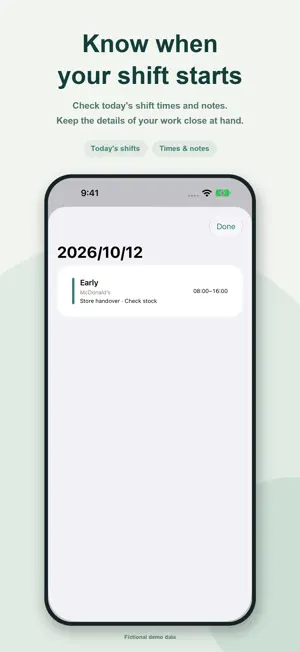
When does your shift start? Which days are free next week? How do your part-time jobs fit around the team's schedule? ShiftiCal keeps work plans clear. Organize shifts, times, and leave in one calendar, whether you're planning for yourself or managing a team. View, edit, and share at your own pace. ◆ Multiple schedules, one clear view Create separate schedules for different jobs. View them together or filter what you see. Switch between year, month, week, and day views, from a monthly overview to today's timeline. ◆ Add familiar shifts faster Save templates with your own names, colors, and start and end times. Enter editing mode, choose a template, and tap dates to fill shifts in succession. Use selected dates, repeating cycles, or copying to reduce repeated entry. ◆ Keep night shifts and leave clear Plan multiple shifts in a day, shifts that cross midnight, and full-day or partial-day leave. Keep times and notes with each shift. Review overlapping times for the same person before deciding how to handle them. ◆ Plan for yourself or your team Simple mode focuses on your own schedule. Professional mode adds a shared staff roster, a people-by-date grid, and a view of who is working or on leave in each time interval. Switching modes preserves your data. ◆ Choose what to share Select schedules, people, and complete months to export a share file, or send it to a nearby device. Share read-only content or editable independent copies. Review differences before accepting updates. Copies are saved separately; edits do not sync automatically. ◆ Export a calendar you can print Export an A4 calendar PDF using the current schedule and person filters, with one month per page. Choose portrait or landscape, preview it, then save it to Files for printing or keeping a record. If a page has too much content, the app asks you to narrow the filters. ◆ Save locally, back up your way Core shift planning needs no account or connection. Create and restore manual backups, or opt into automatic iCloud backups. iCloud backups require an available iCloud account and service. ◆ Make the calendar feel familiar Choose Traditional Chinese, English, Japanese, or Korean. Adjust the first day of the week, weekends, date order, time format, and week numbers. Use light or dark appearance, or follow your system settings. For rotating shifts, part-time work, or team schedules, start with your first schedule and make each day's plans easier to see. Terms&Conditions: https://app.poolqa.workers.dev/ShiftiCal/TermsAndConditions.html Privacy: https://app.poolqa.workers.dev/ShiftiCal/privacy.html
App privacy
The developer, CHIHHUNG CHEN, reported these privacy practices to Apple.
Data Not Linked to You
The following data, which may be collected but is not linked to your identity, may be used for the following purposes:
- Location: Coarse Location
- Identifiers: Device ID
- Usage Data: Product Interaction, Advertising Data, Other Usage Data
- Diagnostics: Crash Data
Used for: Third-Party Advertising, Developer’s Advertising or Marketing, Analytics, Other Purposes
Alternatives to ShiftiCal - Shift Calendar
Looking for apps like ShiftiCal - Shift Calendar? Here are 6 similar apps on the App Store.
-
 Work Schedule Calendar: Shifts
-
 EaseShift: Employee Scheduling
-
 OmyShift: Shift Work Calendar
-
 MySelfAttendance - Time Clock
-
 CAREWOKX - Team Shift Calendar
-
 掌管 HRconnect
| App | Rating | Price | Last updated | Compare |
|---|---|---|---|---|
| ShiftiCal - Shift Calendar | – | Free | October 29, 2026 | |
| Work Schedule Calendar: Shifts | – | Free | Nov 3, 2026 | Compare |
| EaseShift: Employee Scheduling | – | Free | Nov 2, 2026 | Compare |
| OmyShift: Shift Work Calendar | – | Free | Nov 23, 2026 | Compare |
| MySelfAttendance - Time Clock | – | Free | Oct 1, 2025 | Compare |
| CAREWOKX - Team Shift Calendar | – | Free | Aug 29, 2026 | Compare |
| 掌管 HRconnect | – | Free | Sep 9, 2026 | Compare |