

Screen Recorder + Facecam
Ranjana Rani Utilities iPhoneiPadiPod touch
Screen Recorder + Facecam is a free Utilities app for iPhone and iPad by Ranjana Rani. Requires iOS 16.0. Updated November 10, 2026.
- Price
- Free
- on the App Store
- Size
- 15 MB
- Age 4+
- Updated
- Nov 10
- 2026 · v1.1
Screenshots


About Screen Recorder + Facecam
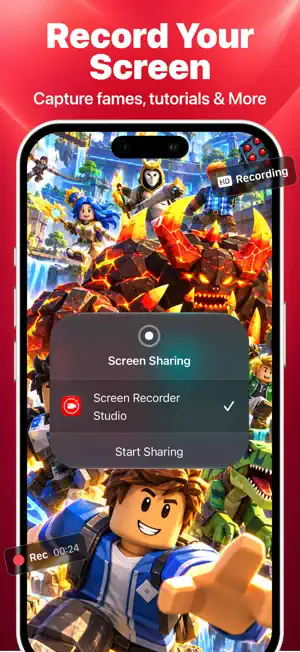
Record your screen, react with your face, add your voice — and edit everything in one simple app. Screen Recorder – Record Now captures games, apps and tutorials in high quality, then gives you a full set of editing tools to trim, crop, add music and share. No account, no watermark. SCREEN RECORDING • Record anything on your screen — games, apps, tutorials, video calls • Choose resolution, frame rate and bitrate for the quality you want • Add microphone narration with one tap • Your recording opens instantly when you stop FACE CAM REACTION • React to any video from your library with your face on screen • Picture-in-picture bubble or split-screen layouts • Frames, shapes, colors and background styles • Get-ready countdown before you start DUAL CAMERA • Record front and back cameras at the same time • Drag and resize the picture-in-picture window • Pause and resume during a take COMMENTARY & VOICE • Record a voice-over on top of any video • Audio Recorder for voice-only recordings • Add your recordings to the video editor VIDEO EDITOR • Timeline editing with precise trimming and splitting • Add text, stickers, music and voice-overs • Transitions between clips • Preview everything before you export VIDEO TOOLS • Trim & Speed — cut and speed up or slow down in one place • Merge — join multiple clips into one video • Crop — preset shapes or drag your own custom frame • Rotate & Flip • Filters & Adjust — brightness, contrast and saturation • Compress — make large videos smaller • Video to GIF and Video to Audio (MP3) • Save Frame — grab any moment as a photo EXPORT & SHARE • Keep original quality or choose your resolution • Aspect ratios for social apps — vertical, square, landscape • No watermark on your videos • Save to your gallery or share with one tap ORGANIZED LIBRARY • Folders, favorites and search • Rename, duplicate and manage your videos • Storage overview so you always know how much space you have PRIVATE BY DESIGN • No sign-up or login required • Your videos stay on your device — nothing is uploaded • Delete the app and all its data is removed Questions or ideas? Contact us anytime from Settings → Contact Us. We read every message.
What’s new
Version 1.1 · Updated November 10, 2026
Bug Fixes & Performance Improvements.
App privacy
The developer, Ranjana Rani, reported these privacy practices to Apple.
Data Not Linked to You
The following data, which may be collected but is not linked to your identity, may be used for the following purposes:
- Usage Data: Product Interaction
- User Content: Customer Support, Photos or Videos, Audio Data
- Diagnostics: Crash Data, Performance Data
Used for: Analytics, Product Personalization, App Functionality
Alternatives to Screen Recorder + Facecam
Looking for apps like Screen Recorder + Facecam? Here are 6 similar apps on the App Store. The highest rated is Control: Universal TV Remote (5.0/5), and all 6 are free to download.
-
 AIO Reverser
-
 FTA - File Transfer Anything
-
 Translate & Search: Safari
-
 Control: Universal TV Remote
5.0
-
 TV Remote for All Smart TV
-
 Mizan: Unit Converter
| App | Rating | Price | Last updated | Compare |
|---|---|---|---|---|
| Screen Recorder + Facecam | – | Free | November 10, 2026 | |
| AIO Reverser | – | Free | Nov 5, 2026 | Compare |
| FTA - File Transfer Anything | – | Free | Nov 9, 2026 | Compare |
| Translate & Search: Safari | – | Free | Nov 6, 2026 | Compare |
| Control: Universal TV Remote | 5.0 / 5 (1) | Free | Nov 11, 2026 | Compare |
| TV Remote for All Smart TV | – | Free | Nov 5, 2026 | Compare |
| Mizan: Unit Converter | – | Free | Nov 8, 2026 | Compare |