

Document Converter PDF to Word
Artyom Nikitin Productivity iPhoneiPadiPod touch
Document Converter PDF to Word is a free Productivity app for iPhone and iPad by Artyom Nikitin. Requires iOS 26.0. Updated October 23, 2026.
- Price
- Free
- on the App Store
- Size
- 31 MB
- Age 4+
- Updated
- Oct 23
- 2026 · v1.6
Screenshots

About Document Converter PDF to Word
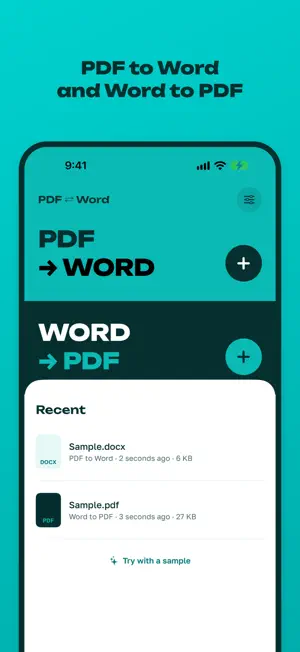
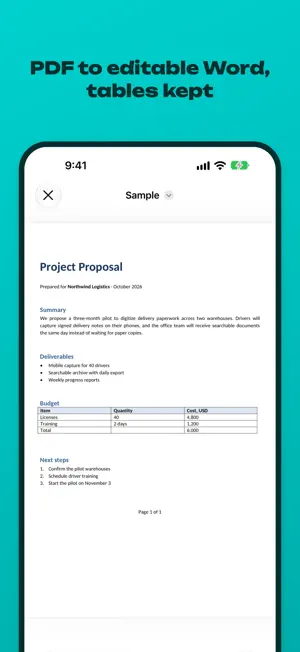
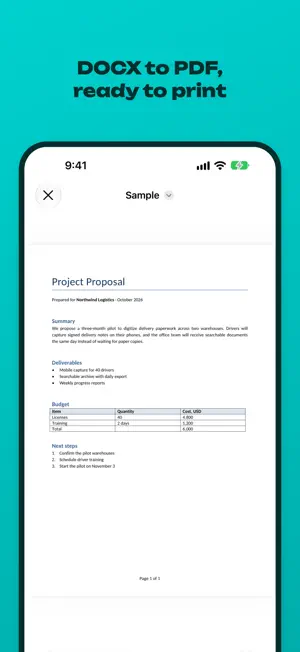
Convert PDF to Word and Word to PDF right on your iPhone and iPad. Turn a PDF into an editable Word document with tables, lists and formatting kept, all offline. A PDF converter that never uploads your files: open a PDF and get a DOCX you can edit, or turn a DOCX, DOC or RTF file into a print-ready PDF. Scanned PDFs become editable text with on-device OCR. PDF TO WORD • Convert PDF to editable Word (DOCX) with paragraphs, headings, bold and italic text • Lists stay lists, and tables become real Word tables you can edit • Two-column layouts and images are kept WORD TO PDF • DOCX to PDF, plus DOC and RTF files • Page size and margins as set in your document • Headers and footers with page numbers • Merged table cells, cell shading and landscape pages SCANS (OCR) • Scanned PDF to Word: text recognition turns scanned pages into editable text • Recognition runs on your device, nothing is sent anywhere WORKS EVERYWHERE • Share sheet: tap Share in Mail, Files, WhatsApp, Telegram or any other app and pick this converter • Batch conversion: convert many files at once (Pro) • Shortcuts and Siri actions for routine conversions (Pro) • Save results to Files or share them right away PRIVATE BY DESIGN Every conversion runs on your device. Your documents never leave your iPhone or iPad: no account, no uploads, no internet connection needed. You get 1 free conversion every day. Pro unlocks unlimited PDF to Word and Word to PDF conversions, batch conversion, and Shortcuts and Siri actions. SUBSCRIPTION TERMS Pro is available as a weekly or yearly auto-renewable subscription, or as a one-time lifetime purchase. The yearly plan starts with a 3-day free trial for new subscribers; after the trial, the yearly price is charged unless you cancel at least 24 hours before the trial ends. Payment is charged to your Apple Account at confirmation of purchase or when the free trial ends. Subscriptions renew automatically unless canceled at least 24 hours before the end of the current period. Manage or cancel your subscription in your Apple Account settings. The lifetime purchase is a single payment and does not renew. Terms of Use: https://www.apple.com/legal/internet-services/itunes/dev/stdeula/
What’s new
Version 1.6 · Updated October 23, 2026
Minor improvements and fixes.
App privacy
The developer, Artyom Nikitin, reported these privacy practices to Apple.
Data Not Linked to You
The following data, which may be collected but is not linked to your identity, may be used for the following purposes:
- Purchases: Purchase History
- Location: Coarse Location
- Identifiers: Device ID
- Usage Data: Product Interaction
Used for: Analytics
Alternatives to Document Converter PDF to Word
Looking for apps like Document Converter PDF to Word? Here are 6 similar apps on the App Store. The highest rated is Work Hours Tracker | Timesheet (5.0/5), and all 6 are free to download.
-
 PDF to Word Converter: Papyr
-
 PMQLCV
-
 PDF Reader: Edit, Scan & Sign
-
 Word to PDF Converter | Docx
-
 Work Hours Tracker | Timesheet
5.0
Work Hours Tracker | Timesheet
5.0
-
 ŞehzadelerM Mobil
| App | Rating | Price | Last updated | Compare |
|---|---|---|---|---|
| Document Converter PDF to Word | – | Free | October 23, 2026 | |
| PDF to Word Converter: Papyr | – | Free | Sep 21, 2026 | Compare |
| PMQLCV | – | Free | Jul 8, 2026 | Compare |
| PDF Reader: Edit, Scan & Sign | – | Free | Oct 23, 2026 | Compare |
| Word to PDF Converter | Docx | – | Free | Aug 19, 2026 | Compare |
| Work Hours Tracker | Timesheet | 5.0 / 5 (5) | Free | Sep 13, 2026 | Compare |
| ŞehzadelerM Mobil | – | Free | Apr 28, 2025 | Compare |