

ChoirXML
Jonathan Froese Music iPhoneiPadiPod touch
ChoirXML is a free Music app for iPhone and iPad by Jonathan Froese. Rated 5.0/5 from 1 ratings. Requires iOS 17.0. Updated October 21, 2026.
- Rating
- 5.0
- 1 ratings
- Price
- Free
- on the App Store
- Size
- 9 MB
- Age 4+
- Updated
- Oct 21
- 2026 · v1.1
Screenshots



About ChoirXML
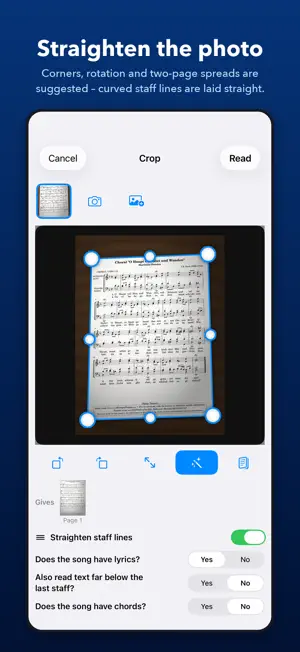
ChoirXML reads printed choral scores and turns them into MusicXML – the file every common notation app can open. An old sheet, a scan or a photo becomes an editable score you can listen to, transpose, re-engrave or share with your choir. IMPORT • PDF or image from Files, a photo from your library, or scan with the camera • several pages into one song • pages are straightened automatically • choose the kind of score or let ChoirXML tell: choir, piano, choir with piano, instrumental RECOGNITION • staves, clefs, key and time signatures, including changes along the way • notes and rests down to sixteenths, dots, triplets, chords and several voices per staff • ties, slurs, fermatas, multi-bar rests and pickup bars • lyrics with several verses – even when printed once for all voices • dynamics (pp to ff), crescendo and diminuendo hairpins, accents, staccato, tenuto and breath marks • chord symbols above the notes • pale, grey photocopies too CHECK AND CORRECT Your original on top, the recognised music below – bar by bar in the same place. Only what was uncertain is marked in red, and ChoirXML asks exactly about it: Is the length right? Is the pitch right? Does this syllable belong to this note? A loupe shows that spot of the original. • tap a note to change pitch, length, accidental, voice or expression • delete single notes of a chord • insert missing notes for one voice or for both – also onto the stem of a note where the voice divides • insert missing bar lines, set or remove a pickup bar • confirm a voice that sings only a few notes of its own right where they stand • assign a syllable by tapping its note • set clefs, keys, time signatures, slurs, fermatas, final bars and repeats • undo and redo every change LISTEN Play back what was recognised before you share it: with a recorded grand piano and a choir sound, the singing voices as a choir or as a piano. The sounding notes light up, and you set the tempo. EXPORT MusicXML with all voices, verses, markings and chord symbols – with one staff per voice (soprano, alto, tenor, bass, each with its own sound and part in your notation app) or like a piano score on two staves. Save it to Files or share it straight to your notation app. PRIVATE Everything happens on your iPad. No account, no subscription, no ads, no data collection. Your music leaves the device only when you share it. GOOD TO KNOW Recognition works best with cleanly printed music. Handwriting, smudged copies or very dense scores need more corrections – ChoirXML shows you exactly where. Please respect the rights to the music you scan.
What’s new
Version 1.1 · Updated October 21, 2026
Notes are now recognized more reliably—and are even easier to correct manually.
App privacy
The developer, Jonathan Froese, reported these privacy practices to Apple.
Data Not Collected
The developer does not collect any data from this app.
Alternatives to ChoirXML
Looking for apps like ChoirXML? Here are 6 similar apps on the App Store. The highest rated is Digital Worms Attack (5.0/5), and 4 of the 6 are free to download.
-
 FrankenJazz
-
 Pixound
4.1
Pixound
4.1
-
 EQ10 AUv3 Equalizer
-
 Digital Worms Attack
5.0
Digital Worms Attack
5.0
-
 ORORON
-
 MGP-1 Makk Guitar Processor
| App | Rating | Price | Last updated | Compare |
|---|---|---|---|---|
| ChoirXML | 5.0 / 5 (1 rating) | Free | October 21, 2026 | |
| FrankenJazz | – | Free | Oct 13, 2026 | Compare |
| Pixound | 4.1 / 5 (8) | 0.99 USD | Nov 25, 2025 | Compare |
| EQ10 AUv3 Equalizer | – | 4.99 USD | Sep 17, 2026 | Compare |
| Digital Worms Attack | 5.0 / 5 (1) | Free | May 27, 2026 | Compare |
| ORORON | – | Free | Aug 24, 2026 | Compare |
| MGP-1 Makk Guitar Processor | – | Free | Jan 23, 2026 | Compare |
Compare ChoirXML with the top alternatives: ratings, updates, ASO score and keyword gaps →