

ZMK — gates and doors
Alexandr Baldin Utilities iPhoneiPadiPod touch
ZMK — gates and doors is a free Utilities app for iPhone and iPad by Alexandr Baldin. Requires iOS 13.0. Updated November 23, 2026.
- Price
- Free
- on the App Store
- Size
- 17 MB
- Age 4+
- Updated
- Nov 23
- 2026 · v2.5.0
Screenshots
Save to Pinterest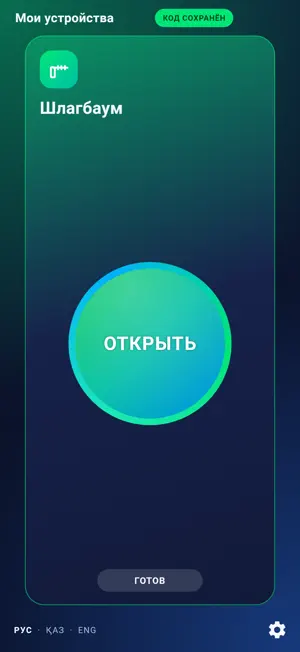

About ZMK — gates and doors
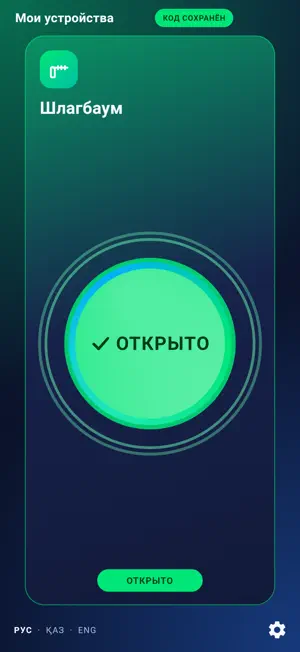
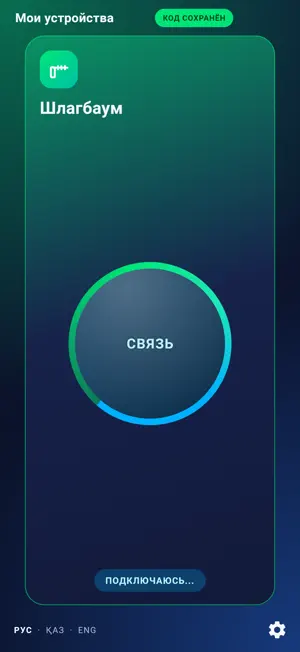
ZMK is a remote in your phone. Barrier, gates, entrance door, garage and lights — one button, directly over Bluetooth, no internet. One big button: press it without leaving the car, and the barrier goes up. You add the devices yourself and name them as you like. With a single device the screen stays simple: one button, nothing else. From the second device on, pages swipe sideways — Barrier, Entrance, Garage. How it works The app talks to the controller directly over Bluetooth, like a remote. No internet, no servers, no account. All you need is the device code, which your building administrator or the device owner enters on your phone. What matters • Works with no network. Underground parking, roaming, mobile data off — all the same. • A Timer for lights and other appliances: switch on and off from your phone, a weekly schedule and a hold-to-run mode. • "Open: …" shortcuts: long-press the app icon and the right device opens with one tap. • Collects nothing and sends nothing anywhere. Device codes and controller addresses are stored on your phone. • The code is never shown on screen. The administrator enters it and the resident never sees it — so it cannot be passed on. • Every device has its own code. The barrier is shared by the whole building, the entrance by one stairwell, the garage only by you — a neighbour who knows the barrier code cannot get into your garage. • No ads, no in-app purchases, no sign-up. • Existing remotes keep working. The app complements them. • Only someone with the code can open the gate. The code is never sent over the air in clear text: the phone signs a random number that the controller issues anew for every connection, so a captured message cannot be replayed. • The code can be changed from the app while standing next to the device — no need to remove the controller or attach a laptop. That requires the owner's master code. • Russian, Kazakh and English, chosen by the phone's language and switched with one tap on the main screen. Requirements A ZMK controller on the device and the code, entered by your building administrator or the device owner. The first time you tap OPEN, the iPhone asks for Bluetooth access — without it the app cannot find the controller. Location is never requested.
What’s new
Version 2.5.0 · Updated November 23, 2026
• New button mode "For N minutes": the device turns on and switches itself off after the set time. • Weekly schedule and new cycles, for example "from 8:00 to 20:00, every 30 minutes turn on for 5 minutes". After a power outage the schedule continues from where it stopped (requires updated device firmware). • Reliability fixes.
App privacy
The developer, Alexandr Baldin, reported these privacy practices to Apple.
Data Not Collected
The developer does not collect any data from this app.
Alternatives to ZMK — gates and doors
Looking for apps like ZMK — gates and doors? Here are 6 similar apps on the App Store. The highest rated is Business Card: Scan & Read (5.0/5), and all 6 are free to download.
-
 SecretGate
-
 EasyGO AI Parking
-
 GateOpener: GSM Gate Opener
-
 Mobilty
-
 Пропуска P360
-
 Business Card: Scan & Read
5.0
| App | Rating | Price | Last updated | Compare |
|---|---|---|---|---|
| ZMK — gates and doors | – | Free | November 23, 2026 | |
| SecretGate | – | Free | Sep 14, 2026 | Compare |
| EasyGO AI Parking | – | Free | Sep 28, 2026 | Compare |
| GateOpener: GSM Gate Opener | – | Free | Oct 24, 2026 | Compare |
| Mobilty | – | Free | Nov 5, 2026 | Compare |
| Пропуска P360 | – | Free | Nov 16, 2026 | Compare |
| Business Card: Scan & Read | 5.0 / 5 (2) | Free | Sep 29, 2024 | Compare |