

Sendby
伟 唐 Utilities iPhoneiPadiPod touch
Sendby is a free Utilities app for iPhone and iPad by 伟 唐. Rated 5.0/5 from 1 ratings. Requires iOS 17.0. Updated October 19, 2026.
- Rating
- 5.0
- 1 ratings
- Price
- Free
- on the App Store
- Size
- 17 MB
- Age 4+
- Updated
- Oct 19
- 2026 · v1.0.1
Screenshots



About Sendby
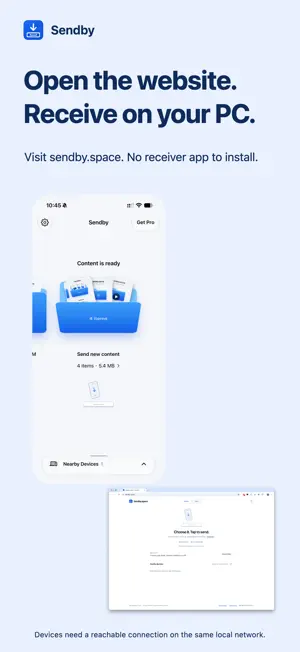
Send what's on your phone to the computer in front of you. Sendby sends photos, videos, files and text cards you choose to a nearby computer. Open https://sendby.space in a desktop browser or use the Sendby Windows client to receive. The current iOS app sends content; it does not receive files on iPhone. CHOOSE, THEN SEND Prepare your content and tap the intended nearby device to send. No Sendby account or cable is required. OPTIONAL SPACE-BAR SENDING With the computer's receiver page in the foreground, press Space to request a transfer. Approve the first request for that connection on your phone. While the authorization remains valid, a fresh Space request can send newly prepared content. Authorization ends when the phone leaves the active sending screen or the connection is lost. This uses keyboard requests, not phone-motion sensing. Reconnecting alone never starts a transfer. PRIVATE-NETWORK TRANSFERS Content travels over a verified, encrypted private-network connection. Sendby connection servers do not relay file or text bodies. Internet access is still required for device discovery. Both devices should be on the same local network with device-to-device communication allowed. Guest networks, client isolation, VPNs or firewalls may prevent discovery or transfer. There is no automatic fallback to a public file relay. FREE Send up to 10 photos or videos per selection, up to 128 MiB per item and 1024 MiB in total. File and text-card sending require Pro. PRO Send files and text cards, and remove commercial photo/video count and size limits. Device, storage, network and receiver limits still apply. Each text card supports up to 1 MiB of UTF-8 text. Type or paste explicitly. The receiver displays text temporarily and offers a Copy action; it never automatically saves text as a file or overwrites the clipboard. LOCAL HISTORY Review confirmed sends on your device. History is not an original-file backup and does not store text-card bodies. Always confirm files have been saved on the receiving computer. PURCHASES Pro offers monthly and annual auto-renewable subscriptions and a lifetime, one-time non-consumable purchase. Prices, currencies and billing periods are shown before purchase. Subscriptions renew automatically unless canceled at least 24 hours before the current period ends. Renewal is charged within 24 hours before the end of the current period. Manage or cancel subscriptions in your Apple account settings. Lifetime access does not renew and does not automatically cancel an existing subscription. Use Restore Purchases in the app to restore eligible purchases. Support: [email protected] Privacy Policy: https://sendby.space/privacy/en Terms of Use: https://sendby.space/terms/en Apple Standard EULA: https://www.apple.com/legal/internet-services/itunes/dev/stdeula/
What’s new
Version 1.0.1 · Updated October 19, 2026
improve use experience
App privacy
The developer, 伟 唐, reported these privacy practices to Apple.
Data Not Linked to You
The following data, which may be collected but is not linked to your identity, may be used for the following purposes:
- Diagnostics: Other Diagnostic Data
Used for: App Functionality
Alternatives to Sendby
Looking for apps like Sendby? Here are 6 similar apps on the App Store. The highest rated is 制糖工厂 (5.0/5), and all 6 are free to download.


| App | Rating | Price | Last updated | Compare |
|---|---|---|---|---|
| Sendby | 5.0 / 5 (1 rating) | Free | October 19, 2026 | |
| Puked by Rocky | – | Free | Mar 26, 2026 | Compare |
| 制糖工厂 | 5.0 / 5 (3) | Free | Sep 8, 2026 | Compare |
| 元书输入法 | 4.4 / 5 (26) | Free | Oct 29, 2026 | Compare |
| Alarm One: Shift Alarm Clock | 4.3 / 5 (16) | Free | Oct 28, 2026 | Compare |
| 悬浮时钟-智能抢购助手 | 5.0 / 5 (5) | Free | Jul 29, 2024 | Compare |
| Best Trace | 1.6 / 5 (21) | Free | Oct 26, 2026 | Compare |
Compare Sendby with the top alternatives: ratings, updates, ASO score and keyword gaps →