

Mirage Composer
Takao Onomura Graphics & Design iPhoneiPadiPod touchMac
Mirage Composer is a free Graphics & Design app for iPhone and iPad by Takao Onomura. Requires iOS 17.0. Updated October 15, 2026.
- Price
- Free
- on the App Store
- Size
- 5 MB
- Age 4+
- Updated
- Oct 15
- 2026 · v1.0.1
Screenshots

About Mirage Composer
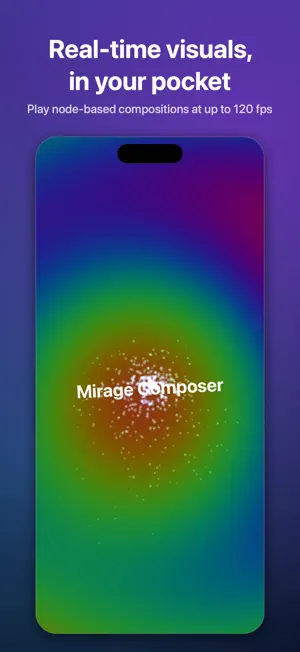
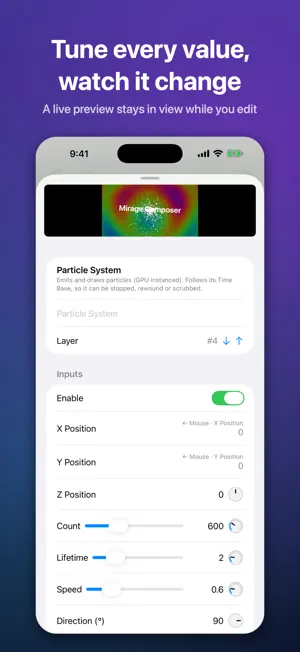
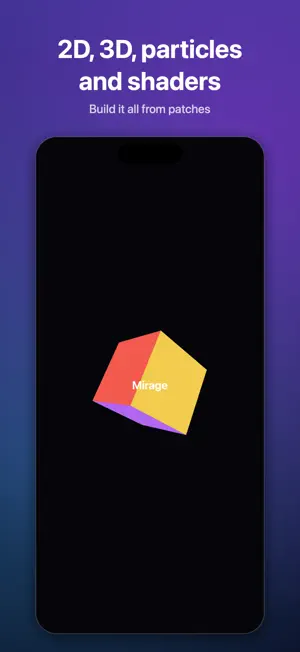
Mirage Composer is a node-based editor and player for real-time visuals. Connect patches in a graph — generators, filters, 2D shapes, 3D objects, particles, text and more — and the result plays live as you build it. BUILD WITH PATCHES • Drag patches into the graph and wire their outputs to inputs • 2D shapes, gradients, noise, images and text • 3D objects with cameras and lights • Particles, feedback, blur, color and blend filters • Write your own Metal shader for anything else • Audio patches that make visuals react to sound from the microphone SEE EVERY CHANGE • The viewer renders at your display's full frame rate, up to 120 fps on ProMotion displays • Tune values in the inspector and watch them change instantly • Publish parameters and adjust them while the composition plays ON IPHONE AND IPAD • The full editor, designed for touch: long-press for menus, pinch to zoom the graph • On iPhone, keep a small floating preview in view while you edit • Play compositions full screen, or send them to an external display or projector • Compositions are files you keep: open them from the Files app, iCloud Drive or AirDrop ON MAC • Pop out the viewer onto a projector or a second display • Export movies in H.264, HEVC or ProRes, rendered frame by frame with no dropped frames The same composition files open on iPhone, iPad and Mac. Demo compositions are included to get you started. No ads, no accounts, no tracking. Your work stays on your devices.
What’s new
Version 1.0.1 · Updated October 15, 2026
• Image Importer can now make white shapes without an image file: circle, ring, soft dot, square, frame, triangle, star, cross and line, with adjustable line width and glow. • New Text Characters patch: takes a string apart one character at a time and tells where Text Image places each one, for letter-by-letter animation inside an Iterator. • New ONOM FLOW Input patch: when a composition plays inside a VJ app that supports it, the patch receives that app's BPM, beat, gain, Input 1–4, texts, images and colors. In Mirage Composer you can try the values in the viewer's Parameters. • Macro Input can limit a number to a minimum and maximum. The macro's slider uses the range, and values are kept inside it. • Audio Input and Audio Spectrum react much faster and more smoothly. • ⌘↩ (Mac and hardware keyboards) moves to the patch search first; pressed again there, it closes the library. • .mcomp files have their own document icon.
App privacy
The developer, Takao Onomura, reported these privacy practices to Apple.
Data Not Collected
The developer does not collect any data from this app.
Alternatives to Mirage Composer
Looking for apps like Mirage Composer? Here are 6 similar apps on the App Store. The highest rated is AI Video Generator - TryVideo (4.8/5), and all 6 are free to download.
-
 i3DGSLKG
-
 AI Video Generator - TryVideo
4.8
AI Video Generator - TryVideo
4.8
-
 Metaspace - 3D Sketchbook
3.5
Metaspace - 3D Sketchbook
3.5
-
 Apowersoft: Background Eraser
3.5
Apowersoft: Background Eraser
3.5
-
 Mockup - UI/UX Design
4.4
Mockup - UI/UX Design
4.4
-
 Affinity Designer 2 for iPad
4.7
Affinity Designer 2 for iPad
4.7
| App | Rating | Price | Last updated | Compare |
|---|---|---|---|---|
| Mirage Composer | – | Free | October 15, 2026 | |
| i3DGSLKG | – | Free | Jan 28, 2026 | Compare |
| AI Video Generator - TryVideo | 4.8 / 5 (6) | Free | Oct 22, 2026 | Compare |
| Metaspace - 3D Sketchbook | 3.5 / 5 (88) | Free | Oct 26, 2026 | Compare |
| Apowersoft: Background Eraser | 3.5 / 5 (391) | Free | Nov 21, 2025 | Compare |
| Mockup - UI/UX Design | 4.4 / 5 (578) | Free | Oct 28, 2026 | Compare |
| Affinity Designer 2 for iPad | 4.7 / 5 (4,801) | Free | Sep 23, 2025 | Compare |
Compare Mirage Composer with the top alternatives: ratings, updates, ASO score and keyword gaps →