

SmartTelescope Studio
Christian Menzer Photo & Video iPadMac
SmartTelescope Studio is a free Photo & Video app for iPad and Mac by Christian Menzer. Requires iOS 26.0. Updated October 22, 2026.
- Price
- Free
- on the App Store
- Size
- 1023 MB
- Age 4+
- Updated
- Oct 22
- 2026 · v3.30
Screenshots
About SmartTelescope Studio
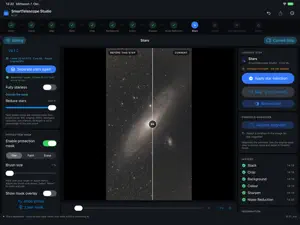
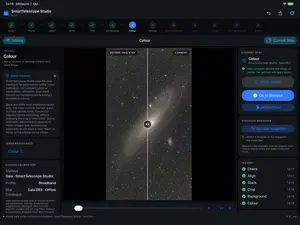
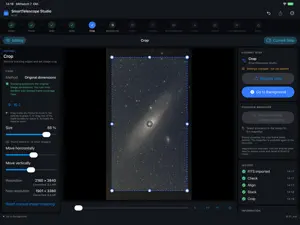
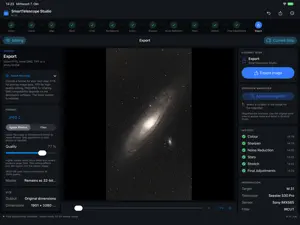
Get more from your smart telescope images. Step by step. SmartTelescope Studio takes your astrophotos from capture folder to finished image on Mac and iPad. Built for smart telescope FITS frames, it combines a guided workflow with tools for nebulae, galaxies, and star fields. YOUR LIBRARY AT THE CENTER Import FITS frame series or finished FITS stacks into your library. Start stacking, resume edits, and export finished images from there. Stacks and completed edits are saved in the library automatically. Your work is preserved after a restart. Remove original frames separately while keeping saved stacks and edits. CONTINUE ON MAC AND IPAD Each device has its own library. Copy or move one or more series between Mac and iPad over your local network. You choose which data to take with you, without a shared cloud library. FROM CAPTURE TO FINISHED IMAGE Check, align, and stack frames, crop the image, correct the background and colors, and refine the result: the app guides you through the appropriate steps. Tips explain the tools. You choose which edits to apply or skip. TOOLS FOR YOUR ASTROPHOTOS Quality assessment, star alignment, and stacking of individual frames. Mosaic series support with matching of overlapping image areas. Background balancing with automatic sample points you can adjust manually. Star-based color calibration with a built-in Gaia catalog. Built-in AI models for sharpening, star separation, and denoising. Adjustable star reduction, right through to the starless AI result. Automatically generated protection masks for large stars and halos, editable with a brush and eraser. Soft mask transitions with adjustable width. Stretching with live preview: brightening, background, faint structures, tonal contrast, and highlight protection. Optional limits on noise amplification during stretching. Final adjustments for tones, colors, and details, haze removal, and an adjustable vignette. Direct before/after comparison within the image in supported editing steps. LOCAL IMAGE PROCESSING Image processing and AI calculations run on your device. Your frames are not uploaded for processing. Editing leaves your original frames unchanged. No extra image-editing software or separately installed AI models are needed. The included Gaia catalog enables offline color calibration when enough suitable reference stars are available. The app retrieves additional star catalog data online as needed. YOUR FINISHED PHOTO Export as JPEG, HEIF, PNG, 16-bit TIFF, or 32-bit FITS. Linear DNG export is available for further editing. JPEG and HEIF output quality is adjustable. Available capture metadata is retained where the target format supports it. Save suitable image formats directly to Apple Photos or export to files. With a Synology Photos connection set up, upload your result as a JPEG directly to a chosen folder. TESTED DEVICES AND CONTACT Tested with ZWO Seestar S30 Pro and Seestar S50. Want full support for your smart telescope too? Email me at [email protected]. Original FITS frame series and device details help me test more models and improve their support. REQUIREMENTS For Apple silicon Macs running macOS 26 or later and iPads running iPadOS 26 or later. Input: FITS frame series or finished FITS stacks. The app edits your transferred frames; it does not control the telescope.
What’s new
Version 3.30 · Updated October 22, 2026
More control over stretching and star processing: • New “Faint structures” and “Tonal contrast” stretch controls for more precise adjustments with live preview. • Large stars and their halos can be automatically marked with a protection mask. You can then adjust the generated mask using a brush and eraser. • Updated workflow: star separation now takes place before denoising. • Additional sharpening options with the V6 model and AstroSharp. • Optional direct JPEG export to Synology Photos, with destination folder selection. • Larger image preview in the export dialog. • Fixed library thumbnails to show the most recently saved state more reliably. • Clearer indicators when saving stacks and edits, plus updated translations. Note: Older edits may need to be recalculated before you can continue editing. Previously saved results are retained and can still be exported.
App privacy
The developer, Christian Menzer, reported these privacy practices to Apple.
Data Not Collected
The developer does not collect any data from this app.
Alternatives to SmartTelescope Studio
Looking for apps like SmartTelescope Studio? Here are 6 similar apps on the App Store. The highest rated is Camrote (4.4/5), and all 6 are free to download.
-
 Photo-Planner
-
 PixADair: AI Astrophoto Tools
-
 Lensage: Astro & Photo Planner
-
 Sony | Remote Camera Tool
-
 DWARFLAB
3.5
DWARFLAB
3.5
-
 Camrote
4.4
Camrote
4.4
| App | Rating | Price | Last updated | Compare |
|---|---|---|---|---|
| SmartTelescope Studio | – | Free | October 22, 2026 | |
| Photo-Planner | – | Free | Sep 9, 2026 | Compare |
| PixADair: AI Astrophoto Tools | – | Free | Oct 15, 2026 | Compare |
| Lensage: Astro & Photo Planner | – | Free | Jul 30, 2026 | Compare |
| Sony | Remote Camera Tool | – | Free | Oct 28, 2026 | Compare |
| DWARFLAB | 3.5 / 5 (144) | Free | Oct 25, 2026 | Compare |
| Camrote | 4.4 / 5 (589) | Free | Apr 9, 2025 | Compare |