

Desktop Remote - Control PC
NTWIND, LLC Productivity iPhoneiPadiPod touch
Desktop Remote - Control PC is a free Productivity app for iPhone and iPad by NTWIND, LLC. Requires iOS 15.0. Updated November 1, 2026.
- Price
- Free
- on the App Store
- Size
- 44 MB
- Age 4+
- Updated
- Nov 1
- 2026 · v1.0.1
Screenshots


About Desktop Remote - Control PC
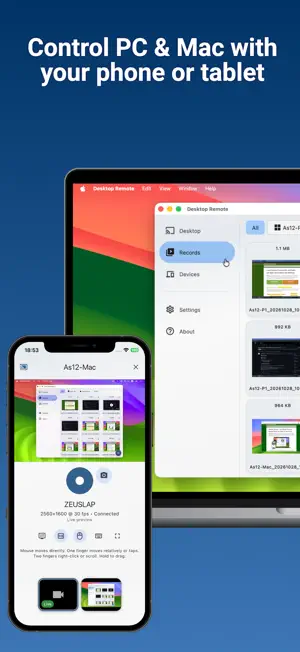
Desktop Remote is built for viewing and recording the screen of a Windows PC or Mac from your phone or tablet. Pair an iPhone or iPad with your computer on the same Wi-Fi or local network, then watch the screen live, take screenshots, or start and stop a screen recording without returning to the desk. Use it to check a task running on your computer, follow a screen demonstration from another seat, capture a result, or record a walkthrough. If you need to click, scroll, or type, enable optional mouse and keyboard control with permission from the sharing computer. Viewing and recording do not require remote input to be enabled. Choose a monitor when the computer has more than one display. JPEG screenshots and H.264/MP4 recordings are created on the sharing computer from the selected monitor. Completed captures transfer to your device and appear in Records for review, saving, sharing, or deletion. Desktop Remote connects directly over your trusted local network. There is no account, cloud desktop service, public sharing link, advertising, analytics, or internet relay. Pairing requires approval, and the sharing computer separately grants access to viewing, screenshots, recording, monitor selection, mouse control, and keyboard control. iPhone, iPad, Mac, and Windows can view screens and store Records. Mac and Windows can also share their screens. Active viewing, control, and recording are visibly indicated on the sharing computer, which can end the session at any time. Use only with authorization to view, record, or control the computer and its content. Both devices must be on the same reachable local network.
App privacy
The developer, NTWIND, LLC, reported these privacy practices to Apple.
Data Not Collected
The developer does not collect any data from this app.
Alternatives to Desktop Remote - Control PC
Looking for apps like Desktop Remote - Control PC? Here are 6 similar apps on the App Store. The highest rated is AI Note Taker from Audio: Rec+ (5.0/5), and all 6 are free to download.
-
 ChatLeaf: Chat to PDF
-
 Keymate: PC Apps from Phone
-
 ERPNext Workflow
-
 AZOWO - Mobility Sharing
-
 AI Note Taker from Audio: Rec+
5.0
-
 MiroMind
4.5
| App | Rating | Price | Last updated | Compare |
|---|---|---|---|---|
| Desktop Remote - Control PC | – | Free | November 1, 2026 | |
| ChatLeaf: Chat to PDF | – | Free | Oct 16, 2026 | Compare |
| Keymate: PC Apps from Phone | – | Free | Jun 4, 2026 | Compare |
| ERPNext Workflow | – | Free | Sep 9, 2026 | Compare |
| AZOWO - Mobility Sharing | – | Free | Nov 6, 2026 | Compare |
| AI Note Taker from Audio: Rec+ | 5.0 / 5 (5) | Free | Jun 8, 2026 | Compare |
| MiroMind | 4.5 / 5 (15) | Free | May 15, 2026 | Compare |