

Fontise: Font Maker & Keyboard
Nha HOANG Graphics & Design iPhoneiPadiPod touch
Fontise: Font Maker & Keyboard is a free Graphics & Design app for iPhone and iPad by Nha HOANG. Rated 5.0/5 from 1 ratings. Requires iOS 17.0.
- Rating
- 5.0
- 1 ratings
- Price
- Free
- on the App Store
- Size
- 19 MB
- Age 4+
- Updated
- Oct 22
- 2026 · v1.4
Screenshots


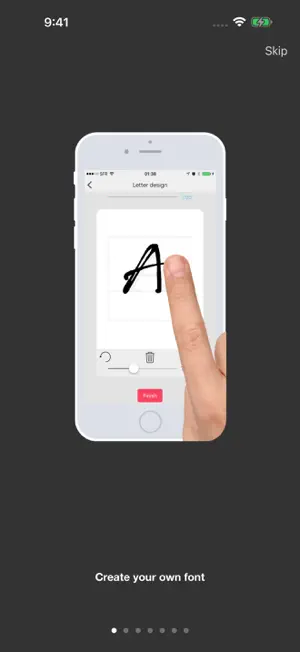

About Fontise: Font Maker & Keyboard
Your words. Your handwriting. Fontise is a handwriting studio for iPhone and iPad. Draw letters with your finger or Apple Pencil, turn your strokes into a TrueType font, chat in it, and share it. FONTS • Tap + in My fonts, choose a language and draw your letters in Letter Design. • Pen, straight line, eraser, Smooth, undo and redo. Apple Pencil pressure shapes thick and thin strokes. • Preview your alphabet while you draw; missing letters are shown so you know what is left. • Prefer paper? Print the template, write your letters, photograph the sheet and import them. • Finish → Generate → use the font in Chat, export it, or share it as a private link. CHAT • Messages in your own handwriting, end-to-end encrypted on your device. • Edit, unsend and react. Photos and fonts travel encrypted. • A 10-digit Fontise number instead of a phone number; sign in with Apple. EVERYWHERE • Fontise keyboard: type plain text or copy a handwriting image into any app. • iMessage: compose handwriting images and send stickers in your font. • Widget: a daily line in your handwriting on the Home or Lock Screen. • Export .ttf/.otf files and installation profiles. Import fonts you already have. ALPHABETS English, Vietnamese, German, Spanish, French and Portuguese, plus a Korean starter set. The app is available in English and Vietnamese. PRIVATE BY DESIGN Font creation happens on your device. Fontise does not upload your handwriting, fonts or photos unless you share them. Chat stores only encrypted messages and the account data needed to deliver them. Analytics is optional and off until you allow it. Your first font export is free. Monthly subscriptions unlock further font-file export and installation-profile export; All Access includes both. Subscriptions renew automatically unless canceled in your Apple Account settings; prices are shown before purchase. Restore purchases in Settings → Subscription. Fonts work in compatible document and design apps. A custom font cannot change the system font. Installation profiles require your confirmation in iOS Settings. Data and purchases from older separate Fontise apps do not transfer. Terms: https://www.apple.com/legal/internet-services/itunes/dev/stdeula/
What’s new
Version 1.4 · Updated October 22, 2026
• A simpler app: Fonts, Chat and Settings tabs. Your fonts and drafts come first. • Apple Pencil pressure, a Smooth tool, undo that survives reopening, and a live preview of your alphabet while you draw. • Import letters from a photo of a printed template sheet. • Share any font as a private link; the key never leaves your device. • Chat: edit, unsend and react to messages. Still end-to-end encrypted. • A Lock Screen and Home Screen widget with a daily line in your handwriting. • iMessage sticker pack in your own font. • Dark mode everywhere, larger text support and Vietnamese. • Your first font export is free.
App privacy
The developer, Nha HOANG, reported these privacy practices to Apple.
Data Linked to You
The following data, which may be collected and linked to your identity, may be used for the following purposes:
- Purchases: Purchase History
- Location: Coarse Location
- Identifiers: Device ID, User ID
- Usage Data: Product Interaction
- Other Data: Other Data Types
- Contact Info: Email Address, Name
- Contacts: Contacts
- User Content: Emails or Text Messages, Photos or Videos, Customer Support, Other User Content
Used for: Analytics, App Functionality, Other Purposes
Data Not Linked to You
The following data, which may be collected but is not linked to your identity, may be used for the following purposes:
- Diagnostics: Other Diagnostic Data
Used for: Analytics
Alternatives to Fontise: Font Maker & Keyboard
Looking for apps like Fontise: Font Maker & Keyboard? Here are 6 similar apps on the App Store. The highest rated is FontStudio: Create & Edit Font (5.0/5), and all 6 are free to download.
-
 Fonts: Font Maker Keyboard
-
 Font Maker: TypeMine
-
 PenSend Your Handwriting Font
-
 FotoFont - Photo to Font Maker
-
 Stunning Icons
-
 FontStudio: Create & Edit Font
5.0
FontStudio: Create & Edit Font
5.0
| App | Rating | Price | Last updated | Compare |
|---|---|---|---|---|
| Fontise: Font Maker & Keyboard | 5.0 / 5 (1 rating) | Free | October 22, 2026 | |
| Fonts: Font Maker Keyboard | – | Free | Sep 9, 2026 | Compare |
| Font Maker: TypeMine | – | Free | Sep 14, 2026 | Compare |
| PenSend Your Handwriting Font | – | Free | Sep 18, 2026 | Compare |
| FotoFont - Photo to Font Maker | – | Free | Apr 7, 2026 | Compare |
| Stunning Icons | – | Free | Jan 24, 2024 | Compare |
| FontStudio: Create & Edit Font | 5.0 / 5 (5) | Free | Aug 26, 2026 | Compare |