

Photo Clean: Photo Organizer
sukyung kim Photo & Video iPhoneiPadiPod touch
Photo Clean: Photo Organizer is a free Photo & Video app for iPhone and iPad by sukyung kim. Requires iOS 16.0. Updated November 12, 2026.
- Price
- Free
- on the App Store
- Size
- 14 MB
- Age 4+
- Updated
- Nov 12
- 2026 · v1.1.3
Screenshots
About Photo Clean: Photo Organizer
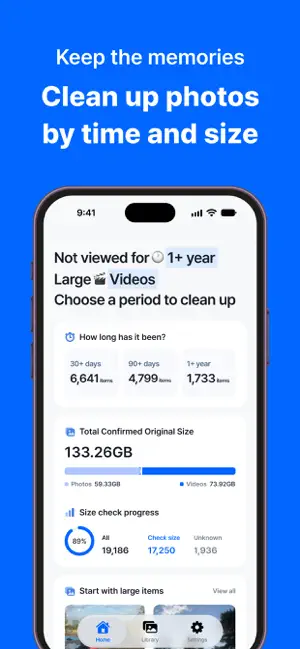
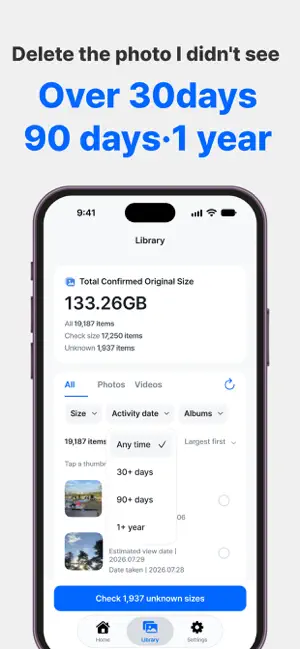
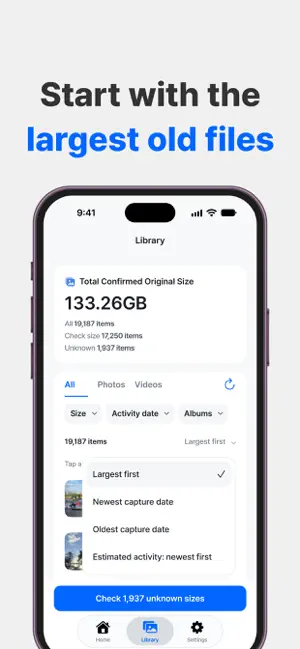
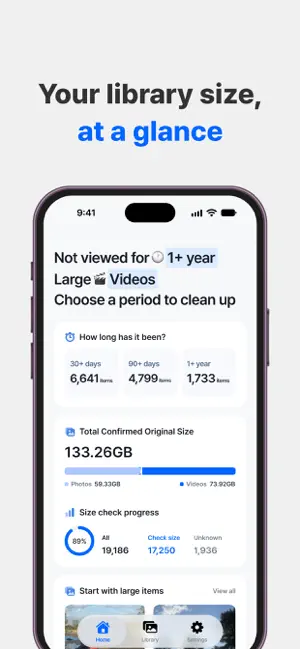
Review photos you have not viewed for 30 days, 90 days or a year, then choose what to remove. • Browse photos and videos by estimated last-view date • Sort by verified original size and filter by media type • Preview and select multiple items • Delete only selected items after iOS confirmation • Follow size analysis and iCloud download progress Sizes are totals of verified original resources, not device storage use or guaranteed space reclaimed. Downloading originals for items with unknown sizes requires your selection and confirmation and may use data, battery and storage. Deleted items may remain in Recently Deleted in Photos. Access The app is free to download. Start the 7-day free trial through the Apple purchase sheet for 168 hours of access. The trial does not charge automatically. To continue afterwards, purchase lifetime access once. The price in Korea is KRW 3,300; local prices appear in the purchase sheet. Customers who downloaded the app before this update keep access without an additional purchase after verification. Restore purchases using the same Apple Account. If Apple records cannot be checked, temporary access is available for up to 7 days from the first failed lookup. Once verified, access follows your existing or new-customer status. Existing subscriptions retain their verified access period and can be managed in Apple settings. Photo and video analysis runs on your device. No separate app login is required. Terms of Use (Apple Standard EULA): https://www.apple.com/legal/internet-services/itunes/dev/stdeula/ Privacy Policy: https://gossamer-pond-ad8.notion.site/3ea347822582805da777e05cae5fc7cb
What’s new
Version 1.1.3 · Updated November 12, 2026
• Completely redesigned the app and improved usability. • Improved album filters and photo and video previews. • Improved handling of the wait for Apple authentication when restoring purchases. • Changed the Korean installed app name to “포토클린”.
App privacy
The developer, sukyung kim, reported these privacy practices to Apple.
Data Linked to You
The following data, which may be collected and linked to your identity, may be used for the following purposes:
- Purchases: Purchase History
- Location: Coarse Location
- Identifiers: Device ID
- Usage Data: Product Interaction, Other Usage Data
Used for: Analytics
Alternatives to Photo Clean: Photo Organizer
Looking for apps like Photo Clean: Photo Organizer? Here are 6 similar apps on the App Store. The highest rated is Mosine (5.0/5), and all 6 are free to download.
-
 Mosine
5.0
-
 Traxxtar Videoview
-
 berkbrain
5.0
-
 myGPS Map Camera
-
 Light Meter: Middlegray
-
 Film Camera Remote
| App | Rating | Price | Last updated | Compare |
|---|---|---|---|---|
| Photo Clean: Photo Organizer | – | Free | November 12, 2026 | |
| Mosine | 5.0 / 5 (2) | Free | Oct 24, 2026 | Compare |
| Traxxtar Videoview | – | Free | Oct 2, 2026 | Compare |
| berkbrain | 5.0 / 5 (1) | Free | Aug 13, 2026 | Compare |
| myGPS Map Camera | – | Free | Nov 4, 2026 | Compare |
| Light Meter: Middlegray | – | Free | Nov 13, 2026 | Compare |
| Film Camera Remote | – | Free | Oct 26, 2026 | Compare |