

CyberVault: Password Manager
Cybervision Systems LLC Productivity iPhoneiPadiPod touch
CyberVault: Password Manager is a free Productivity app for iPhone and iPad by Cybervision Systems LLC. Requires iOS 17.0. Updated October 14, 2026.
- Price
- Free
- on the App Store
- Size
- 4 MB
- Age 4+
- Updated
- Oct 14
- 2026 · v1.0.1
Screenshots


About CyberVault: Password Manager
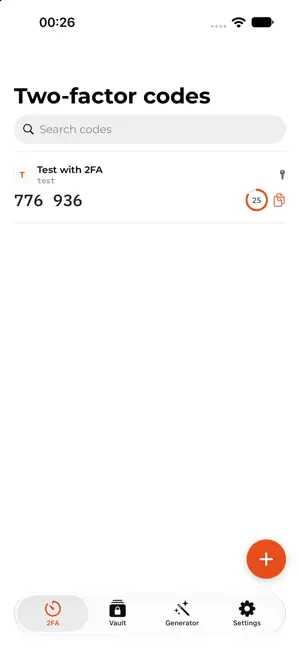
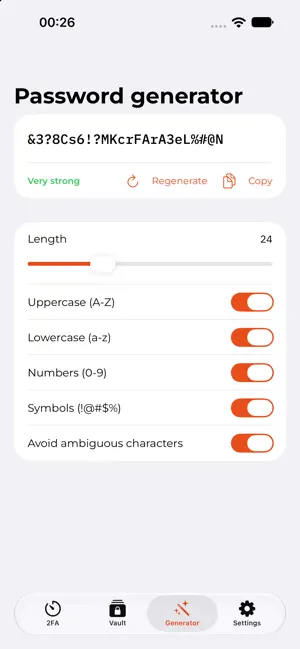
CyberVault is a zero-knowledge password manager: your master password and vault key are derived and used entirely on your device. We never see your passwords, and we couldn't read your vault even if we wanted to everything is encrypted before it ever reaches our servers. KEY FEATURES Secure vault for passwords, notes, and sensitive items, synced across your devices Built-in password generator for strong, unique passwords Two-factor authentication codes (TOTP) stored alongside each credential, generated locally no separate authenticator app needed Biometric unlock (Face ID / Touch ID) for fast, secure access Works alongside the CyberVault browser extension and web app one vault, everywhere SECURITY, BY DESIGN AES-256-GCM encryption for every stored secret, with a unique key per credential PBKDF2 key derivation (600,000 iterations) your master password never travels over the network Zero-knowledge architecture: even a full breach of our servers would expose nothing usable without your master password Optional two-factor authentication for your CyberVault account itself WHO IT'S FOR Anyone who wants a straightforward, secure password manager that keeps their data genuinely private individuals and teams alike. Questions or feedback? Reach us at [email protected].
What’s new
Version 1.0.1 · Updated October 14, 2026
New: Send. Share a password or secret text through an encrypted link that expires. You choose how long it lasts and how many times it can be opened, and you can add an extra password. Swipe left or right to move between tabs. Tap anywhere on a 2FA code to copy it, with a clear “Copied” confirmation. New tab icons and a cleaner, larger look in the Vault, with a single font throughout. The password generator now lives inside the Vault. Fixed a blank screen that could appear when allowing notifications after signing in with Face ID.
App privacy
The developer, Cybervision Systems LLC, reported these privacy practices to Apple.
Data Linked to You
The following data, which may be collected and linked to your identity, may be used for the following purposes:
- Contact Info: Email Address
- User Content: Other User Content
- Identifiers: User ID
Used for: App Functionality