

Vibing—Remote Desktop & Gaming
mingyu kim Productivity iPhoneiPadiPod touch
Vibing—Remote Desktop & Gaming is a free Productivity app for iPhone and iPad by mingyu kim. Rated 4.0/5 from 4 ratings. Requires iOS 17.0.
- Rating
- 4.0
- 4 ratings
- Price
- Free
- on the App Store
- Size
- 93 MB
- Age 17+
- Updated
- Nov 27
- 2026 · v1.0.19
Screenshots
Save to Pinterest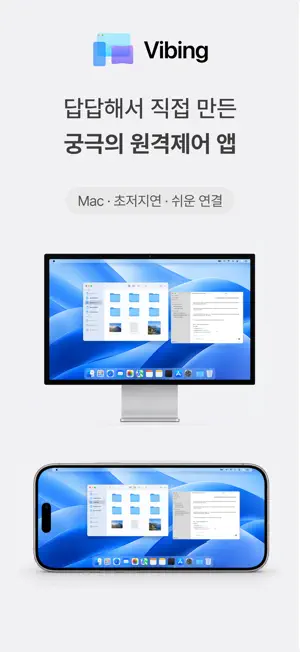


About Vibing—Remote Desktop & Gaming
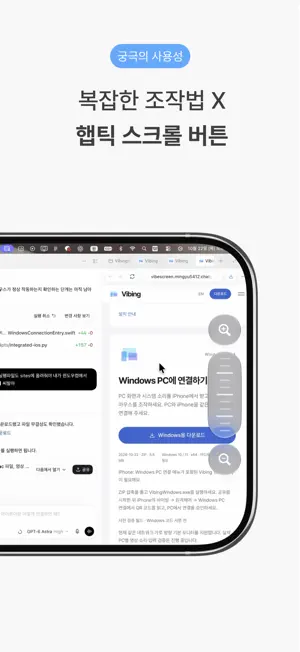
Continue working on your Mac from your iPhone or iPad. Vibing is a minimal remote desktop app for viewing and controlling your own Mac. Edit a document, check a running task, or switch between connected monitors. The current app interface is primarily in Korean. • Connect to a Mac signed in to the same Apple account • Use touch, trackpad controls and a keyboard • Switch between connected monitors and zoom the screen • Adjust quality, resolution, frame rate and bitrate • Check connection status and the actual connection route Requires an Apple Silicon Mac running macOS 14 or later, the Vibing Mac companion, and screen recording and remote input permissions. Keep your Mac awake and available. The Mac app guides installation and permission setup. Connections are encrypted and require device authorization. End access from the Mac at any time. Firewalls and network conditions may prevent direct connections. The initial release is free and supports direct connections. Relay service is not generally available. Mac download and setup: https://vibescreen.mingyu5412.chatgpt.site Files and video • Browse and download files from your own computer • Play device videos and adjust subtitles • Connect OneDrive (provider sign-in and permission required) • Picture in Picture for supported videos File access is enabled separately on the computer. Playback support varies by format and codec. Terms of Use https://www.apple.com/legal/internet-services/itunes/dev/stdeula/ Privacy Policy https://vibescreen-api-staging.alsrb5412.workers.dev/beta/privacy-en.html
What’s new
Version 1.0.19 · Updated November 27, 2026
• When the remote screen briefly disconnects or freezes, video can now resume in the same session. • Start your first connection in Normal mode and see more accurate screen fit and scaling settings for Windows PCs. • Three-finger gestures on iPhone and iPad and the iPad pointer have been improved. Menu buttons are easier to see on both light and dark remote screens.
App privacy
The developer, mingyu kim, reported these privacy practices to Apple.
Data Linked to You
The following data, which may be collected and linked to your identity, may be used for the following purposes:
- Purchases: Purchase History
- Identifiers: User ID, Device ID
- Usage Data: Product Interaction
- Diagnostics: Performance Data, Other Diagnostic Data
- User Content: Customer Support
Used for: Analytics, App Functionality
Alternatives to Vibing—Remote Desktop & Gaming
Looking for apps like Vibing—Remote Desktop & Gaming? Here are 6 similar apps on the App Store. The highest rated is PDF보내요 (5.0/5), and all 6 are free to download.
-
 Itta Planner: Calendar & Diary
-
 PDF보내요
5.0
-
 Gathered: Screenshots & Links
5.0
-
 Alt: Unlimited AI Voice Memo
4.8
-
 LiveNote: Lock Screen Notes
5.0
-
 Time Calendar, Event, Task
4.6
| App | Rating | Price | Last updated | Compare |
|---|---|---|---|---|
| Vibing—Remote Desktop & Gaming | 4.0 / 5 (4 ratings) | Free | November 27, 2026 | |
| Itta Planner: Calendar & Diary | – | Free | Nov 24, 2026 | Compare |
| PDF보내요 | 5.0 / 5 (3) | Free | Nov 24, 2026 | Compare |
| Gathered: Screenshots & Links | 5.0 / 5 (3) | Free | Nov 2, 2026 | Compare |
| Alt: Unlimited AI Voice Memo | 4.8 / 5 (54) | Free | Nov 27, 2026 | Compare |
| LiveNote: Lock Screen Notes | 5.0 / 5 (50) | Free | Nov 24, 2026 | Compare |
| Time Calendar, Event, Task | 4.6 / 5 (16) | Free | Nov 13, 2026 | Compare |