

Nyatabi: AI Travel Planner
Moeru AI Travel iPhoneiPadiPod touchApple Watch
Nyatabi: AI Travel Planner is a free Travel app for iPhone and iPad by Moeru AI. Requires iOS 26.0. Updated October 20, 2026.
- Price
- Free
- on the App Store
- Size
- 85 MB
- Age 12+
- Updated
- Oct 20
- 2026 · v1.2.1
Screenshots



About Nyatabi: AI Travel Planner
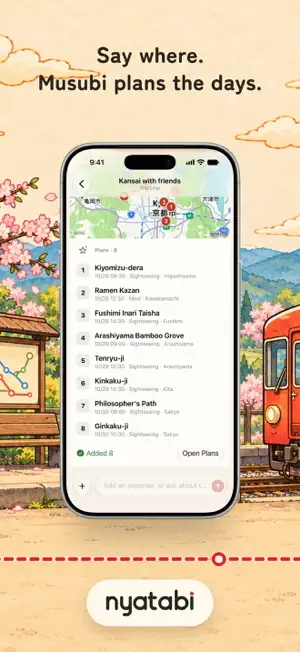
A little trip, a lovely story. Nyatabi helps you plan the days, split the bills and keep the places you loved. Musubi, your AI travel companion, is right there on each page to lend a hand. PLAN IN ONE SENTENCE Tell Musubi where, how long and who's coming. It drafts the trip and a plan for each day. Nothing is saved until you tap Create. BOOKINGS LAND ON THE RIGHT DAY Paste a flight or hotel confirmation, or a screenshot of one. It becomes a plan on the right day, and the cost goes into the ledger. SNAP THE RECEIPT, SAY THE EXCEPTION Musubi reads every line of a receipt. Tell it who skipped what, and the split follows the items. Spend in any currency; Nyatabi converts it for you. ASK FROM ANY PAGE The map, a day, the stats: Musubi answers about what you're looking at, and can suggest places nearby. FIND EACH OTHER During a trip, companions can share where they are. Anyone can turn it off for that trip. SETTLE UP Musubi works out who pays whom. Mark the transfers paid and the trip gets its 清 stamp: settled. KEEP THE ROUTE Footprint keeps your route on your iPhone. Replay it day by day, or make a short recap video with the day's photos and spending. YOUR LITTLE COLLECTION OF PLACES Record everyday wanderings, browse visited cities by country and year, and revisit a recorded day. Import GPX, GeoJSON or Google Maps Timeline files, export your tracks with private places hidden, and manage Footprint storage. A COMPANION ON YOUR WRIST Apple Watch keeps synced plans and booking details available offline. Record Footprints or save a check-in from your watch, and glance at your next plan in a complication. iPhone widgets keep your journey close on the Home Screen, Lock Screen and in Control Center. DAILY LIFE, TOO Keep a daily ledger for coffee, groceries and the rent you share with housemates. Same input bar, same Musubi. YOUR DATA Ledgers live on your iPhone and work offline. Sign in to sync with the people you invite. Musubi asks before anything is sent to AI for the first time, and you can delete your account in Settings at any time. FREE AND PRO Nyatabi is free to download, and friends you invite join free. A free account gets 2 ledgers of its own and a one-time set of AI points to try Musubi. During trip dates, free users can record footprints in Battery Saver mode after granting location access. Nyatabi Pro is a growing travel experience. Today it brings unlimited ledgers, everyday Footprint recording, Fine mode, recording before a trip starts, Apple Watch recording, animated route replay, watermark-free recap videos, iCloud Backup, advanced place filters and richer exports. We are building toward more personal planning, closer collaboration and more ways to keep the journey. • Pro Weekly, Monthly and Yearly include local Pro features, additional online service quotas and AI points that refill during your subscription. Weekly is for short trips and has a smaller AI allowance. • App Lifetime permanently unlocks local Pro features through your Apple Account, without a Nyatabi account. It includes no AI points or additional online service quotas. • App + AI Bundle unlocks the same local features and adds a one-time gift of AI points. It has no monthly refill or permanent online quota upgrade. • AI point packs are one-time purchases that never expire and do not unlock Pro features. Payment is charged to your Apple Account when you confirm the purchase. A subscription renews automatically unless it is canceled at least 24 hours before the end of the current period. Manage or cancel it in your Apple Account settings. Terms of Use: https://nyatabi.app/terms/ Privacy Policy: https://nyatabi.app/privacy/
What’s new
Version 1.2.1 · Updated October 20, 2026
Your next stop is a glance away. • During a trip with timed plans, Live Activities bring the next stop, departure countdown and today's spending to your Lock Screen and Dynamic Island. Choose what to show in Settings; amount visibility follows your widget privacy setting. • Footprint Insights has a clearer overview of your days, cities and countries. Explore years and place types, tap a recorded day on the calendar, and see the year on dates from past years. • Call Musubi by name with Siri. A new guide in Settings and a one-time tip help you find useful phrases for expenses, plans and your companions. A little less looking for details, a little more looking around.
App privacy
The developer, Moeru AI, reported these privacy practices to Apple.
Data Linked to You
The following data, which may be collected and linked to your identity, may be used for the following purposes:
- Health & Fitness: Health
- Financial Info: Other Financial Info
- Location: Precise Location
- Contact Info: Name, Email Address
- User Content: Emails or Text Messages, Other User Content, Photos or Videos
- Sensitive Info: Sensitive Info
- Purchases: Purchase History
- Identifiers: User ID, Device ID
- Usage Data: Other Usage Data
- Diagnostics: Performance Data
Used for: Product Personalization, App Functionality