

Unscroll: Break Scroll Habits
YUNUS ARSLAN Productivity iPhoneiPadiPod touch
Unscroll: Break Scroll Habits is a free Productivity app for iPhone and iPad by YUNUS ARSLAN. Requires iOS 26.2. Updated October 23, 2026.
- Price
- Free
- on the App Store
- Size
- 18 MB
- Age 4+
- Updated
- Oct 23
- 2026 · v1.2
Screenshots
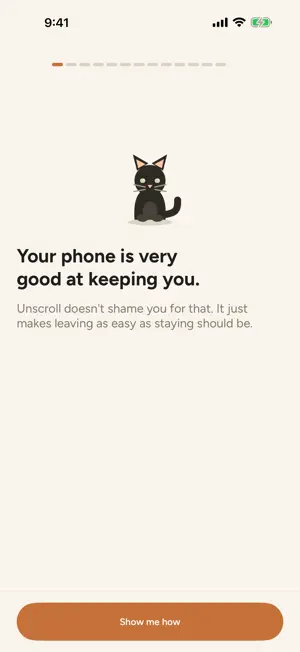


About Unscroll: Break Scroll Habits
Unscroll helps you reduce screen time, stop automatic scrolling, and build healthier phone habits with limits you choose for yourself. Choose distracting apps, categories, and websites with Apple’s private Screen Time picker. Set a daily limit or start a Focus session. Unscroll shields only what you select when your plan requires it. WHAT YOU CAN DO • Set a daily screen time limit for selected apps and categories • Block distracting apps during Focus sessions • See progress toward your limit with Apple Device Activity reports • Build streaks and review your weekly progress • Use a free pass when you earn one • Stay blocked for free when your limit is reached • Use 60 free Focus minutes every day FOCUS PREMIUM Focus Premium is an optional auto-renewable subscription available weekly or annually. It provides unlimited supported Focus sessions and premium soundscapes. Free users keep the daily Screen Time limit and shield, 60 free Focus minutes each day, free sounds, and free early ending. Reaching a limit never charges you. There is no paid Screen Time bypass, and ending a Focus session early is always free. Manage or cancel your subscription through your Apple Account. PRIVATE BY DESIGN Your selections use privacy preserving Apple tokens. Screen Time usage reports are processed on your device. Unscroll does not read messages, passwords, content inside other apps, or browsing content. Your Screen Time data is not used for advertising. Unscroll is a personal digital wellbeing and productivity tool. It is not covert monitoring or a replacement for medical advice. Screen Time reports refresh according to iOS and may not update every second. Terms of Use (EULA): https://www.apple.com/legal/internet-services/itunes/dev/stdeula/
What’s new
Version 1.2 · Updated October 23, 2026
Start a Quick Focus session faster with the new Home Screen long press action. Improved privacy conscious insights for a smoother onboarding, paywall, and purchase experience. Reliability fixes and performance improvements throughout the app.
App privacy
The developer, YUNUS ARSLAN, reported these privacy practices to Apple.
Data Not Linked to You
The following data, which may be collected but is not linked to your identity, may be used for the following purposes:
- Purchases: Purchase History
- Location: Coarse Location
- Identifiers: Device ID
- Usage Data: Product Interaction
- Diagnostics: Crash Data, Other Diagnostic Data
Used for: Analytics, App Functionality
Alternatives to Unscroll: Break Scroll Habits
Looking for apps like Unscroll: Break Scroll Habits? Here are 6 similar apps on the App Store. The highest rated is Screen Time - Break Check (4.3/5), and all 6 are free to download.
-
 StopScroll: Reclaim your time
1.0
-
 Screen Time - Break Check
4.3
-
 Nevver – Phone Lock & Focus
3.5
-
 StopScroll Screen Time Control
4.3
-
 OmniLock
3.9
-
 eParakstsLV
1.0
| App | Rating | Price | Last updated | Compare |
|---|---|---|---|---|
| Unscroll: Break Scroll Habits | – | Free | October 23, 2026 | |
| StopScroll: Reclaim your time | 1.0 / 5 (1) | Free | Jan 25, 2026 | Compare |
| Screen Time - Break Check | 4.3 / 5 (13) | Free | Sep 7, 2026 | Compare |
| Nevver – Phone Lock & Focus | 3.5 / 5 (46) | Free | Apr 16, 2026 | Compare |
| StopScroll Screen Time Control | 4.3 / 5 (15) | Free | Feb 25, 2026 | Compare |
| OmniLock | 3.9 / 5 (29) | Free | Apr 30, 2026 | Compare |
| eParakstsLV | 1.0 / 5 (2) | Free | May 27, 2026 | Compare |