

DWG Viewer: CAD Drawing Reader
Rush Tools LLC Productivity iPhoneiPadiPod touchMac
DWG Viewer: CAD Drawing Reader is a free Productivity app for iPhone and iPad by Rush Tools LLC. Requires iOS 15.0. Updated October 24, 2026.
- Price
- Free
- on the App Store
- Size
- 41 MB
- Age 4+
- Updated
- Oct 24
- 2026 · v1.3.2
Screenshots



About DWG Viewer: CAD Drawing Reader
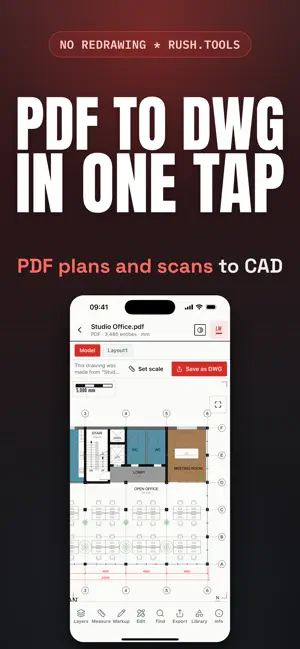
DWG Viewer opens AutoCAD DWG and DXF drawings and draws every line, layer and sheet exactly as the original CAD software saved it, right on your phone. Use it as a DWG file reader for AutoCAD and every other CAD app that saves this format, without installing anything on a computer. WHAT IT OPENS • Every DWG and DXF drawing, from the earliest AutoCAD releases to the newest • Every sheet and layout in the set, with smooth zoom down to the smallest note • Layers exactly as the drawing defines them: show, hide or isolate any of them with a tap • Tap any line, block or wall to see its layer and properties • A 3D model inside the drawing, in a full interactive view: orbit, pan and zoom, shaded, wireframe or x-ray TURN PDF AND PHOTOS INTO DRAWINGS • A PDF plan becomes a real drawing, with true lines, arcs and text, not a picture • A photo or scan of a paper drawing becomes a drawing too, with its text recognized • Set the exact scale by typing one known length MEASURE, MARK UP AND EDIT These tools require an in-app purchase: • Measure distances, paths, areas and angles, snapped to endpoints, midpoints, centers and intersections • Mark up with clouds, arrows, lines, shapes and notes, in your choice of color • Draw, move, copy, rotate, scale, mirror and delete, with exact typed lengths and coordinates • Insert doors, windows, furniture, fixtures, trees, vehicles and steel profiles from a built in library of real world blocks • Find any word across every sheet in seconds • Save your work as a DWG or DXF, or export a PDF, image or SVG Open a file from the Files app, Mail, AirDrop or any app's Share Sheet, or tap "Open File" inside DWG Viewer. No account, no login required. Works on iPhone, iPad and Mac. Every drawing stays on your device, nothing is uploaded. Privacy Policy: https://rush.tools/privacy Terms of Use: https://rush.tools/terms
What’s new
Version 1.3.2 · Updated October 24, 2026
Minor updates and corrections. (DWG Viewer: CAD Drawing Reader)
App privacy
The developer, Rush Tools LLC, reported these privacy practices to Apple.
Data Not Collected
The developer does not collect any data from this app.
Alternatives to DWG Viewer: CAD Drawing Reader
Looking for apps like DWG Viewer: CAD Drawing Reader? Here are 6 similar apps on the App Store. The highest rated is MyEezz (5.0/5), and all 6 are free to download.
-
 Melbourne Connect Co-working
-
 MyEezz
5.0
MyEezz
5.0
-
 Prompt: AI Writing Keyboard
5.0
Prompt: AI Writing Keyboard
5.0
-
 DWG SiteMark: Site Markup
-
 AlvisQuest-Notes,Flashcards,AI
-
 ScanWise powered by PaddleOCR
5.0
ScanWise powered by PaddleOCR
5.0
| App | Rating | Price | Last updated | Compare |
|---|---|---|---|---|
| DWG Viewer: CAD Drawing Reader | – | Free | October 24, 2026 | |
| Melbourne Connect Co-working | – | Free | Sep 10, 2026 | Compare |
| MyEezz | 5.0 / 5 (4) | Free | Oct 16, 2026 | Compare |
| Prompt: AI Writing Keyboard | 5.0 / 5 (1) | Free | Oct 17, 2026 | Compare |
| DWG SiteMark: Site Markup | – | Free | Oct 17, 2026 | Compare |
| AlvisQuest-Notes,Flashcards,AI | – | Free | Oct 16, 2026 | Compare |
| ScanWise powered by PaddleOCR | 5.0 / 5 (1) | Free | Mar 11, 2026 | Compare |