

Clarent – Minimal Todo
Philippe Frey Productivity iPhoneiPadiPod touch
Clarent – Minimal Todo is a free Productivity app for iPhone and iPad by Philippe Frey. Requires iOS 26.0. Updated October 22, 2026.
- Price
- Free
- on the App Store
- Size
- 13 MB
- Age 4+
- Updated
- Oct 22
- 2026 · v2.2
Screenshots



About Clarent – Minimal Todo
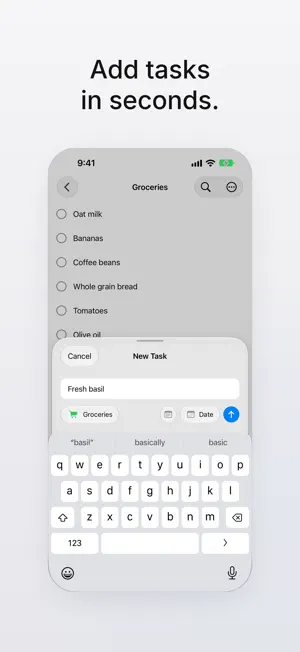
Clarent is a simple and focused task manager for iPhone. Capture tasks in seconds, organize them into lists, and keep track of what matters today — without unnecessary complexity. Stay organized Create tasks, set due dates and reminders, and organize everything into custom lists with their own colors and icons. New lists sort by due date automatically. Recurring tasks Daily, weekly, monthly or yearly. Complete one and the next is ready — reminders included. With Clarent Pro, repeat on your own schedule, like every 2 weeks or Mon, Wed, Fri. Focus on today See what's due today and what's overdue at a glance, so nothing gets lost. Your week at a glance The next 7 days in one view, sorted by day, with overdue tasks at the top. Notes when you need them Add a note to any task. Links, email addresses and phone numbers are tappable. Widgets everywhere Keep your tasks on your Home Screen and check them off right in the widget. Lock Screen widgets show what's due today and what's overdue. With Clarent Pro you also get the minimal and week widgets, including a full-page size on iOS 27. Quick Add Add a task from Control Center, the Action Button, or a widget — in just a few seconds. Siri & Shortcuts Say "Clarent task" to add a task, "Clarent Groceries" to add it straight to a list, or ask "What's due today in Clarent?". All actions also work in the Shortcuts app. Reminders that get through Get reminded right on time, even with Do Not Disturb on. Complete tasks right from the notification or get reminded again in an hour. Plus an optional Daily Overview and an app badge. With Clarent Pro, a reminder can ring as an alarm — like an alarm clock, even when your iPhone is on silent. Made to stay simple Search, sort, filter, reschedule, and move tasks without getting in your way. Private by design No account. No tracking. No advertising. Your tasks and lists stay on your device. CLARENT PRO Clarent is free to use. Clarent Pro is for everyone who wants to do more: - Unlimited lists (free: up to 3) - Up to three reminders per task, like a day before, in the morning and on time - Reminders as alarms that ring even on silent - Unlimited and custom recurring tasks (free: up to 3) - All widgets - Focus Time — a calm timer for focused work Choose a monthly subscription with a 7-day free trial, or unlock Pro forever with a one-time purchase. Used Clarent before version 2.0? Then Clarent Pro is already yours, for free. The subscription renews automatically unless cancelled at least 24 hours before the end of the current period. Payment is charged to your Apple Account. Manage or cancel anytime in your Apple Account settings. Available in English and German. Clarent is built for one thing: helping you get things done with less clutter. Privacy Policy: https://getclarent.app/privacy Terms of Use: https://www.apple.com/legal/internet-services/itunes/dev/stdeula/
What’s new
Version 2.2 · Updated October 22, 2026
Clarent 2.2 – Alarms and a fresh design - Reminders as alarms: Important tasks can ring like an alarm clock, even when your iPhone is on silent. With Stop and Later. With Clarent Pro, iOS 26.1 or later. - Reminders that get through: All reminders are now time-sensitive and reach you even with Do Not Disturb on. - A fresh design: Clarent now looks like iOS 26 – with glass buttons, a new plus button and a larger area to check off tasks. - Undo delete: Deleted something by mistake? One tap brings it back. - A new welcome: A short introduction with a video shows you how Clarent works. You can open it again anytime in Settings. - Easier to read: Large text and VoiceOver work better everywhere. Widgets and Focus Time on the Lock Screen have been refined. - Lots of small improvements and fixes.
App privacy
The developer, Philippe Frey, reported these privacy practices to Apple.
Data Not Collected
The developer does not collect any data from this app.