

Let's Play Old PC Games
Ratthamontree Burimas Entertainment iPhoneiPadiPod touch
Let's Play Old PC Games is a free Entertainment app for iPhone and iPad by Ratthamontree Burimas. Rated 1.0/5 from 1 ratings. Requires iOS 15.0.
- Rating
- 1.0
- 1 ratings
- Price
- Free
- on the App Store
- Size
- 48 MB
- Age 4+
- Updated
- Sep 30
- 2026 · v1.0
Screenshots


About Let's Play Old PC Games
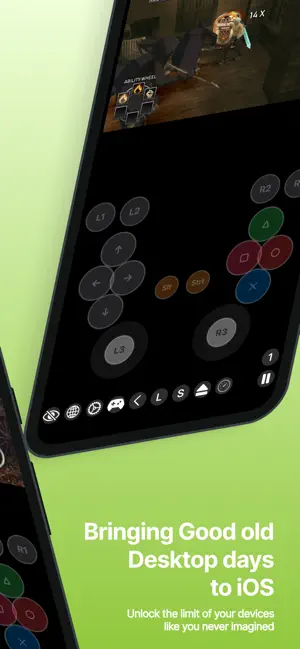
RTMHub32 brings 32-bit Windows games from the 2000s to your iPhone and iPad. You don't need a PC or a streaming service. Bring the games you already own and run them on your device. PLAY YOUR STEAM COPY Copy a game folder from Steam's steamapps/common on your PC to this device or a connected drive. RTMHub32 checks with Steam that your account owns the game, then runs it here. Games you've verified are marked with a badge in your library. BUY AND INSTALL FROM GOG Sign in to GOG in the built-in browser and download the Windows offline backup installer. RTMHub32 saves the download and builds a ready-to-play game from it. You don't have to leave the app. BRING YOUR OWN GAMES Add any 32-bit Windows game or installer from Files. Each game gets its own separate setup, so settings and saves stay apart. TOUCH CONTROLS YOU CAN SHAPE • Tap to left-click, tap with two fingers to right-click, and touch and hold to drag • Build your own on-screen layout with buttons, a WASD pad, an arrow pad and an analog cursor stick • Map any key to any button, and resize and place each one where your thumbs rest • Haptic feedback on every press CONTROLLER SUPPORT • Connect an Xbox, PlayStation or MFi controller • Keyboard mode maps each button and stick direction to a key, and it works with every game • Controller mode passes the pad through as an XInput controller for games that support one • Or turn on the virtual Xbox pad and play with on-screen sticks, a D-pad, ABXY, bumpers and triggers COMPATIBILITY LIST Check which games run well before you start. The list is updated separately from the app, and anyone can report a result. MADE FOR THE ERA DirectX 9-era titles, RPGs, strategy games, adventure games and visual novels. The games that filled your hard drive in the 2000s, now in your pocket. GOOD TO KNOW • No games are included. You have to own every game you play. • RTMHub32 runs 32-bit Windows games only. • Games protected by Denuvo, by Steam's own DRM wrapper, or by kernel anti-cheat can't run. RTMHub32 never removes copy protection. • Performance depends on the game and your device. Newer iPhones and iPads with more memory give the best results. RTMHub32 is an independent app. It is not affiliated with, endorsed by or sponsored by Valve, Steam, GOG or Microsoft. All trademarks belong to their owners.
App privacy
The developer, Ratthamontree Burimas, reported these privacy practices to Apple.
Data Not Collected
The developer does not collect any data from this app.
Alternatives to Let's Play Old PC Games
Looking for apps like Let's Play Old PC Games? Here are 6 similar apps on the App Store. The highest rated is Omega EMU: Retro Emulator (5.0/5), and all 6 are free to download.
-
 Omega EMU: Retro Emulator
5.0
Omega EMU: Retro Emulator
5.0
-
 PocketDOS: Retro PC Emulator
3.3
PocketDOS: Retro PC Emulator
3.3
-
 NEX - Retro Games
4.0
NEX - Retro Games
4.0
-
 Trophy Hub: Play & Track
-
 GameMory: Game Emulator
5.0
GameMory: Game Emulator
5.0
-
 Zenulator
5.0
Zenulator
5.0
| App | Rating | Price | Last updated | Compare |
|---|---|---|---|---|
| Let's Play Old PC Games | 1.0 / 5 (1 rating) | Free | September 30, 2026 | |
| Omega EMU: Retro Emulator | 5.0 / 5 (1) | Free | Sep 25, 2026 | Compare |
| PocketDOS: Retro PC Emulator | 3.3 / 5 (3) | Free | Aug 7, 2026 | Compare |
| NEX - Retro Games | 4.0 / 5 (3) | Free | Oct 16, 2026 | Compare |
| Trophy Hub: Play & Track | – | Free | Oct 13, 2026 | Compare |
| GameMory: Game Emulator | 5.0 / 5 (1) | Free | Oct 18, 2026 | Compare |
| Zenulator | 5.0 / 5 (1) | Free | Oct 1, 2026 | Compare |