

Ream: Calligraphy Guide Sheets
Nima Latifoltojar Graphics & Design iPad
Ream: Calligraphy Guide Sheets is a free Graphics & Design app for iPad by Nima Latifoltojar. Rated 5.0/5 from 1 ratings. Requires iOS 17.0.
- Rating
- 5.0
- 1 ratings
- Price
- Free
- on the App Store
- Size
- 48 MB
- Age 4+
- Updated
- Oct 5
- 2026 · v1.0.3
Screenshots


About Ream: Calligraphy Guide Sheets
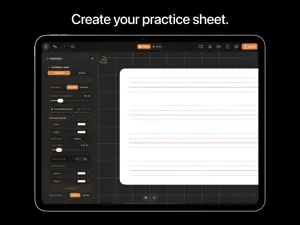
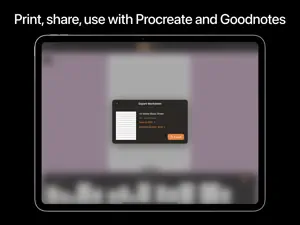
DESIGN YOUR PAPER. WRITE YOUR WAY. ◆ THE MISSING GEM OF THE IPAD Ream is a paper and practice sheet design tool for iPad. Paper is everywhere in the physical world. But on iPad, you often have to settle for fixed templates, search for files online, or create your own from scratch. Ream gives you a better way. Start with a handcrafted paper design, customize it to your needs, then write, draw, practice, print, or export it to the apps you already love. ◆ CREATE YOUR PAPER -------------------------- Design paper that fits exactly what you want to do. ‣ Start with handcrafted paper collections and templates. ‣ Customize the size, shape, color, texture, margins, and more. ‣ Adjust lines and grids, including angle, spacing, color, and thickness. ‣ Add punched holes, cuts, margins, and other paper details. ‣ Create paper ready for high-quality printing. ◆ WRITE, PRACTICE & CREATE -------------------------------- Turn your paper into a personalized worksheet. ‣ Write and draw naturally with Apple Pencil. ‣ Practice handwriting, calligraphy, music, drawing, and more. ‣ Create worksheets for your own needs instead of adapting to fixed templates. ‣ Reuse your paper designs across multiple worksheets. ◆ TAKE YOUR PAPER ANYWHERE ----------------------------------- Your paper does not have to stay in Ream. ‣ Export your designs and use them in apps you already love, including Procreate and Goodnotes. ‣ Create a worksheet in Ream, then continue working on it wherever your creativity takes you. ◆ HANDCRAFTED COLLECTIONS ----------------------------------- Explore paper designed for different kinds of work: ‣ Handwriting & Calligraphy ‣ Grids & Technical Paper ‣ Music Sheets ‣ Japanese Writing Paper ‣ Lined & Dot Paper ‣ Drawing & Creative Paper And more collections are coming. ◆ REAM PRO --------------- Unlock the full Ream experience with: ‣ High-quality export ‣ Unlimited worksheets ‣ Current and upcoming design collections ‣ Advanced paper customization ‣ Personalized design requests Create freely. Export beautifully. Terms of Use: https://www.apple.com/legal/internet-services/itunes/dev/stdeula
What’s new
Version 1.0.3 · Updated October 5, 2026
- Expanded handcrafted paper design collections - New customizable grid, calligraphy, and handwriting templates - Performance improvements and smoother Apple Pencil drawing experience
App privacy
The developer, Nima Latifoltojar, reported these privacy practices to Apple.
Data Not Linked to You
The following data, which may be collected but is not linked to your identity, may be used for the following purposes:
- Usage Data: Product Interaction, Advertising Data
- Purchases: Purchase History
Used for: Third-Party Advertising, Developer’s Advertising or Marketing, Analytics, App Functionality
Alternatives to Ream: Calligraphy Guide Sheets
Looking for apps like Ream: Calligraphy Guide Sheets? Here are 6 similar apps on the App Store. The highest rated is Invitation Maker:Greeting Card (5.0/5), and all 6 are free to download.
-
 Signify AI Signature Generator
-
 Invitation Maker:Greeting Card
5.0
-
 Scratch Art Bord : Healing
4.4
-
 Calligraphy Guidelines
3.7
-
 Calligrapher: Practice Pad
2.8
-
 Color the Look: Coloring Book
3.5
| App | Rating | Price | Last updated | Compare |
|---|---|---|---|---|
| Ream: Calligraphy Guide Sheets | 5.0 / 5 (1 rating) | Free | October 5, 2026 | |
| Signify AI Signature Generator | – | Free | Jan 7, 2026 | Compare |
| Invitation Maker:Greeting Card | 5.0 / 5 (2) | Free | Jun 30, 2026 | Compare |
| Scratch Art Bord : Healing | 4.4 / 5 (25) | Free | Oct 20, 2025 | Compare |
| Calligraphy Guidelines | 3.7 / 5 (15) | Free | Oct 26, 2026 | Compare |
| Calligrapher: Practice Pad | 2.8 / 5 (21) | Free | Oct 26, 2026 | Compare |
| Color the Look: Coloring Book | 3.5 / 5 (4) | Free | Nov 3, 2026 | Compare |