

Scanoi: Scan Documents to PDF
Liran Yaish Business iPhoneiPadiPod touch
Scanoi: Scan Documents to PDF is a free Business app for iPhone and iPad by Liran Yaish. Requires iOS 16.4. Updated October 16, 2026.
- Price
- Free
- on the App Store
- Size
- 96 MB
- Age 4+
- Updated
- Oct 16
- 2026 · v1.0.4
Screenshots


About Scanoi: Scan Documents to PDF
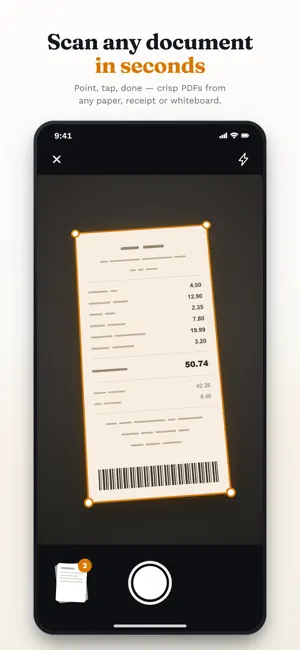
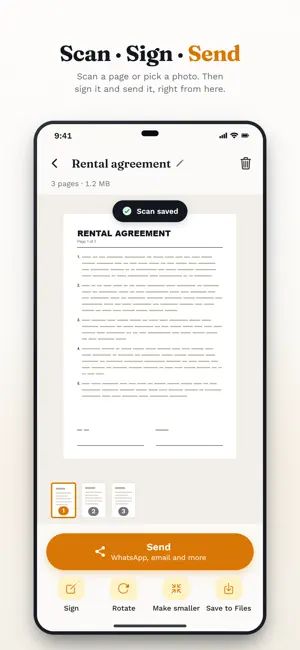
Scanoi turns your phone into a document scanner. Point it at any page and get a clean, straightened PDF you can send in seconds. Scanoi is a scanner app and PDF scanner in one: scan to PDF, turn JPG photos into a PDF, compress PDF files and sign them - all on your phone. Point, tap, done — crisp PDFs from any paper, receipt or whiteboard. Open a document and tap Sign. Draw your signature once, then place it on any page. Search looks inside your scans too, not just their names. Send a 40 MB scan as a 3 MB file — nobody notices the difference. Scanning and text recognition run on the device itself. No upload, no account, no server holding your contracts. - HD scan quality - Smart edge detection - Text recognition - Unlimited documents - Works offline Free, with no limits: scanning, signing, rotating pages, making files smaller and searching inside your scans. Scanoi Pro is how your PDFs leave the app: send them by WhatsApp, email and more, or save them to Files. Choose a weekly or an annual plan. Scanoi Pro is an auto-renewing subscription, charged to your store account. It renews at the end of each period, at the price shown in the app, until you cancel. To stop the next renewal, cancel at least 24 hours before the current period ends - any time, in your account's subscription settings. Terms: https://scanoi-legal.liran909090.workers.dev#terms Privacy: https://scanoi-legal.liran909090.workers.dev#privacy
What’s new
Version 1.0.4 · Updated October 16, 2026
New in 1.0.4 • Every document opens on its own screen, with “Send”, “Sign”, “Rotate”, “Make smaller” and “Save to Files” on the buttons. • Signing: draw your signature once, see it on the page, drag and resize it, then send. • Signatures you add now stay on the PDF when you rotate pages, make the file smaller or sign again, and no longer sit on a white box that hides the line beneath. You will be asked to draw your signature once more. • Pages come out upright: an upside-down page with readable text is turned on its own after scanning, and “Rotate” fixes any page, on screen and in the PDF. • With “Save to Files”, the PDF goes into a folder you choose. Sending is more reliable: the file carries your document's name, and the share menu opens right after you subscribe. • Scanning, signing and editing are free. Sending and saving are part of Scanoi Pro, with a weekly or an annual plan. • The app no longer opens on a plans screen; the plans appear when you send or save.
App privacy
The developer, Liran Yaish, reported these privacy practices to Apple.
Data Not Linked to You
The following data, which may be collected but is not linked to your identity, may be used for the following purposes:
- Purchases: Purchase History
- Location: Coarse Location
- Identifiers: Device ID
- Usage Data: Product Interaction
- Diagnostics: Crash Data, Other Diagnostic Data
Used for: Analytics, App Functionality
Alternatives to Scanoi: Scan Documents to PDF
Looking for apps like Scanoi: Scan Documents to PDF? Here are 6 similar apps on the App Store. The highest rated is LeoPDF: Photo to Excel & Word (5.0/5), and all 6 are free to download.
-
 StockLLM: AI Stock Analysis
-
 LeoPDF: Photo to Excel & Word
5.0
-
 IOU - OweTracker
5.0
-
 SGCCI SBC
-
 PagoMundo
3.2
-
 Poster Boss
4.4
| App | Rating | Price | Last updated | Compare |
|---|---|---|---|---|
| Scanoi: Scan Documents to PDF | – | Free | October 16, 2026 | |
| StockLLM: AI Stock Analysis | – | Free | Jun 4, 2026 | Compare |
| LeoPDF: Photo to Excel & Word | 5.0 / 5 (1) | Free | Sep 5, 2026 | Compare |
| IOU - OweTracker | 5.0 / 5 (4) | Free | Oct 14, 2026 | Compare |
| SGCCI SBC | – | Free | Sep 1, 2025 | Compare |
| PagoMundo | 3.2 / 5 (5) | Free | Sep 3, 2026 | Compare |
| Poster Boss | 4.4 / 5 (7) | Free | Nov 3, 2026 | Compare |