

Doci: PDF Scanner & Editor
oussama nasr Productivity iPhoneiPadiPod touch
Doci: PDF Scanner & Editor is a free Productivity app for iPhone and iPad by oussama nasr. Requires iOS 17.0. Updated October 8, 2026.
- Price
- Free
- on the App Store
- Size
- 2 MB
- Age 4+
- Updated
- Oct 8
- 2026 · v5
Screenshots


About Doci: PDF Scanner & Editor
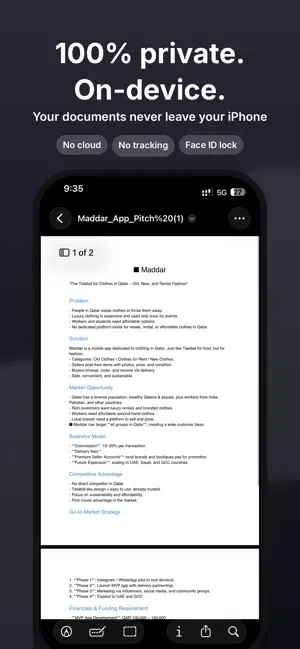
Doci turns your iPhone into a complete document studio. Scan paper, edit PDF text, sign contracts, convert files and shrink big PDFs, all in one clean app that works entirely on your device. SCAN ANYTHING - Scan documents, receipts, contracts and notes with your camera - Automatic edge detection and perspective correction - Filters for color, grayscale and black & white - Rotate, reorder and delete pages before you save - Save as PDF or JPG - Text recognition (OCR) in English, French, Arabic, Spanish and German - Make scanned PDFs searchable so you can find and copy text EDIT PDF TEXT - Tap any text on a PDF and change the words - Doci keeps the original position, size and color, and uses the document's own font whenever it is available - Works on invoices, forms, letters, CVs and contracts - Pinch to zoom for precise editing SIGN DOCUMENTS - Draw your signature with your finger or Apple Pencil - Save up to 3 signatures and reuse them anytime - Drag and resize your signature on any page CONVERT FILES - PDF to Word (DOCX) - Word, Excel, PowerPoint, RTF and text to PDF - Photos to PDF (JPG, PNG and HEIC) - PDF to JPG or PNG, up to 300 dpi ORGANIZE PDFs - Merge several PDFs into one - Split by page, every few pages or custom ranges - Reorder, rotate and delete pages - Extract only the pages you need PROTECT & OPTIMIZE - Lock PDFs with a password, or unlock PDFs you have the password for - Add a text watermark - Compress PDFs and images to share them faster - Lock the app with Face ID or Touch ID PRIVATE BY DESIGN Your documents are processed on your iPhone. Doci does not upload your files, has no ads and no tracking. KEEP EVERYTHING ORGANIZED - Folders, search by name or by recognized text - Open PDFs, Word files and images from the Files app or any other app DOCI PRO You can scan, edit and try every tool for free. Saving, sharing and exporting results requires Doci Pro. - Doci Pro Monthly - Doci Pro Yearly, with a 7-day free trial for eligible new subscribers Payment is charged to your Apple ID at confirmation of purchase. Subscriptions renew automatically unless cancelled at least 24 hours before the end of the current period. Your account is charged for renewal within 24 hours before the end of the current period. You can manage and cancel your subscription in your App Store account settings. Any unused portion of a free trial is forfeited when you purchase a subscription. Terms of Use (EULA): https://www.apple.com/legal/internet-services/itunes/dev/stdeula/ Privacy Policy: https://ibecome00816.github.io/doci/privacy.html Support: https://ibecome00816.github.io/doci/
App privacy
The developer, oussama nasr, reported these privacy practices to Apple.
Data Not Collected
The developer does not collect any data from this app.
Alternatives to Doci: PDF Scanner & Editor
Looking for apps like Doci: PDF Scanner & Editor? Here are 6 similar apps on the App Store. The highest rated is ReNoteAI: AI Doc Scan OCR (5.0/5), and all 6 are free to download.
-
 AI ChatBot Assistant 5 0
4.6
-
 ReNoteAI: AI Doc Scan OCR
5.0
-
 PDF Scanner & Editor +
-
 Tata AIG Suraksha
3.0
-
 Text to PDF Converter - TXT
4.3
-
 My Suzuki
1.8
| App | Rating | Price | Last updated | Compare |
|---|---|---|---|---|
| Doci: PDF Scanner & Editor | – | Free | October 8, 2026 | |
| AI ChatBot Assistant 5 0 | 4.6 / 5 (17) | Free | Sep 14, 2026 | Compare |
| ReNoteAI: AI Doc Scan OCR | 5.0 / 5 (1) | Free | Oct 19, 2026 | Compare |
| PDF Scanner & Editor + | – | Free | Jul 30, 2026 | Compare |
| Tata AIG Suraksha | 3.0 / 5 (1) | Free | Sep 8, 2026 | Compare |
| Text to PDF Converter - TXT | 4.3 / 5 (89) | Free | Aug 27, 2026 | Compare |
| My Suzuki | 1.8 / 5 (10) | Free | Sep 21, 2026 | Compare |