

ConverterKit: Media Tools
Long Chen Photo & Video iPhoneiPadiPod touch
ConverterKit: Media Tools is a free Photo & Video app for iPhone and iPad by Long Chen. Requires iOS 26.0. Updated October 13, 2026.
- Price
- Free
- on the App Store
- Size
- 5 MB
- Age 4+
- Updated
- Oct 13
- 2026 · v1.1
Screenshots
About ConverterKit: Media Tools
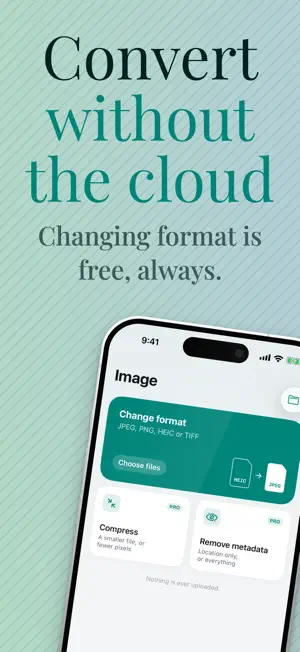
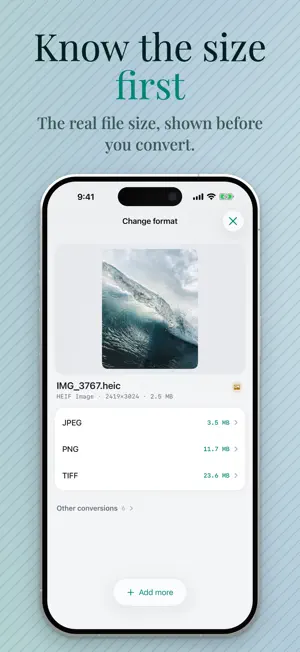
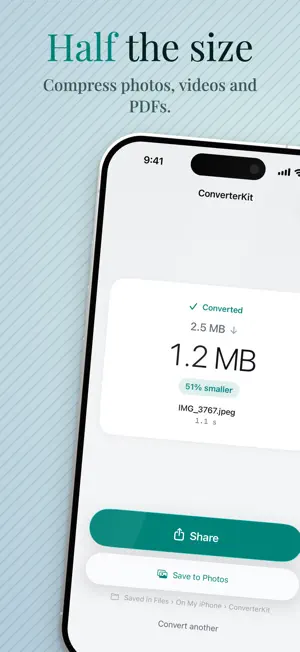
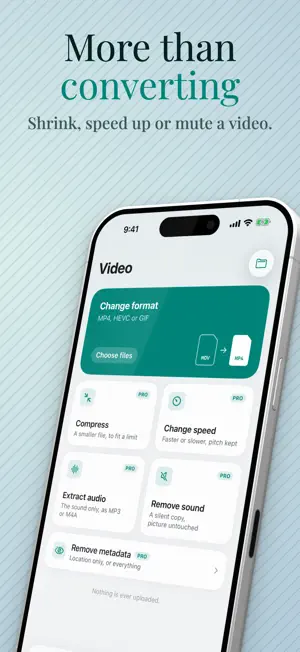
Convert photos, video, audio and PDFs on your iPhone. Nothing is uploaded — every conversion runs on the device, so a 4K video never leaves your hands and nothing waits on a server. CHANGING FORMAT IS FREE • Photos — HEIC, JPEG, PNG, TIFF. WebP and Apple ProRAW open too. • Video — MP4 (H.264) for anywhere, HEVC for half the size, or GIF. • Audio — MP3, M4A, WAV. • PDF — images to a PDF, or a PDF back to images. One file at a time, with no limit on how many you convert, no watermark, no ads and no account. Converting several at once is part of Pro. PRO ADDS THE TOOLS • Compress to a size — hit 25 MB for mail, or 10 MB for chat. Photos land at or under the number you pick. • Resize — half or a quarter of the pixels. • Change speed — 0.5× to 2×, with the pitch kept. • Extract audio — a video's soundtrack as MP3 or M4A. • Remove sound — a silent copy of a video, the picture untouched. • Merge PDFs — several into one, in the order you choose. • Compress a PDF — smaller pictures inside, the text still selectable. • Remove metadata from photos and video — location only, or everything. The picture is copied, not re-encoded, so nothing is lost. • Convert several files in one go. One payment. Not monthly, not yearly. BEFORE YOU CONVERT, NOT AFTER Most conversions show what the file will weigh before you tap — measured, not guessed, for photos and audio. Where a size cannot honestly be known before encoding, as with GIF, no number is shown rather than a wrong one. Most converters tell you afterwards. FROM THE SHARE SHEET Convert straight from Photos or Files without opening the app. ConverterKit appears under More the first time; tap More › Edit to pin it. Requires iOS 26. iPhone only.
What’s new
Version 1.1 · Updated October 13, 2026
A new look: calmer and clearer, with your file shown large before you convert. New in Pro: • Remove sound from a video, picture untouched • Merge PDFs into one • Compress a PDF, with its text still selectable Now also in German, French, Spanish, Italian, Dutch, Danish, Swedish and Norwegian.
App privacy
The developer, Long Chen, reported these privacy practices to Apple.
Data Not Collected
The developer does not collect any data from this app.
Alternatives to ConverterKit: Media Tools
Looking for apps like ConverterKit: Media Tools? Here are 6 similar apps on the App Store. The highest rated is video player - Sweet Juice (5.0/5), and all 6 are free to download.
-
 Julpik: Photo Size Compressor
-
 VideoLite - Video Compressor
-
 Video & Image Converter: MP4
-
 Video Converter, VidConv
-
 video player - Sweet Juice
5.0
video player - Sweet Juice
5.0
-
 Convert MOV to MP4
4.2
Convert MOV to MP4
4.2
| App | Rating | Price | Last updated | Compare |
|---|---|---|---|---|
| ConverterKit: Media Tools | – | Free | October 13, 2026 | |
| Julpik: Photo Size Compressor | – | Free | Oct 2, 2026 | Compare |
| VideoLite - Video Compressor | – | Free | Sep 22, 2026 | Compare |
| Video & Image Converter: MP4 | – | Free | Oct 15, 2026 | Compare |
| Video Converter, VidConv | – | Free | Aug 28, 2025 | Compare |
| video player - Sweet Juice | 5.0 / 5 (1) | Free | Mar 4, 2024 | Compare |
| Convert MOV to MP4 | 4.2 / 5 (21) | Free | Nov 8, 2024 | Compare |