

AI Photo & Video Veosnap AI
Zaven Avagyan Photo & Video iPhoneiPadiPod touch
AI Photo & Video Veosnap AI is a free Photo & Video app for iPhone and iPad by Zaven Avagyan. Requires iOS 15.6. Updated October 21, 2026.
- Price
- Free
- on the App Store
- Size
- 38 MB
- Age 4+
- Updated
- Oct 21
- 2026 · v1.0.3
Screenshots
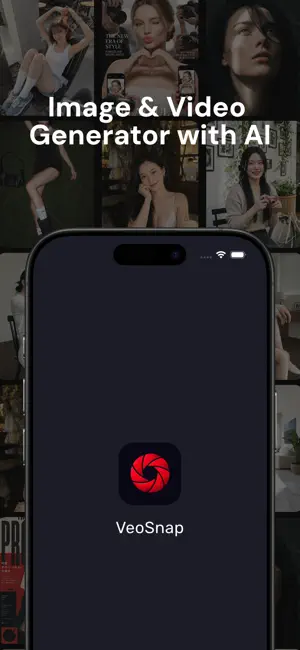
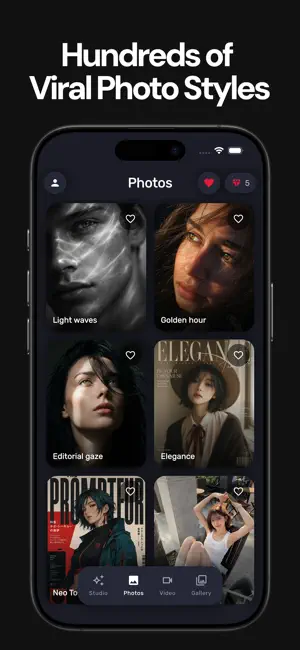
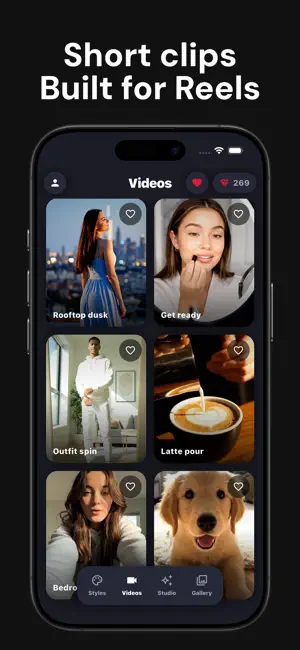

About AI Photo & Video Veosnap AI
VeoSnap AI helps you create AI photos and short video clips from a simple idea. Write what you want to see, add a photo when it makes sense, or start from a style in Explore — then save the result to your gallery and share it when it feels right. Studio Describe a photo or a short video. Attach reference images if you want the output to stay closer to a look you already like. Stuck? Prompt suggestions are there to get you moving. Explore Browse styles and video templates. Many looks let you upload your photo so the AI can place you in the scene or match a reference. Adjust the optional description — for example, only change the face or keep the same lighting. Pick the format (square, portrait, or landscape) before you generate. AI video Create a clip from text, or use a photo as the starting frame. Choose a template, set quality and aspect ratio, and allow about a minute for rendering. Keep the app open while your video is being created. Photos & edits Generate images from text, restyle an existing photo, try portrait and character looks, or build a cohesive AI photoshoot from your pictures. Mark objects you want gone — the AI removes them from the shot. Your library Everything you keep lands in Gallery. Save styles and videos to Favorites so you can come back later. Tokens & purchases Generations use tokens. Subscriptions add tokens each billing period; token packs are available if you prefer a one-time top-up. You can restore purchases anytime in settings. Please only upload photos you have the right to use, including pictures of yourself or people who agreed to this kind of processing. AI results can vary from one try to the next — that’s expected. We’re glad you’re here. If something’s confusing or broken, use Feedback in Profile — we read it. Privacy Policy: https://docs.google.com/document/d/1rNYUOSBDQ1qpWR4VWzS_dTeisW-JSnQpN_-rc1JrkWA Terms of Use: https://docs.google.com/document/d/1B4XKzs-0avS1gqdLvKVKqCwlhCfmcfbyDPhCXvkJKH8
What’s new
Version 1.0.3 · Updated October 21, 2026
Smoother everyday use and a few bug fixes. Fresh AI video templates and a cleaner video flow. Thanks for the feedback — keep it coming.
App privacy
The developer, Zaven Avagyan, reported these privacy practices to Apple.
Data Not Collected
The developer does not collect any data from this app.
Alternatives to AI Photo & Video Veosnap AI
Looking for apps like AI Photo & Video Veosnap AI? Here are 6 similar apps on the App Store. The highest rated is CocoAI: Aesthetic Photo Editor (5.0/5), and all 6 are free to download.
-
 Revivo - AI Photo Restoration
-
 MyPhotoAI
-
 AI Face Swap & Photo Editor
-
 Unblur Photo: AI HD Enhancer
-
 MedaBody: AI Muscle Editor
-
 CocoAI: Aesthetic Photo Editor
5.0
CocoAI: Aesthetic Photo Editor
5.0
| App | Rating | Price | Last updated | Compare |
|---|---|---|---|---|
| AI Photo & Video Veosnap AI | – | Free | October 21, 2026 | |
| Revivo - AI Photo Restoration | – | Free | Sep 18, 2026 | Compare |
| MyPhotoAI | – | Free | Jan 9, 2026 | Compare |
| AI Face Swap & Photo Editor | – | Free | May 14, 2026 | Compare |
| Unblur Photo: AI HD Enhancer | – | Free | Aug 18, 2026 | Compare |
| MedaBody: AI Muscle Editor | – | Free | Aug 18, 2026 | Compare |
| CocoAI: Aesthetic Photo Editor | 5.0 / 5 (6) | Free | Jan 28, 2026 | Compare |