

PDF Scanner - BrightScan
Ronak Vir Utilities iPhoneiPadiPod touch
PDF Scanner - BrightScan is a free Utilities app for iPhone and iPad by Ronak Vir. Rated 5.0/5 from 2 ratings. Requires iOS 18.0. Updated September 29, 2026.
- Rating
- 5.0
- 2 ratings
- Price
- Free
- on the App Store
- Size
- 11 MB
- Age 4+
- Updated
- Sep 29
- 2026 · v1.0.1
Screenshots


About PDF Scanner - BrightScan
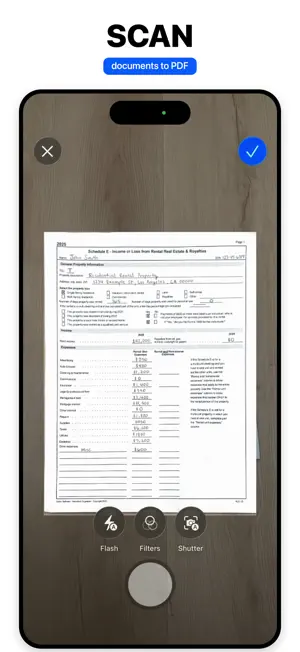
BrightScan is a privacy-first PDF and document scanner for iPhone and iPad. Capture clean multi-page scans, edit them locally, and see the result before choosing BrightScan Pro. SCAN AND EDIT DOCUMENTS • Scan one page or an entire document • Import photos and supported PDF files • Crop, rotate, reorder, duplicate, and enhance pages • Organize documents into simple folders FINISH POLISHED PDFs • Add text, drawings, highlights, and a visual signature • Combine PDFs, extract pages, or split a document • Securely redact sensitive details from exported files • Add optional password protection to PDF exports • Export as PDF or images, save to Files, share, or print ON-DEVICE OCR Recognize text on your device, review it page by page, and copy the text you need. Document images and recognized text are not sent to a BrightScan document-processing server. RECEIPTS TO SIMPLE CSV Scan receipts, review suggested merchant, date, and total fields, make corrections, and export a straightforward CSV. BrightScan is not accounting, tax, or bookkeeping software. MORE LOCAL TOOLS • Guided ID card and passport capture without identity verification • Private QR code review before opening a destination • Barcode scanning without automatic lookups or history NO ACCOUNT OR DOCUMENT CLOUD BrightScan stores app-owned documents locally. Content leaves the app only when you choose an export, sharing, printing, clipboard, Files, or external action. FREE CREATION, PRO OUTPUT Scan or import documents, organize them, and edit pages without subscribing. BrightScan Pro is required for export, sharing, printing, OCR results, receipt and ID workflows, and QR or barcode actions. BrightScan Pro is available through auto-renewing weekly and annual subscriptions. The annual option may include a free trial for eligible customers. Exact localized prices, billing periods, trial eligibility, and renewal terms appear in the app before purchase. Manage or cancel through your Apple Account settings. Privacy Policy: https://www.ronakvir.com/brightscan/privacy Terms of Use: https://www.ronakvir.com/brightscan/terms Support: https://www.ronakvir.com/brightscan/support Apple Standard EULA: https://www.apple.com/legal/internet-services/itunes/dev/stdeula/
What’s new
Version 1.0.1 · Updated September 29, 2026
We've fixed some bugs and added new features. Thank you for using BrightScan!
App privacy
The developer, Ronak Vir, reported these privacy practices to Apple.
Data Not Collected
The developer does not collect any data from this app.
Alternatives to PDF Scanner - BrightScan
Looking for apps like PDF Scanner - BrightScan? Here are 6 similar apps on the App Store. The highest rated is The Mobile Wallet (5.0/5), and 4 of the 6 are free to download.
-
 Create and make own stickers
1.0
-
 The Mobile Wallet
5.0
-
 3uAirPlayer
3.7
-
 DNS Optimizer: Server Changer
4.7
-
 Screen Recorder - Voice Video
4.4
-
 Type Geez Keyboard
4.4
| App | Rating | Price | Last updated | Compare |
|---|---|---|---|---|
| PDF Scanner - BrightScan | 5.0 / 5 (2 ratings) | Free | September 29, 2026 | |
| Create and make own stickers | 1.0 / 5 (1) | 0.99 USD | Mar 24, 2024 | Compare |
| The Mobile Wallet | 5.0 / 5 (2) | Free | Sep 22, 2026 | Compare |
| 3uAirPlayer | 3.7 / 5 (3) | Free | Sep 3, 2026 | Compare |
| DNS Optimizer: Server Changer | 4.7 / 5 (81) | Free | Jul 16, 2025 | Compare |
| Screen Recorder - Voice Video | 4.4 / 5 (509) | Free | Oct 4, 2026 | Compare |
| Type Geez Keyboard | 4.4 / 5 (5) | 3.99 USD | Oct 23, 2025 | Compare |