

Smart Archive by Software EZ
Elisabeth Zuyeva Productivity iPhoneiPadiPod touch
Smart Archive by Software EZ is a free Productivity app for iPhone and iPad by Elisabeth Zuyeva. Requires iOS 16.4. Updated October 20, 2026.
- Price
- Free
- on the App Store
- Size
- 76 MB
- Age 4+
- Updated
- Oct 20
- 2026 · v1.5
Screenshots



About Smart Archive by Software EZ
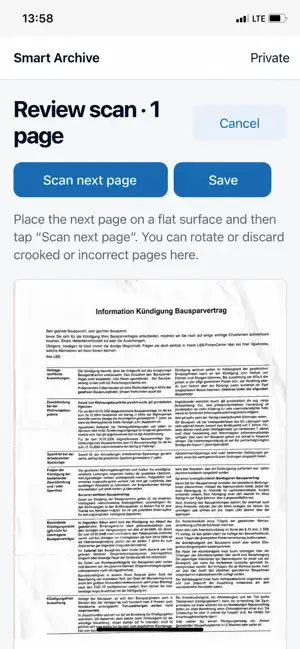
Smart Archive takes care of tedious document filing – fully automatically, on iPhone, iPad and Mac. Scan or import a document once. Smart Archive then does the rest: it creates a meaningful name, detects the document type, finds the right folder and adds suitable tags. You save time and concentration instead of working through file names and folder structures. FROM PAPER TO ARCHIVE IN FOUR STEPS • Scan conveniently – choose "Automatic" and the camera captures each page as soon as it is positioned correctly. Multiple pages in one go, no internet required. • Review the pages – rotate, reorder or discard pages before the document is saved. • Let AI do the filing – name, document type, sender, date, amount, folder and tags are recognised automatically. • Find it in seconds – search every recognised word and combine folders, document types and tags. YOUR DEVICE. YOUR AI. YOUR DATA. • Text recognition (OCR) runs locally on your device. • On supported devices, Apple Intelligence analyses documents entirely on the device – no cloud request, works offline. • Without Apple Intelligence, Smart Archive automatically uses its included app AI. Only the recognised text is sent – never page images or files. • Business: use your own OpenAI API key and custom AI instructions. MORE HIGHLIGHTS • Searchable PDFs with an invisible text layer • Ready-made folder and tag templates for private and business archives – fully editable • Automatic duplicate detection • Import PDFs, images, Word and Excel files • Synchronised across iPhone, iPad and Mac via iCloud Drive • Available in 8 languages – English, German, Spanish, French, Italian, Portuguese, Russian and Ukrainian – automatically matched to your system language • No advertising, no analytics PLANS Try the Standard plan free for 7 days. After the trial, existing documents remain readable, searchable and exportable; an active plan is required to add new documents. • Standard – private archive, PDFs and images, scanning, full-text search, app AI, duplicate detection • Pro – adds a separate business archive, switching between archives and Word/Excel files • Business – adds Smart Archive on Mac, custom AI instructions and your own OpenAI key Plans are available monthly or yearly as auto-renewable subscriptions. Payment is charged to your Apple Account at confirmation of purchase. Subscriptions renew automatically unless cancelled at least 24 hours before the end of the current period. You can manage and cancel subscriptions in your App Store account settings. Guide: https://software-ez.de/en/apps/smartarchive/guide Privacy Policy: https://software-ez.de/apps/smartarchive/privacy Terms of Use (EULA): https://www.apple.com/legal/internet-services/itunes/dev/stdeula/
What’s new
Version 1.5 · Updated October 20, 2026
New in 1.5: • Smarter sorting – even longer documents are now filed automatically. • Suggestions for new folders and tags appear right away for you to confirm. • A clearer folder list. • No extra folder in your iCloud anymore.
App privacy
The developer, Elisabeth Zuyeva, reported these privacy practices to Apple.
Data Not Linked to You
The following data, which may be collected but is not linked to your identity, may be used for the following purposes:
- User Content: Other User Content
Used for: App Functionality