

Simple To Do List: Tasks
Samantha Toha Productivity iPhoneiPadiPod touch
Simple To Do List: Tasks is a free Productivity app for iPhone and iPad by Samantha Toha. Requires iOS 17.0. Updated October 30, 2026.
- Price
- Free
- on the App Store
- Size
- 28 MB
- Age 4+
- Updated
- Oct 30
- 2026 · v2.0
Screenshots



About Simple To Do List: Tasks
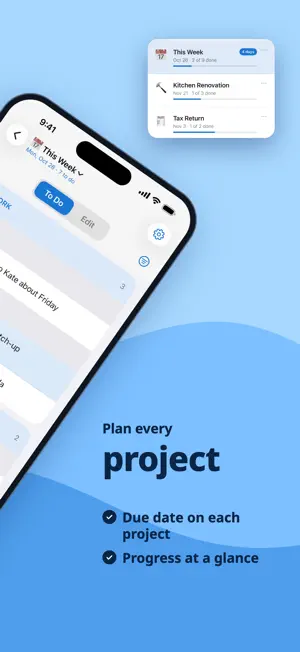
A to do list for the jobs that take more than one step. Started something but not finished? Mark it In Progress and it stays in front of you — the middle of a job is where a plain checklist loses you. Bigger jobs get a project of their own, with a due date and reminders before it lands. Group the work into categories, and add a second level underneath where one is not enough — Moving House, with a room under each heading. Type a task, or paste a whole list at once. Drag to prioritize. Check things off as you go, and switch to To Do to hide what is done — so you only see what is left. FREE • One list, and In Progress for anything you have started • Pictures on tasks, guessed as you type • Reminders on any task • Sort, search, undo • For iPhone and iPad • Works offline, nothing to sign up for UNLOCK EVERYTHING — one payment, no subscription • Projects: a separate list for every project, with a due date and reminders before it lands • Categories and subcategories: group tasks under your own headings, and add a second level where you want one — This Week with the days under it, or a plain list where you do not • Templates: 21 ready-made lists for the big jobs — Moving House, New Baby, Tax Time, Wedding Planning, Back to School and more — added in a tap without doubling up what you already have • Share a project: send it to a friend as a file, and they add it to their own app • Export to PDF: print a project as a checklist, grouped by category • Import and export: move your lists to a new iPhone or iPad as a file • No ads YOUR DATA IS YOURS Lists live on your device and, if you like, in your own iCloud so they follow you to your next iPhone or iPad. Export a copy any time, and import it on another device.
What’s new
Version 2.0 · Updated October 30, 2026
Version 2.0: • iPad – the app now runs on iPad, laid out for the bigger screen: your projects in a sidebar, your tasks in columns of category cards, and a side panel with your actions, your categories and the selected task. • Share Project – send a project to a friend as a file. They open it in the app and add it as a new project. • Export to PDF – print a project as a checklist, grouped by category, with an optional summary page and emojis. • Swipe between To Do and All – swipe the list sideways, or drag along the To Do/All switch. • Move tasks to a different category – press and hold a task (on iPad, choose Change Category in the side panel), select several tasks, and move them all to another category or subcategory. You can also delete the selected tasks. • Add categories from a list – paste category names to add them all at once. • Delete unused categories – remove every category that has no tasks, in one step. • Edit a category or add a new one below it – press and hold a category heading, or on iPad tap ⋯ on the category card. • Overdue – a project past its due date shows Overdue while tasks are left, and Past once they're all done. • Now in Czech, Danish, Hebrew, Romanian, Ukrainian, European Portuguese and Latin American Spanish. Share Project, Export to PDF and categories are part of Premium. Plus bug fixes and performance improvements.
App privacy
The developer, Samantha Toha, reported these privacy practices to Apple.
Data Used to Track You
The following data may be used to track you across apps and websites owned by other companies:
- Identifiers: Device ID
Data Linked to You
The following data, which may be collected and linked to your identity, may be used for the following purposes:
- Location: Coarse Location
- Identifiers: Device ID
- Usage Data: Product Interaction, Advertising Data
- Purchases: Purchase History
Used for: Third-Party Advertising, Developer’s Advertising or Marketing, Analytics, App Functionality
Data Not Linked to You
The following data, which may be collected but is not linked to your identity, may be used for the following purposes:
- Diagnostics: Performance Data, Other Diagnostic Data, Crash Data
Used for: Third-Party Advertising, Developer’s Advertising or Marketing, Analytics, App Functionality
Alternatives to Simple To Do List: Tasks
Looking for apps like Simple To Do List: Tasks? Here are 6 similar apps on the App Store. The highest rated is Check It: To-Do List (5.0/5), and all 6 are free to download.
-
 Things To do - Task Manager
-
 Chcklst: Checklist Planner
-
 To Do List - Dumb Calendar
-
 Just Todo: Simple To Do List
-
 List-it – easiest to-do list
4.3
-
 Check It: To-Do List
5.0
| App | Rating | Price | Last updated | Compare |
|---|---|---|---|---|
| Simple To Do List: Tasks | – | Free | October 30, 2026 | |
| Things To do - Task Manager | – | Free | Mar 19, 2026 | Compare |
| Chcklst: Checklist Planner | – | Free | Aug 29, 2026 | Compare |
| To Do List - Dumb Calendar | – | Free | Apr 15, 2026 | Compare |
| Just Todo: Simple To Do List | – | Free | Sep 15, 2024 | Compare |
| List-it – easiest to-do list | 4.3 / 5 (6) | Free | Jun 22, 2026 | Compare |
| Check It: To-Do List | 5.0 / 5 (8) | Free | Sep 9, 2026 | Compare |