

Lock Screen Notes: LockCards
Ajay A S Productivity iPhoneiPadiPod touch
Lock Screen Notes: LockCards is a free Productivity app for iPhone and iPad by Ajay A S. Rated 5.0/5 from 1 ratings. Requires iOS 15.1.
- Rating
- 5.0
- 1 ratings
- Price
- Free
- on the App Store
- Size
- 52 MB
- Age 4+
- Updated
- Sep 28
- 2026 · v1.0.3
Screenshots
About Lock Screen Notes: LockCards
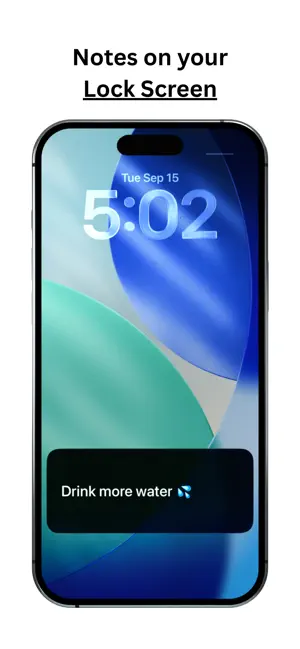
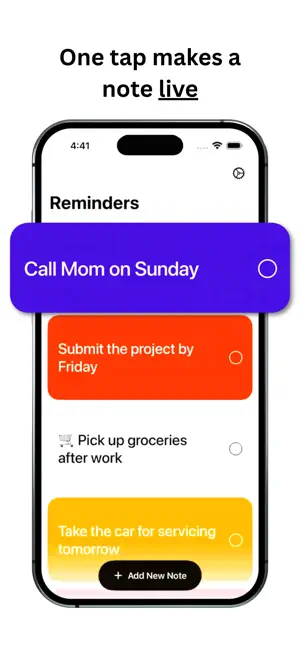
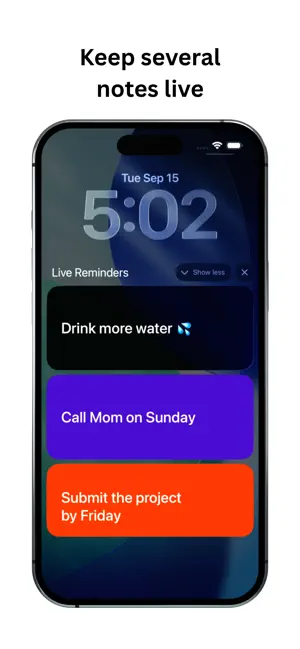
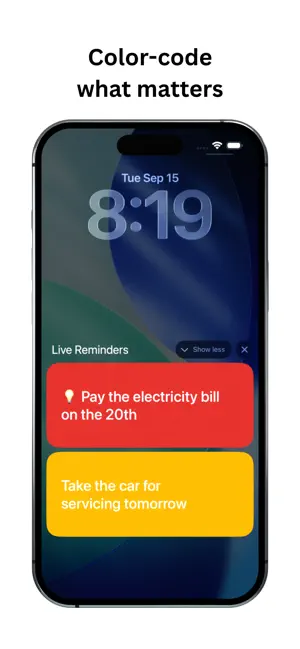
LockCards keeps the one thing you need to remember visible on your iPhone Lock Screen. Write a note, choose a color, and tap its circle to start a Live Activity. Your note appears on the Lock Screen and in Dynamic Island on supported iPhones. Tap it to reopen LockCards. Edit and save the note, and the Live Activity refreshes with your changes. START WITH A FREE NOTE • Create, edit, and reuse your first note for free • Choose from seven bold colors or a clean white card • Start, stop, and restart its Live Activity for free • Archive your note and restore it later • Start without creating an account • Keep note content stored locally on your device DO MORE WITH LOCKCARDS PREMIUM • Create more notes for quick tasks, shopping lists, and ideas • Keep multiple Live Activities running at once • Update a live note simply by editing and saving it • Restore purchases at any time from Settings Creating a second note or running multiple Live Activities at once requires an active LockCards Premium subscription. Editing, archiving, and restoring existing notes is free. Live Activity availability, placement, and duration are controlled by iOS. Dynamic Island is available only on supported iPhone models. LockCards does not schedule alarms or notification-based reminders. Privacy Policy: https://five-bubbler-90e.notion.site/Privacy-policy-ef30cbd8d57f828e88ca01c19cc99256 Terms of Use: https://five-bubbler-90e.notion.site/Terms-of-use-6b00cbd8d57f8394802e013349bc854e Support: https://five-bubbler-90e.notion.site/Support-ec90cbd8d57f8341a81d810f25d8df75
What’s new
Version 1.0.3 · Updated September 28, 2026
Thank you for using LockCards — we’re building a calmer, more personal way to keep the things that matter close. What’s new in 1.0.3: • Turn your Lock Card into an interactive to-do list • Check off tasks directly from your Lock Screen • Add new items with the Shortcuts action • Easily revisit completed and archived to-dos • Enjoy refined colors, haptics, and thoughtful improvements throughout Every update is shaped by people like you. Thank you for being part of our little community and growing with us.
App privacy
The developer, Ajay A S, reported these privacy practices to Apple.
Data Not Collected
The developer does not collect any data from this app.
Alternatives to Lock Screen Notes: LockCards
Looking for apps like Lock Screen Notes: LockCards? Here are 6 similar apps on the App Store. The highest rated is TimeTracker - Visible Progress (5.0/5), and all 6 are free to download.
-
 TimeTracker - Visible Progress
5.0
TimeTracker - Visible Progress
5.0
-
 CustosNotes
5.0
CustosNotes
5.0
-
 Halo: Pomodoro Focus Timer
-
 Screen Lock Notes
-
 TurboPost: Faster AI Captions
-
 SelfPush: Future Reminders
| App | Rating | Price | Last updated | Compare |
|---|---|---|---|---|
| Lock Screen Notes: LockCards | 5.0 / 5 (1 rating) | Free | September 28, 2026 | |
| TimeTracker - Visible Progress | 5.0 / 5 (1) | Free | May 21, 2026 | Compare |
| CustosNotes | 5.0 / 5 (1) | Free | Sep 5, 2026 | Compare |
| Halo: Pomodoro Focus Timer | – | Free | Jul 17, 2026 | Compare |
| Screen Lock Notes | – | Free | Sep 19, 2026 | Compare |
| TurboPost: Faster AI Captions | – | Free | Jan 10, 2026 | Compare |
| SelfPush: Future Reminders | – | Free | Oct 27, 2026 | Compare |