

NBrowser: Content Controls
Eun Chan Kim Utilities iPhoneiPadiPod touch
NBrowser: Content Controls is a free Utilities app for iPhone and iPad by Eun Chan Kim. Requires iOS 15.1. Updated October 31, 2026.
- Price
- Free
- on the App Store
- Size
- 36 MB
- Age 17+
- Updated
- Oct 31
- 2026 · v0.3.5
Screenshots


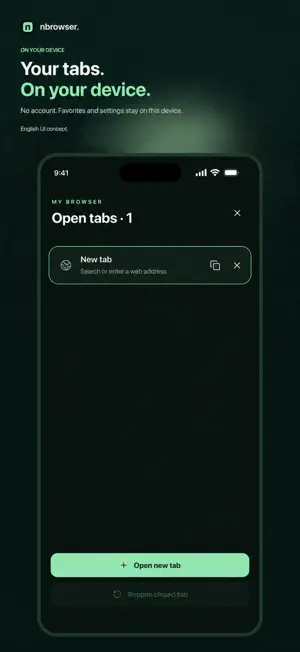
About NBrowser: Content Controls
Choose how web content appears with NBrowser. Control images, sound, video, file links and embedded content, and keep your favorites and settings on your device. No separate NBrowser account is required. CONTENT CONTROLS • Show, blur or hide images. • Mute autoplay audio or all audio. • Pause autoplay video or hide video. • Ask before opening file links, or block them. • Load embedded content on tap, or block it. • Add keyword rules and select page elements to hide. EVERYDAY BROWSING Use multiple tabs and your own favorites. Web audio and video that you start can continue playing in the background, subject to the website and iOS playback restrictions. The current app interface is in Korean. English text in these screenshots explains the features; the app screens are shown as they appear in the released app. Some websites render content with Canvas, protected streams or restricted frames, which can limit content controls. No filter can block every advertisement. The free app may display Google AdMob banner ads on the home and browsing screens. A one-time in-app purchase removes NBrowser's own banners. It is not a subscription, and purchases can be restored using the same App Store account. Website content controls remain free. NBrowser does not request personalized ads or IDFA access. Google SDKs may process device, advertising and diagnostic information to provide and measure ads. See the privacy policy for details and regional privacy choices. Web page content, favorites and filter settings are not sent to the developer's server.
What’s new
Version 0.3.5 · Updated October 31, 2026
Share the app link using Messages, Mail, or AirDrop and complete sending to receive one calendar month without in-app banner ads, once per device. Participation is stored in the device Keychain. The Korean App Store name has been updated.
App privacy
The developer, Eun Chan Kim, reported these privacy practices to Apple.
Data Linked to You
The following data, which may be collected and linked to your identity, may be used for the following purposes:
- Location: Coarse Location
- Identifiers: Device ID
- Usage Data: Product Interaction, Advertising Data
Used for: Third-Party Advertising, Analytics
Data Not Linked to You
The following data, which may be collected but is not linked to your identity, may be used for the following purposes:
- Diagnostics: Performance Data, Other Diagnostic Data, Crash Data
Used for: Third-Party Advertising, Analytics
Alternatives to NBrowser: Content Controls
Looking for apps like NBrowser: Content Controls? Here are 6 similar apps on the App Store. The highest rated is OneConnect™ by LINAK® (5.0/5), and all 6 are free to download.
-
 Wayline Browser
-
 HopSites: Bookmark Manager
4.5
-
 OneConnect™ by LINAK®
5.0
-
 EvTmate
5.0
-
 Beta Blocker
3.5
-
 Babel Browser
3.9
| App | Rating | Price | Last updated | Compare |
|---|---|---|---|---|
| NBrowser: Content Controls | – | Free | October 31, 2026 | |
| Wayline Browser | – | Free | Oct 2, 2026 | Compare |
| HopSites: Bookmark Manager | 4.5 / 5 (4) | Free | Oct 26, 2026 | Compare |
| OneConnect™ by LINAK® | 5.0 / 5 (4) | Free | Sep 1, 2026 | Compare |
| EvTmate | 5.0 / 5 (2) | Free | Oct 24, 2026 | Compare |
| Beta Blocker | 3.5 / 5 (41) | Free | Sep 12, 2026 | Compare |
| Babel Browser | 3.9 / 5 (9) | Free | Nov 25, 2025 | Compare |