

Teleprompter: Read & Film
Alex Gameli Heyman Photo & Video iPhoneiPadiPod touch
Teleprompter: Read & Film is a free Photo & Video app for iPhone and iPad by Alex Gameli Heyman. Rated 5.0/5 from 1 ratings. Requires iOS 18.0.
- Rating
- 5.0
- 1 ratings
- Price
- Free
- on the App Store
- Size
- 4 MB
- Age 4+
- Updated
- Oct 21
- 2026 · v1.2.1
Screenshots



About Teleprompter: Read & Film
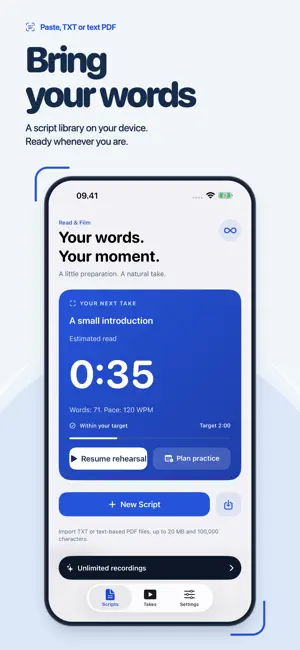
Teleprompter: Read & Film helps creators, teachers and small businesses read a script while recording video on iPhone or iPad. Paste text or import a TXT or text-based PDF, adjust the scrolling speed and text size, then record with your front or rear camera. Keep your take and save it to Photos or share it through Files and other apps. One saved recording is included at full quality, without a watermark. One completed rehearsal per day is free. One purchase unlocks unlimited recordings and rehearsal. No subscription or app account is required. PRACTICE THAT FITS YOUR DAY Set an optional reading-time target and choose your available window. Compare six hourly start times, save a plan and optionally set one local reminder. Resume an unfinished rehearsal at your saved reading position. See completed rehearsals and kept takes in your weekly practice history. READ COMFORTABLY Set your scrolling pace, font size, line spacing and reading-column width. Place the script near the camera, pause the text without stopping the recording, or rehearse without using the camera. Mirror the script for compatible teleprompter glass. RECORD AND KEEP YOUR TAKE Use portrait or landscape recording at up to 1080p/30 on supported devices. See the recording time and microphone level, and choose a countdown before starting. The script and app controls do not appear in the saved video. Preview your take, keep it or discard it and try again. USE A COMPATIBLE REMOTE Control the prompter with supported Bluetooth keyboard/HID shortcuts. The in-app guide explains the supported commands. Remote capabilities vary by device; universal Bluetooth compatibility is not promised. YOUR SCRIPTS AND RECORDINGS Create and organize scripts locally. Import plain-text TXT files and PDFs that already contain selectable text. Preview extracted PDF text before saving. Scanned PDFs and DOCX import are not supported in this version. Core prompting and recording work offline; purchases, restoration and some external file providers require a connection. CLEAR ONE-TIME TERMS Script editing, importing and access to existing saved videos remain available without a purchase. One kept recording is included for the lifetime of the free allowance. Discarded previews and failed captures do not use the allowance. After that, one non-consumable purchase enables unlimited new recordings. Existing kept videos remain available to export. Restore Purchases is available in Settings. Pausing, resuming or leaving a rehearsal early does not use the daily allowance. After completion, start another rehearsal tomorrow or unlock unlimited access. Video capture requires camera and microphone permission. Saving to Photos asks for permission only when you choose that action. You can also save or share through Files. This version uses adjustable scrolling; it does not follow your voice, generate scripts, add captions or float over other apps.
What’s new
Version 1.2.1 · Updated October 21, 2026
One completed rehearsal per day is free. Pausing, resuming or leaving early does not use the allowance. The lifetime free recording limit remains one kept video. Existing buyers have unlimited access, and saved videos remain available.
App privacy
The developer, Alex Gameli Heyman, reported these privacy practices to Apple.
Data Not Collected
The developer does not collect any data from this app.