

Loch: App Blocker & Focus
Amir-Khamza Bakhtiyorov Productivity iPhoneiPadiPod touch
Loch: App Blocker & Focus is a free Productivity app for iPhone and iPad by Amir-Khamza Bakhtiyorov. Requires iOS 17.0. Updated October 14, 2026.
- Price
- Free
- on the App Store
- Size
- 9 MB
- Age 4+
- Updated
- Oct 14
- 2026 · v1.0.1
Screenshots



About Loch: App Blocker & Focus
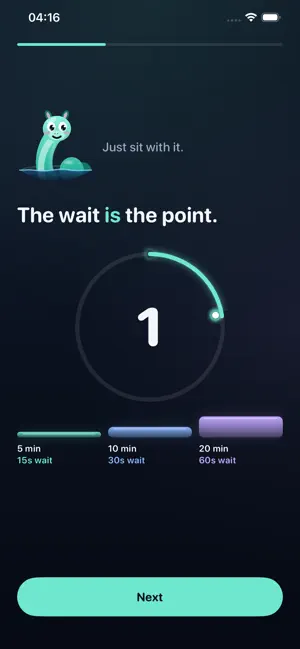
Loch is an app blocker for iPhone and iPad that adds a short wait before you open distracting apps. Choose timed unlocks, pause before you doomscroll, and make more intentional choices about screen time. You didn't decide to open it. Your thumb did. Loch puts a wall in front of the apps you reach for by reflex, giving you a moment to decide whether you still want to open one. HOW APP BLOCKING WORKS Choose your apps using Apple's Screen Time picker. They stay behind Loch's wall until you start an unlock. Each app has its own timer, so opening one does not unblock the others. When its time runs out, the wall returns. SHORT WAITS, TIMED ACCESS Wait 15 seconds for 5 minutes of access, 30 seconds for 10 minutes, or 60 seconds for 20 minutes. Longer access takes a longer wait. Leaving Loch during the countdown resets the wait. Allow notifications for a warning a minute before an unlock ends. A MOMENT TO CHANGE YOUR MIND Use Loch to put a pause before social media, games, or the apps that interrupt your study or work. Tap "Never mind" to keep the wall up instead of unlocking. Loch counts those moments as saves, and Ness celebrates each one. YOUR CHOICES STAY PRIVATE No account or sign-in is needed. Screen Time gives Loch private tokens rather than the names of your selected apps. Your block list and unlock records stay on your device. Google AdMob processes advertising data to serve ads, as explained in the privacy policy. ADS AND OPTIONAL TIPS Loch is free with ads during the unlock wait. The countdown continues behind the ad, though a longer video can finish after it. Any optional tip removes ads permanently; no subscription is required. LIMITS YOU CHOOSE FOR YOURSELF Loch needs your Screen Time permission to block apps. It is a self-control tool for your own device. Removing its permission or uninstalling it removes the wall. It does not enforce a daily screen time quota or manage someone else's phone. Meet Ness. Ness keeps the wall.
What’s new
Version 1.0.1 · Updated October 14, 2026
Clearer app information and store listing details.
App privacy
The developer, Amir-Khamza Bakhtiyorov, reported these privacy practices to Apple.
Data Used to Track You
The following data may be used to track you across apps and websites owned by other companies:
- Identifiers: Device ID
Data Linked to You
The following data, which may be collected and linked to your identity, may be used for the following purposes:
- Location: Coarse Location
- Identifiers: Device ID
- Usage Data: Product Interaction, Advertising Data
Used for: Third-Party Advertising, Developer’s Advertising or Marketing, Analytics
Data Not Linked to You
The following data, which may be collected but is not linked to your identity, may be used for the following purposes:
- Diagnostics: Performance Data, Other Diagnostic Data, Crash Data
Used for: Third-Party Advertising, Developer’s Advertising or Marketing, Analytics