

Clock-Clock
Tony Marouni Business iPhoneiPadiPod touch
Clock-Clock is a free Business app for iPhone and iPad by Tony Marouni. Requires iOS 15.0. Updated October 27, 2026.
- Price
- Free
- on the App Store
- Size
- 55 MB
- Age 4+
- Updated
- Oct 27
- 2026 · v1.1.3
Screenshots
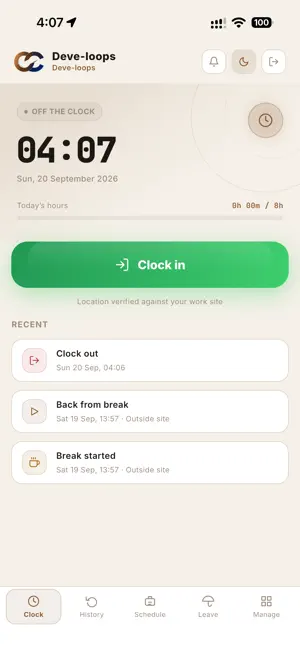
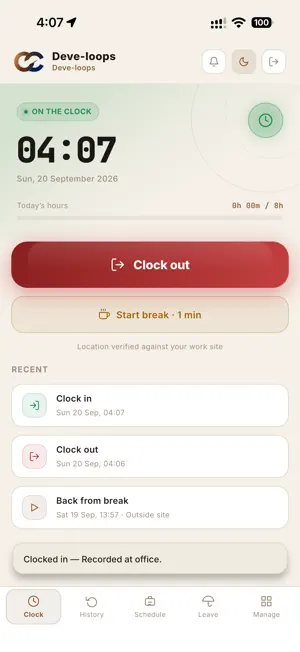

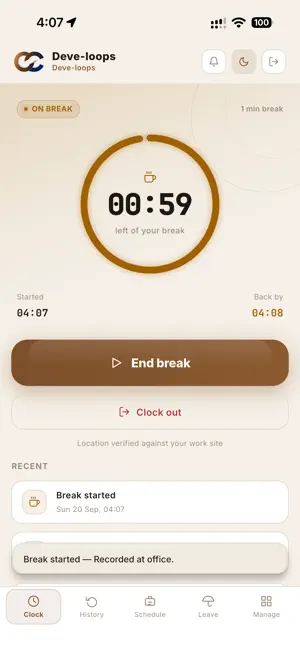
About Clock-Clock
Clock-Clock is a simple, honest time clock for companies. Employees clock in and out from their own phone at the work site, and managers see hours, breaks, schedules and leave in one place. FOR EMPLOYEES • Clock in and out with one tap. Your location is checked only at the moment you punch, never in the background. • Take your break with a countdown, and get a notification when it ends. • See your hours for the last 30 days, shift by shift. • Request holiday, sick or unpaid leave, and follow what happens to it. • No signal? Punches are saved on the phone and sent when you are back online. FOR MANAGERS • See who is on the clock, on a break, late or absent, live. • Approve leave, phone changes and punches that need a second look, right from your phone. • Build the weekly schedule and see who turned up. • Reports of hours, breaks and exceptions, exported as Excel workbooks. • Send an announcement to everyone or to one department. BUILT TO BE TRUSTED • Location checked against your work sites: a punch from outside is recorded and flagged for review, not refused. • Optional code at the door: print a code for a work site and staff scan it when they clock in and out. Their location is still checked, so a code scanned away from the site is flagged with the distance. • Phone flat, forgotten or in the repair shop? A manager adds the punch by hand, recorded as a manual entry with their name on it. • Give each department supervisor exactly the powers you want them to have. • One phone per person, so nobody clocks in for a colleague - or switch it off for a shared handset at the door. • Fake GPS apps are detected and the punch is flagged. • Every change a manager makes is kept in an audit log. • Departments with supervisors who see only their own team. GETTING STARTED Employees join their company with the invite code their manager gives them, then clock in at their work site. Managers run the team from the Manage tab, or from the web dashboard at clockclock.app, in light and dark mode. Questions? [email protected]
What’s new
Version 1.1.3 · Updated October 27, 2026
Improvements and bug fixes: - A new menu: tap your initials for your payslips, documents and settings. - Clock-Clock is now available in Arabic. - Clock-ins are kept even when the signal is weak. - Faster payslips and a smoother app.
App privacy
The developer, Tony Marouni, reported these privacy practices to Apple.
Data Linked to You
The following data, which may be collected and linked to your identity, may be used for the following purposes:
- Financial Info: Other Financial Info
- Location: Precise Location
- Contact Info: Email Address, Name, Phone Number
- User Content: Other User Content
- Identifiers: User ID, Device ID
- Diagnostics: Crash Data, Other Diagnostic Data
- Other Data: Other Data Types
Used for: App Functionality
Alternatives to Clock-Clock
Looking for apps like Clock-Clock? Here are 6 similar apps on the App Store. The highest rated is Lockodoro Deep Focus Timer (5.0/5), and all 6 are free to download.
-
 Resto Service
-
 Lockodoro Deep Focus Timer
5.0
Lockodoro Deep Focus Timer
5.0
-
 ClockOut Time Clock
-
 Al Heri Municipality
-
 CICO — Clock In, Clock Out
5.0
CICO — Clock In, Clock Out
5.0
-
 Invoice Biz: Expense Tracker
5.0
Invoice Biz: Expense Tracker
5.0
| App | Rating | Price | Last updated | Compare |
|---|---|---|---|---|
| Clock-Clock | – | Free | October 27, 2026 | |
| Resto Service | – | Free | Oct 8, 2026 | Compare |
| Lockodoro Deep Focus Timer | 5.0 / 5 (1) | Free | Sep 29, 2026 | Compare |
| ClockOut Time Clock | – | Free | Sep 7, 2026 | Compare |
| Al Heri Municipality | – | Free | Jun 24, 2026 | Compare |
| CICO — Clock In, Clock Out | 5.0 / 5 (8) | Free | Oct 23, 2026 | Compare |
| Invoice Biz: Expense Tracker | 5.0 / 5 (2) | Free | Sep 15, 2026 | Compare |
Compare Clock-Clock with the top alternatives: ratings, updates, ASO score and keyword gaps →